Web
The Ultimate Guide to Easy Responsive CSS
Oct 4, 2024
Easy responsive css is the secret to a website that looks great on any screen, whether it’s a big desktop monitor or a small smartphone. By using just HTML and CSS, you can create a dynamic and flexible design without complicated programming languages. Here are some key takeaways to start with:
Responsive web design ensures your site automatically adapts to any device size.
Focus on HTML and CSS, not complex coding or JavaScript.
Prioritize a mobile-first approach to ensure the best user experience on all devices.
Responsive design is all about making your website feel just right for everyone accessing it. It means your content flows seamlessly across desktops, tablets, and phones, offering users an engaging and frustration-free experience. Think about it: why make your visitors pinch and zoom awkwardly when your site can adjust to fit their screen perfectly?
I’m Ross Plumer, a digital marketing expert with deep experience in creating easy responsive css solutions. My work often blends innovative ideas with proven methodologies, ensuring that businesses like yours can compete in today’s complex web environment. Now, let’s dive deeper into the essentials of responsive web design.
Easy responsive css word guide:
– creative web design agency
– responsive website design agency
What is Responsive Web Design?
Responsive web design is about crafting websites that provide an optimal viewing experience across a wide range of devices. Whether someone is using a desktop, tablet, or smartphone, your site should look and function beautifully.
Why is this important? Because people use different devices to access the web. You want your site to be flexible, so it looks good on any screen size.
The Role of HTML and CSS
At the heart of responsive web design are HTML and CSS. These are the building blocks that allow your website to adapt to various screen sizes without the need for complex programming.
HTML structures your content. It defines elements like headings, paragraphs, and images.
CSS styles your content. It adjusts how these elements look and behave on different screens.
For instance, using CSS, you can resize, hide, or move content to make it fit better on smaller screens.
Mobile Devices and Screen Sizes
A key aspect of responsive design is ensuring that your website works well on mobile devices. More people are browsing the web on their phones than ever before. So, it’s crucial your site is mobile-friendly.
Screen sizes vary: From large desktop monitors to small smartphone screens, your site should adapt seamlessly.
Mobile-first approach: Start designing for smaller screens first, then scale up. This ensures your site is optimized for the most common device type.
Real-World Example
Consider a website like Design a Watch. It allows users to customize watches easily, whether they’re on a laptop or a smartphone. The site’s design adapts to the user’s device, providing a smooth and intuitive experience.
In summary, responsive web design is about making your site accessible and visually appealing on any device. By focusing on HTML and CSS, and considering various screen sizes, you can create a flexible and user-friendly website.
Next, we’ll explore the best CSS units for responsiveness.
Best CSS Units for Responsiveness
When it comes to building a responsive website, choosing the right CSS units is crucial. They determine how elements scale and adapt to different screen sizes. Let’s explore some of the best units for easy responsive CSS.
Percentage Units
Percentage units are a fantastic choice for creating fluid layouts. They allow elements to adjust their size relative to their parent container. This means that as the screen size changes, the elements resize proportionally.
For example, setting a container’s width to 50% ensures it always takes up half of its parent element’s width, regardless of the screen size. This approach is particularly useful when designing layouts that need to be flexible and adaptable.
Rems and Ems
Rems and ems are both relative units, but they serve slightly different purposes:
Rems (root ems) are based on the font-size of the root element (usually the
<html>element). This makes them ideal for maintaining consistent sizing across your website. For instance, if the root font-size is 16px, then 1rem equals 16px. If you adjust the root font-size, all elements using rems will scale accordingly.Ems are relative to the font-size of their parent element. This can be handy for scaling elements within a specific section of your site. However, it can also lead to unexpected results if not used carefully, as nested elements will multiply the scaling effect.
Using rems for font sizes and ems for spacing can create a harmonious and scalable design that responds well to different screen sizes.
Fluid Layout
A fluid layout adapts smoothly to any screen size by combining percentage units and relative units like rems and ems. This approach ensures that your website looks great on everything from a tiny smartphone screen to a large desktop monitor.
Here’s how you can achieve a fluid layout:
Set container widths using percentages to allow them to resize with the screen.
Use rems for consistent typography that scales with the root font-size.
Incorporate ems for flexible spacing that adapts to its context.
This combination creates a responsive design that maintains usability and aesthetics across devices.
Incorporating these CSS units into your design strategy will help you build a site that effortlessly adapts to various screen sizes, ensuring a seamless user experience. Next, let’s explore some easy responsive CSS techniques to further improve your design.
Easy Responsive CSS Techniques
Creating a responsive website doesn’t have to be complicated. With the right techniques, you can ensure your website looks great on any device. Let’s explore some easy responsive CSS techniques that will help you achieve this.
Using Media Queries Effectively
Media queries are a cornerstone of responsive design. They allow you to apply CSS styles based on specific conditions, such as screen size or device type. By setting up layout breakpoints, you can adjust your design to fit different devices.
For a mobile-first approach, start by designing for the smallest screens and gradually add styles for larger screens. This ensures your site is optimized for mobile users, who make up a large portion of web traffic.
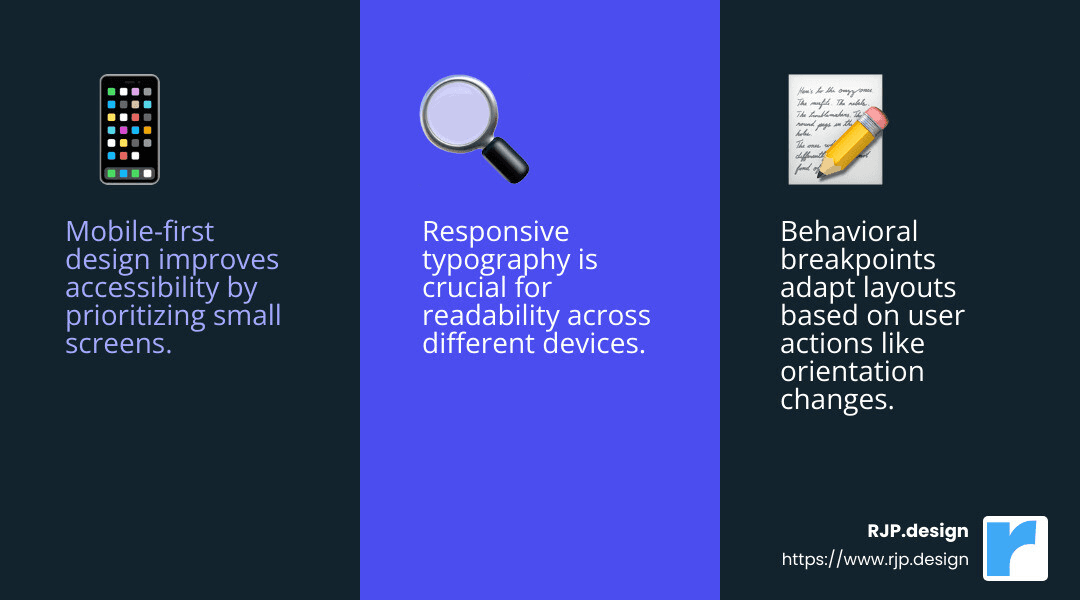
Behavioral breakpoints are another powerful tool. Instead of just changing styles at certain widths, you can adjust based on user behavior, like switching from portrait to landscape mode. Tools like responsivepx.com can help you test breakpoints effectively.
Scaling Font Sizes
Responsive typography is essential for readability on all devices. Use the calc() function to create dynamic font sizes. For example, font-size: calc(1rem + 0.5vw); scales the font size based on the viewport width.
Rems are excellent for maintaining consistent font sizes. They scale with the root font-size, ensuring uniformity across your site. Pair them with vmin units (1vmin is 1% of the viewport’s smaller dimension) to adjust fonts proportionally to screen size.
Box-sizing and Overflow Properties
The box-sizing property simplifies responsive design by including padding and borders in an element’s total width and height. This makes layout calculations more predictable, especially on smaller screens.
Setting box-sizing: border-box; ensures elements behave consistently when styled with padding.
The overflow: hidden property helps manage content overflow, preventing elements from spilling out of their containers. This is particularly useful in responsive designs where content might not fit perfectly.
Min-width and Max-width Properties
Max-width and min-width properties prevent elements from becoming too wide or too narrow. For images, use max-width: 100%; to ensure they scale down within their containers, maintaining aspect ratio without exceeding their natural size.
When styling input fields, min-width ensures they remain usable on small screens, avoiding tiny, hard-to-use elements.
By mastering these easy responsive CSS techniques, your website will seamlessly adapt to various devices, providing a consistent and enjoyable user experience. Next, we’ll explore some handy CSS tricks to further improve your responsive design.
Handy CSS Tricks for Responsive Design
When it comes to creating a versatile and user-friendly website, some CSS tricks can make all the difference. These tricks not only improve your design but also ensure it works seamlessly across different devices.
Responsive Video
Embedding videos on a website can be tricky, especially when you want them to look good on any screen size. A simple trick is to wrap your video in a <div> container and apply CSS styles that allow it to resize dynamically.
“`css
.video-container {
position: relative;
padding-bottom: 56.25%; / 16:9 Aspect Ratio /
height: 0;
overflow: hidden;
}
.video-container iframe {
position: absolute;
top: 0;
left: 0;
width: 100%;
height: 100%;
}
“`
This ensures your videos maintain their aspect ratio and fill the container, adapting smoothly to different screen sizes.
Flexbox for Layouts
Flexbox is a powerful CSS layout module that simplifies creating complex layouts. It allows you to arrange elements in a flexible and predictable way, adapting to different screen sizes with ease.
To start using Flexbox, define a container with display: flex;. Then, use properties like justify-content and align-items to control the alignment and spacing of child elements.
css
.flex-container {
display: flex;
justify-content: space-between;
align-items: center;
}
Flexbox is particularly useful for creating responsive navigation bars, grids, and aligning content vertically and horizontally.
CSS Grid Layout
For more advanced layouts, CSS Grid is your best friend. It offers a two-dimensional layout system, allowing you to create complex designs with minimal code.
Using Grid, you can define rows and columns, and place items precisely where you want them. Here’s a basic example:
css
.grid-container {
display: grid;
grid-template-columns: repeat(3, 1fr);
gap: 10px;
}
This creates a three-column layout with equal-width columns, automatically adapting to the container’s size. CSS Grid is ideal for creating responsive layouts that need more control than Flexbox can offer.
Semantic Markup
Using semantic HTML elements like <header>, <nav>, <main>, and <footer> improves your site’s accessibility and SEO. These elements provide meaning to your content, helping browsers and search engines understand the structure of your site.
Incorporating semantic markup into your design also makes it easier for other developers to read and maintain your code. It’s a best practice that pays off in the long run, especially when combined with responsive design techniques.
By leveraging these handy CSS tricks, you can create a responsive design that not only looks great but also functions smoothly across all devices. Next, we’ll dive into frequently asked questions about easy responsive CSS to address common challenges and solutions.
Frequently Asked Questions about Easy Responsive CSS
What is the best CSS unit for responsiveness?
When aiming for a fluid layout, percentage units are your best friend. They allow elements to resize relative to their parent container, making your design flexible and adaptable to different screen sizes. Rems and ems are also valuable for scaling typography and spacing, ensuring that your design remains consistent across devices.
Using percentage units for widths and rems for font sizes creates a balanced and responsive design. This approach ensures that your content scales smoothly, providing a seamless experience on both large monitors and small mobile screens.
How do I make my CSS code responsive?
To make your CSS code responsive, start with the width=device-width setting in your HTML <meta> tag. This tells mobile browsers to adjust the page’s width to match the screen’s width, providing a good starting point for a responsive design.
Next, use media queries to define breakpoints. Breakpoints are specific screen widths where your design needs adjustments to maintain usability and aesthetics. For example, you might have a breakpoint at 768px to switch from a multi-column layout to a single column on tablets.
css
@media (max-width: 768px) {
.container {
flex-direction: column;
}
}
Media queries allow you to tailor your design for various devices, ensuring a consistent and user-friendly experience.
How to make a responsive website easy?
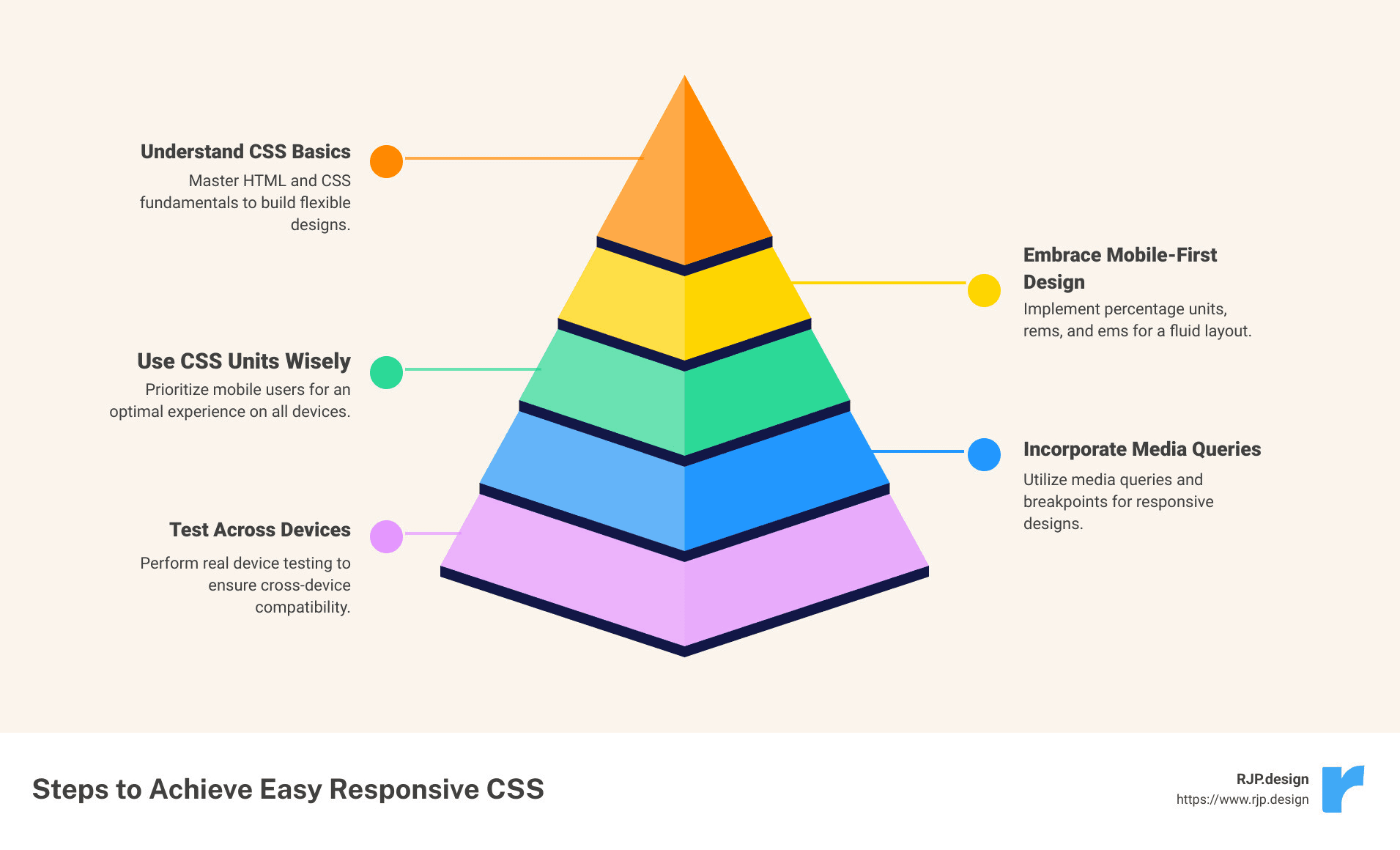
Creating a responsive website can be straightforward with the right tools and techniques. Start with a fluid grid system, which uses relative units to adapt to different screen sizes. This helps in maintaining the layout’s integrity across devices.
Consider using pre-designed themes or frameworks like W3.CSS, which come with built-in responsive features. These can save time and effort, allowing you to focus on customizing your site’s look and feel.
Don’t forget about touchscreens. Ensure buttons and interactive elements are large enough to be easily tapped. This improves user experience on mobile devices.
Lastly, real device testing is crucial. While emulators are helpful, testing on actual devices gives you a true sense of how your site performs in the real world. It helps identify issues that might not appear in a simulated environment.
By following these steps, you can achieve easy responsive CSS that improves your website’s usability and accessibility.
Conclusion
At RJP.design, we pride ourselves on delivering high-quality service that transforms your online presence. Our approach to web design is not only about aesthetics but also about ensuring your site is easily findable and functional across all devices. This is where our expertise in easy responsive CSS comes into play.
Our down-to-earth team focuses on client satisfaction, making sure your website looks great and works flawlessly, whether viewed on a desktop, tablet, or smartphone. We understand that a responsive website is crucial for capturing and retaining visitors, which is why we use the latest CSS techniques to ensure your site adapts seamlessly to any screen size.
Enhancing your online presence is more than just a service—it’s a partnership. We work closely with you to create a digital experience that aligns with your brand and engages your audience. From scaling font sizes with rems to implementing fluid grids and media queries, we employ strategies that make your website future-proof and user-friendly.
Ready to lift your online presence with a responsive design that truly stands out? Explore our web design services and see how we can help your business thrive online.