
Web
Detailed Guide to Mastering Responsive Web Design Principles
Oct 12, 2024
Responsive web design is the art of making websites look fantastic on every device, whether it’s a phone, tablet, or desktop. At its core, responsive web design ensures your online presence is adaptable, engaging, and accessible.
Here’s a quick breakdown of what makes responsive web design essential:
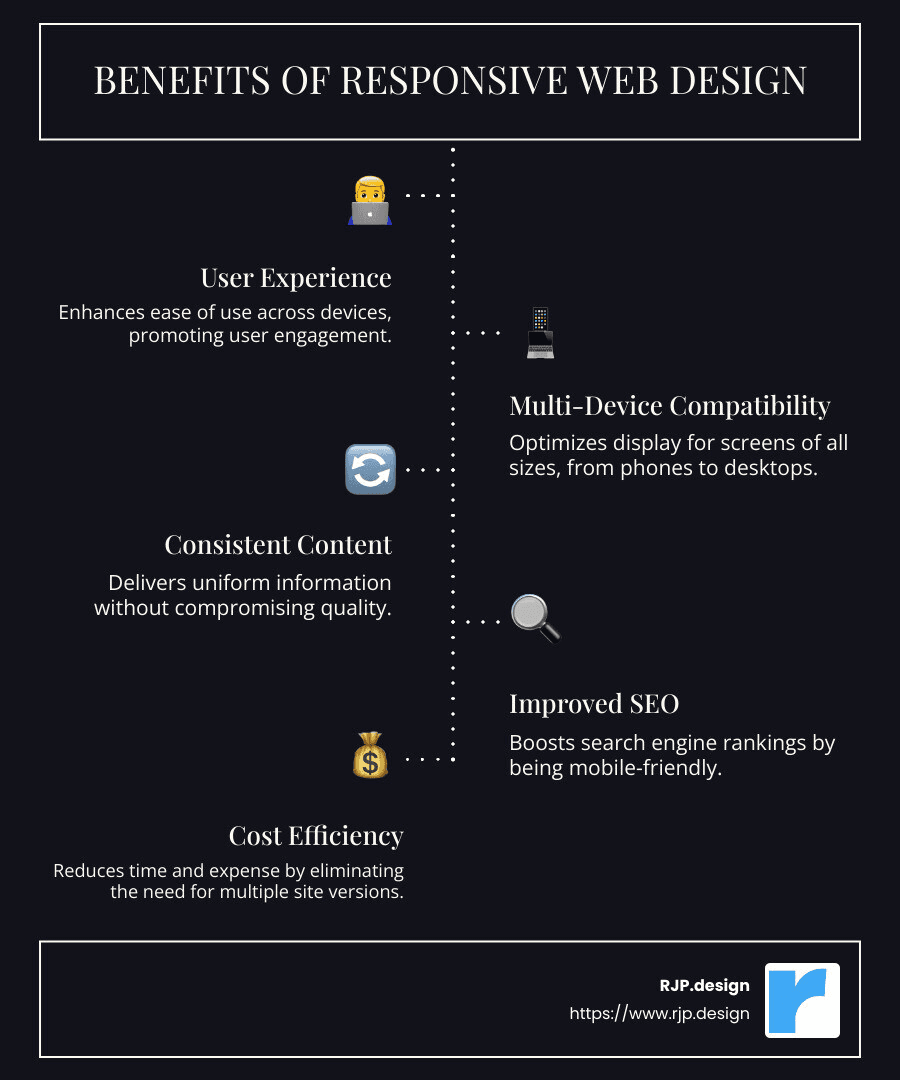
User Experience: Ensures your website is easy to use on all devices, enhancing customer interaction.
Multi-Device Compatibility: Adapts seamlessly to any screen size, from smartphones to large desktops.
Consistent Content: Offers the same information on all platforms without compromises.
Better SEO: Search engines favor responsive sites, improving your visibility online.
Cost Efficiency: One responsive design saves time and money over maintaining multiple site versions.
Now, let’s dive deeper into how responsive web design can transform your digital presence.
I’m Ross Plumer, an expert in crafting digital solutions that resonate deeply with audiences. With a background in digital marketing and years of experience in responsive web design, I’ve helped businesses maximize their online impact. Let’s start on this journey to make your website both beautiful and effective.
Basic responsive web design terms:
– easy responsive css
– creative web design agency
– responsive website design agency
Understanding Responsive Web Design
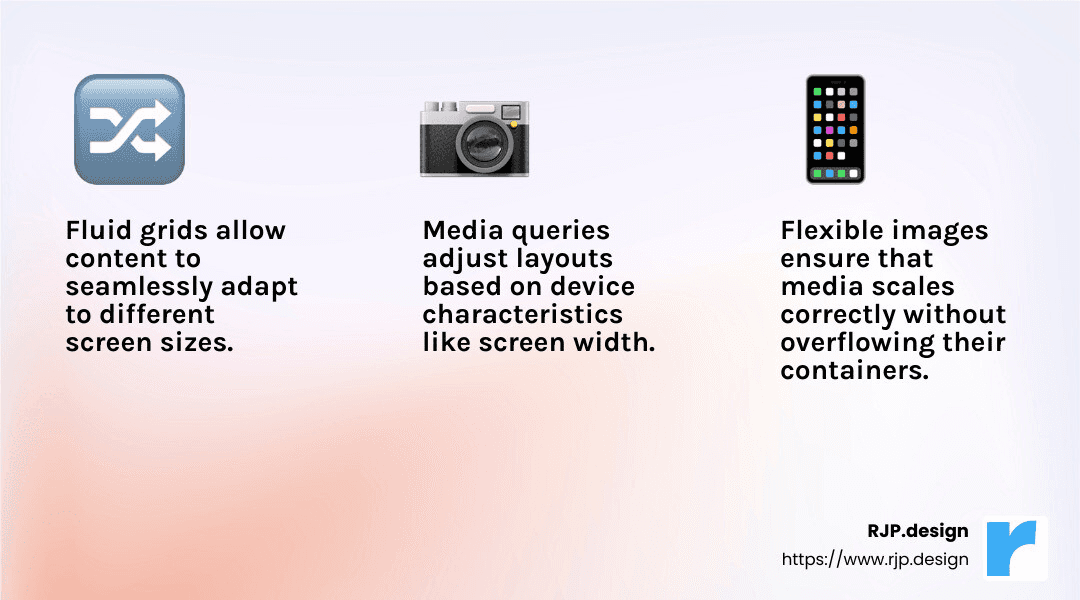
Responsive web design is a game-changer for creating websites that shine on any device. Let’s explore three key ingredients that make it work: fluid grids, flexible images, and media queries.
Fluid Grids
Imagine a grid that changes its size depending on the screen. That’s a fluid grid. It uses percentages instead of fixed units like pixels. This way, your layout can stretch or shrink to fit any screen.
For example, if you have a three-column layout on a desktop, those columns might stack vertically on a phone. This adaptability keeps your site looking good everywhere.
Flexible Images
Images need to be as adaptable as the text around them. A flexible image scales with its container. The magic happens with the max-width: 100% CSS rule. This ensures images never overflow their container.
So, if your image is in a column that gets narrower, the image will shrink to fit. But it won’t get bigger than its original size, preventing pixelation.
Media Queries
Media queries are like a translator for your website. They tell your CSS how to behave based on the device’s characteristics, like screen width or orientation.
For instance, you might use a media query to change a two-column layout into a single column on smaller screens. Here’s a simple example:
css
@media (max-width: 600px) {
.container {
flex-direction: column;
}
}
This snippet tells the browser to stack elements vertically when the screen is 600 pixels wide or less.
Bringing It All Together
These three elements—fluid grids, flexible images, and media queries—work in harmony to create a seamless experience across devices. They ensure that your content is always accessible and looks great, whether on a smartphone or a wide desktop monitor.
Responsive web design is not just about making things fit; it’s about creating a user-friendly experience that adapts to the user’s needs. By understanding and implementing these core principles, you can build a website that stands the test of time and technology.
Now that we’ve covered the basics, let’s move on to the key elements that make responsive web design truly effective.
Key Elements of Responsive Web Design
Now that we understand the foundational concepts, let’s dive into the key elements that bring responsive web design to life: fluid layouts, media queries, and responsive images.
Fluid Layouts
Fluid layouts are the backbone of a responsive website. They allow your site’s design to adjust smoothly across different screen sizes. Instead of using fixed-width elements, fluid layouts employ relative units like percentages. This flexibility ensures that your content fits beautifully on any device, from tiny smartphones to large desktop monitors.
Example: A website might display three side-by-side columns on a desktop. On a tablet, these columns could rearrange to two side-by-side and one below. And on a phone, they might stack vertically. This adaptability maintains readability and usability.
Media Queries
Media queries are the secret sauce that enables your site to adapt its style based on the device’s characteristics. They allow you to apply CSS rules conditionally, depending on factors like screen width, height, and orientation.
Example: You might want a menu to switch from a horizontal layout on a desktop to a vertical dropdown on a mobile device. With media queries, you can easily make this change:
css
@media (max-width: 768px) {
.menu {
display: block;
}
}
This snippet tells the browser to switch the menu’s display to block (stacked) when the screen is 768 pixels wide or less.
Responsive Images
Responsive images are crucial for maintaining visual quality across devices. These images automatically adjust to fit their container, ensuring they look sharp and load quickly without taking up unnecessary bandwidth.
Technique: Use the
srcsetattribute in HTML to serve different image sizes based on the device’s screen size and resolution. This ensures that smaller devices receive smaller images, improving load times.
html
<img src="small.jpg" srcset="medium.jpg 600w, large.jpg 1200w" alt="Sample Image">
In this example, the browser chooses the best image size based on its current conditions, optimizing both performance and quality.
Putting It All Together
When fluid layouts, media queries, and responsive images work together, they create a cohesive and adaptable design. This triad ensures your site not only looks great but also functions well on every device, providing a seamless user experience.
By mastering these key elements, you can build a website that is both flexible and future-proof, ready to meet the demands of our changing digital landscape.
Next, we’ll explore techniques for implementing these responsive design principles in your projects.
Techniques for Implementing Responsive Design
Creating a responsive web design involves more than just understanding its key elements. It requires mastering the techniques that bring these elements to life. Let’s explore the essential methods—CSS features, HTML basics, and flexible grids—that make your website responsive.
CSS Features
CSS is your best friend when it comes to responsive design. Modern CSS offers a suite of features that make building responsive sites a breeze. Here are a few key tools:
Flexbox: This layout model allows you to design complex layouts with ease. Flexbox is inherently responsive and adapts elements based on available space. It’s perfect for creating flexible navigation bars or aligning items in a container.
Grid Layout: CSS Grid is a powerful tool for creating two-dimensional layouts. It gives you control over both rows and columns, making it ideal for designing complex, responsive interfaces.
Media Queries: These allow you to apply styles based on device characteristics. You can tweak layouts or hide elements when viewed on smaller screens.
css
@media (max-width: 600px) {
.sidebar {
display: none;
}
}
This snippet hides the sidebar on screens narrower than 600 pixels.
HTML Basics
HTML forms the backbone of any web page. For responsive web design, it’s important to use semantic HTML and keep your structure clean and simple.
Viewport Meta Tag: Always include the
<meta name="viewport" content="width=device-width, initial-scale=1">tag. This ensures that your page scales correctly on different devices.Responsive Images: Use the
srcsetattribute to serve different images based on screen size. This optimizes load time and improves performance.
html
<img src="default.jpg" srcset="small.jpg 500w, medium.jpg 1000w, large.jpg 1500w" alt="Responsive Image">
Here, the browser selects the best image size based on the device’s width.
Flexible Grids
Flexible grids are the foundation of a responsive layout. They allow your site’s design to adapt smoothly across various screen sizes.
Relative Units: Use percentages instead of fixed pixels. This ensures that elements resize proportionally.
css
.container {
width: 80%;
}
In this example, the container will always occupy 80% of the available width, regardless of the screen size.
Breakpoints: Introduce breakpoints where your design needs to adapt. This could mean rearranging elements or changing font sizes to maintain readability.
By combining these techniques, you can create a website that not only looks great but also performs well on any device. With CSS features, HTML basics, and flexible grids in your toolkit, you’re well-equipped to implement effective responsive designs.
Next, we’ll see how these principles come together in real-world applications, using examples like Dropbox and exploring the concept of mobile-first design.
Responsive Web Design in Practice
Let’s explore how responsive web design is applied in real-world scenarios, using examples like Dropbox and exploring concepts like mobile-first design and breakpoints.
The Dropbox Example
Dropbox is a great example of effective responsive web design. The company prioritizes simplicity and accessibility across all devices. Their website adapts seamlessly, whether you’re on a desktop, tablet, or smartphone. One key feature is the use of fluid grids that adjust content layout to fit any screen size. This ensures that users have a consistent experience, no matter what device they’re using.
Dropbox also employs responsive images that load quickly and adjust to the screen size, which is crucial for maintaining performance on mobile networks. By leveraging these techniques, Dropbox ensures that their service is accessible and user-friendly.
Mobile-First Design
Mobile-first design is a strategy that starts with designing for the smallest screen size and then scaling up. This approach ensures that essential features and content are prioritized for mobile users, who often have different needs than desktop users.
By focusing on mobile-first, designers can create a clean and efficient layout that adapts well to larger screens. This method also encourages the use of media queries to progressively improve the design for larger viewports. The result is a site that is both user-friendly and adaptable.
Breakpoints
Breakpoints are specific points in a website’s design where the layout changes to improve usability on different devices. These are crucial in creating a seamless experience across various screen sizes.
For instance, a website might display a multi-column layout on a desktop but switch to a single-column layout on a mobile device. This transition is controlled by breakpoints. By strategically placing breakpoints, you can ensure that your site’s content remains readable and accessible, regardless of the device.
Here’s a simple example of how you might use breakpoints with CSS:
css
@media (max-width: 768px) {
.navigation {
flex-direction: column;
}
}
In this snippet, the navigation menu changes to a vertical layout on screens narrower than 768 pixels.
By understanding and applying these concepts—Dropbox’s example, mobile-first design, and breakpoints—you can create responsive websites that offer a great user experience across all devices.
Now, let’s address some common questions about responsive web design to deepen your understanding.
Frequently Asked Questions about Responsive Web Design
What are the three basic things required for responsive web design?
To create a responsive web design, you need three fundamental tools: CSS, HTML, and media queries. These elements work together to ensure your website looks great on any device.
HTML: The backbone of any website. It structures your content, allowing you to define headings, paragraphs, images, and links.
CSS: This is where the magic happens. CSS styles your HTML, controlling the layout, colors, fonts, and more. It’s what makes your website visually appealing.
Media Queries: These are CSS techniques that allow you to apply different styles based on the device’s screen size. They help your website adapt to various devices by adjusting layouts, fonts, and images.
Is responsive design still a thing?
Absolutely! Responsive design is more relevant than ever. With the rise of multi-device usage, a site that works seamlessly on all screens is essential. Users expect a smooth experience, whether they’re on a phone, tablet, or desktop.
The evolution of technology means new devices and screen sizes are constantly emerging. Responsive design ensures your website remains usable and accessible, regardless of these changes.

How do I make my website fully responsive?
Creating a fully responsive website involves a few key steps:
Start with a Fluid Grid Layout: Use CSS to create a flexible grid that adjusts based on the screen size. This ensures your layout remains consistent across devices.
Use Media Queries: Implement media queries to apply specific styles for different screen sizes. For example, you might change the navigation layout for mobile users to make it more user-friendly.
Focus on User-Friendly Design: Prioritize simplicity and ease of use. Ensure buttons are easy to tap on mobile devices, and text is readable without zooming.
Here’s a basic example of using a fluid grid and media queries:
“`css
body {
display: grid;
grid-template-columns: repeat(auto-fit, minmax(200px, 1fr));
}
@media (max-width: 600px) {
body {
grid-template-columns: 1fr;
}
}
“`
In this snippet, the grid adapts to fit the screen size, ensuring a consistent layout on both large and small screens.
By focusing on these principles, you can create a website that delivers a seamless experience for every user, no matter their device.
Conclusion
At RJP.design, we believe in crafting websites that not only look stunning but also serve their purpose effectively across all devices. Our commitment to responsive web design ensures that every website we build adapts flawlessly, whether viewed on a desktop, tablet, or smartphone.
Client Satisfaction
Client satisfaction is at the heart of everything we do. We work closely with our clients to understand their needs and goals. This collaboration helps us deliver websites that are not just visually appealing but also user-friendly and functional. Our down-to-earth team is always ready to assist, ensuring you feel supported throughout the entire process.
High-Quality Service
We pride ourselves on delivering high-quality service. Our team of experts uses cutting-edge techniques and tools to create websites that stand out. From fluid grids and flexible images to precise media queries, we ensure every aspect of your site is optimized for the best user experience.
When online presence is crucial, our goal is to make sure your website is easily found and leaves a lasting impression. With RJP.design, you get a partner dedicated to your success, offering the best in web design and online branding.