
SEO
Meta Tags for SEO: Your Essential Handbook to Online Visibility
Oct 17, 2025

Search engine optimization meta tags: Essential 2025
What Are Search Engine Optimization Meta Tags and Why They Matter
Search engine optimization meta tags are HTML snippets in your site’s code that tell search engines what a page is about. Located in the <head> section of your HTML, they act as invisible instructions that influence how your page appears in search results.
Quick Answer: Essential Meta Tags for SEO
Title Tag: The clickable headline in search results (50-60 characters).
Meta Description: The summary text below your title (150-160 characters).
Robots Meta Tag: Controls if search engines index your page.
Viewport Meta Tag: Makes your site mobile-friendly.
Canonical Tag: Prevents duplicate content issues.
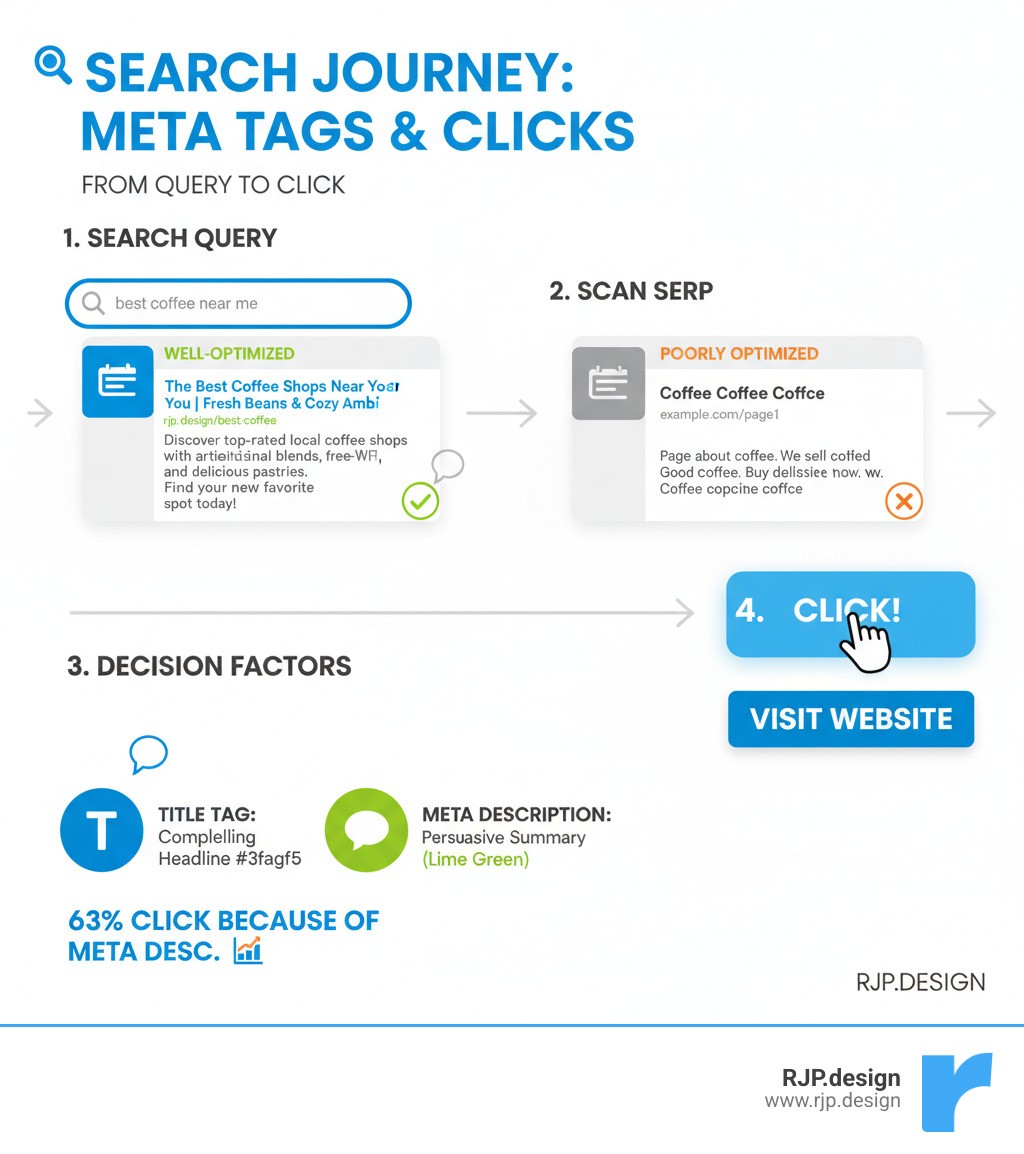
Think of meta tags as your website’s first impression. Your title tag and meta description are often the only things a user sees on Google before deciding to click. In fact, one study found that 62.9% of users click on a page because of its meta description.
Without optimized meta tags, search engines may generate their own titles and descriptions, which often fail to capture what makes your business unique. The good news is that optimizing meta tags is a straightforward way to improve search visibility and see results quickly.
At RJP.design, we’ve seen how proper meta tag implementation can transform click-through rates and search performance. We specialize in helping businesses maximize their impact with effective SEO strategies.
Related content about search engine optimization meta tags:
The Core Meta Tags That Drive Clicks and Rankings
These foundational tags are your website’s first impression in search results, compelling users to click.

Crafting Title Tags: Your Digital Handshake
The title tag is your page’s headline, appearing in search results, browser tabs, and social media shares. While technically a distinct HTML element, it works with your search engine optimization meta tags to define your page’s topic for both users and search engines. Google explains how titles are critical for users to understand content.
Title tags are a direct ranking factor and your primary tool for attracting clicks.
Length: Keep titles between 50-60 characters to avoid being cut off in search results.
Keywords: Place your primary keyword naturally near the beginning, but prioritize readability. “Best Pizza Recipe | How to Make Pizza at Home” is better than “Pizza Recipe Best Pizza Making Pizza Home.”
Uniqueness: Every page needs a unique title to avoid confusing search engines and to target different keywords.
The key is to write for humans first, search engines second. Your title should clearly communicate the page’s value. Our SEO Optimization Services can help you craft titles that rank well and drive clicks.
Writing Compelling Meta Descriptions to Boost CTR
The meta description is the summary beneath your title in search results that convinces users to click. While meta descriptions are not a direct ranking factor, they heavily influence your click-through rate (CTR).
A higher CTR signals to Google that your content is valuable. A study showing 62.9% of users click based on the description highlights their importance.
Length: Aim for 150-160 characters to ensure your full message is displayed.
Search Intent: Match what users are looking for. If they search “best coffee shops near me,” your description should confirm you have that information.
Uniqueness: Each page needs a custom description to maximize its potential.
Call-to-Action (CTA): Include a helpful, natural CTA like “Learn how to improve your website’s performance.”
When you include relevant keywords, Google often bolds them in search results, drawing the user’s eye. A great meta description acts as a helpful preview, not a sales pitch.
Technical SEO: Controlling Crawlers and Content with Meta Tags
These technical search engine optimization meta tags act as your website’s traffic control system, guiding search engines behind the scenes.
The Robots Meta Tag: Your Website’s Bouncer
The robots meta tag (<meta name="robots">) gives direct instructions to search engine crawlers. The two main commands are:
indexvs.noindex: Tells search engines whether to include a page in search results. Usenoindexfor pages that don’t offer value to searchers, like “thank you” pages or internal search results.followvs.nofollow: Controls whether search engines follow the links on a page. Usenofollowfor links you don’t want to endorse, like in comment sections.
You can combine directives, such as <meta name="robots" content="noindex, nofollow">. Search engines must be able to crawl a page to see its robots tag. For help with these technical details, our Technical SEO Experts are here to assist. For more details, see Google’s official robots meta tag documentation.
The Viewport and Charset Meta Tags
These tags are crucial for a good user experience, which is a key factor for Google’s rankings.
The viewport meta tag (
<meta name="viewport" content="width=device-width, initial-scale=1.0">) ensures your site is mobile-friendly. It tells browsers to scale your page to the device’s screen width. Since mobile-friendliness is a ranking factor, this tag is essential. You can check your site with Google’s Mobile-Friendly Test tool.The charset meta tag (
<meta charset="UTF-8">) ensures your text displays correctly across all browsers and languages by specifying the character encoding. UTF-8 supports nearly all characters and symbols, preventing garbled text that can make your site look unprofessional.
The Rel=”Canonical” Tag: Conquering Duplicate Content
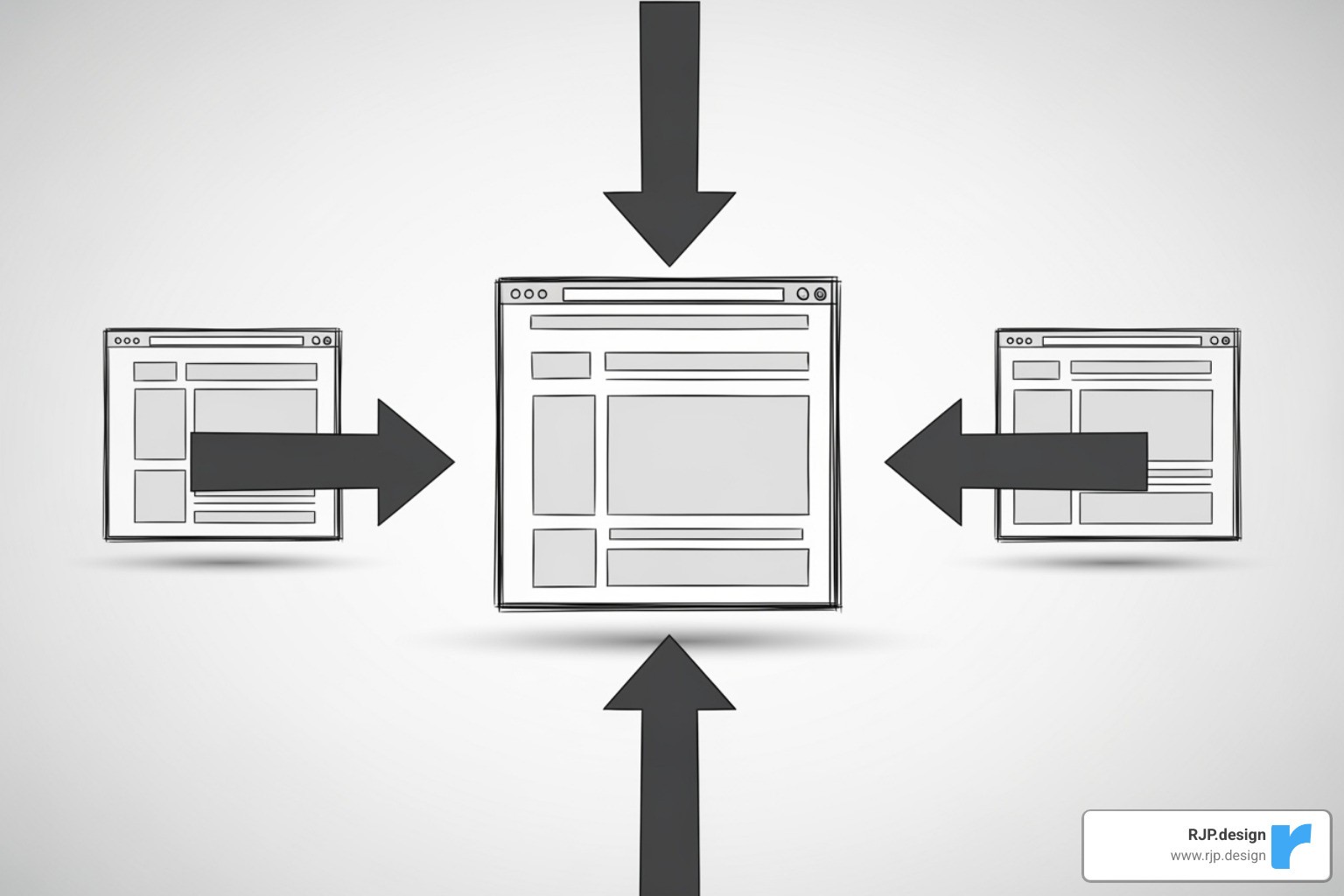
Duplicate content occurs when search engines find multiple URLs for the same or similar content, which confuses them and dilutes your SEO value. The canonical tag (<link rel="canonical" href="https://rjp.design/blog/seo-meta-tags/">) solves this by identifying the “official” version of a page.
This is common on e-commerce sites (e.g., example.com/shoes/red and example.com/shoes?color=red) or sites with tracking parameters. By placing the canonical tag on all duplicate versions pointing to the master URL, you consolidate all SEO credit to a single page. Correctly managing canonicals is vital for search performance, especially for complex sites. Learn more about managing content for SEO.
The Evolution and Misconceptions of Search Engine Optimization Meta Tags
The world of SEO moves fast, and what once worked can now be useless or even harmful. This is especially true for search engine optimization meta tags. Let’s clear up some common misconceptions.
The Obsolete Meta Keywords Tag: A Ghost of SEO Past
You may have seen advice about the meta keywords tag (<meta name="keywords">). The truth is simple: this tag is completely obsolete for SEO.
In the early days of search engines, this tag helped them understand a page’s content. However, it was quickly abused by website owners who “stuffed” it with irrelevant keywords to game the system. This led to a poor user experience and irrelevant search results.
As a result, Google officially stopped using the meta keywords tag for ranking in 2009. You can read Google’s official statement on not using the keywords meta tag. Bing has even stated that stuffed keyword tags can be seen as a spam signal. If your website still has these tags, you should remove them. They offer no SEO value and only add clutter to your code.
Common Mistakes in Search Engine Optimization Meta Tags
Even with the right tags, common mistakes can undermine your SEO efforts. Here are the most frequent issues to avoid:
Duplicate Titles and Descriptions: Every page needs a unique title and description. Duplicates confuse search engines and waste opportunities to rank for different keywords.
Incorrect Length: Titles that are too long get cut off, while descriptions that are too short may be ignored by Google. Stick to 50-60 characters for titles and 150-160 for descriptions.
Keyword Stuffing: Don’t cram keywords into your titles and descriptions. Write for humans first, and incorporate keywords naturally.
Content Mismatch: Ensure your meta tags accurately reflect the content on the page. A misleading description leads to high bounce rates, signaling to Google that your page isn’t relevant.
Forgetting Meta Tags: If you don’t specify titles and descriptions, you leave it up to search engines to create them, and their guesses aren’t always flattering.
Accidental
noindex: Be careful with the robots tag. Accidentally adding anoindextag to an important page can remove it from search results entirely.Ignoring the Viewport Tag: Forgetting the viewport meta tag will result in a poor mobile experience, which can harm your rankings as most searches are now on mobile devices.
Advanced Meta Tags for Improved Visibility
Once you’ve mastered the basics, you can use advanced tags and related attributes to improve how your content appears on social media and in search results.
Social Media Meta Tags (Open Graph & X Cards)
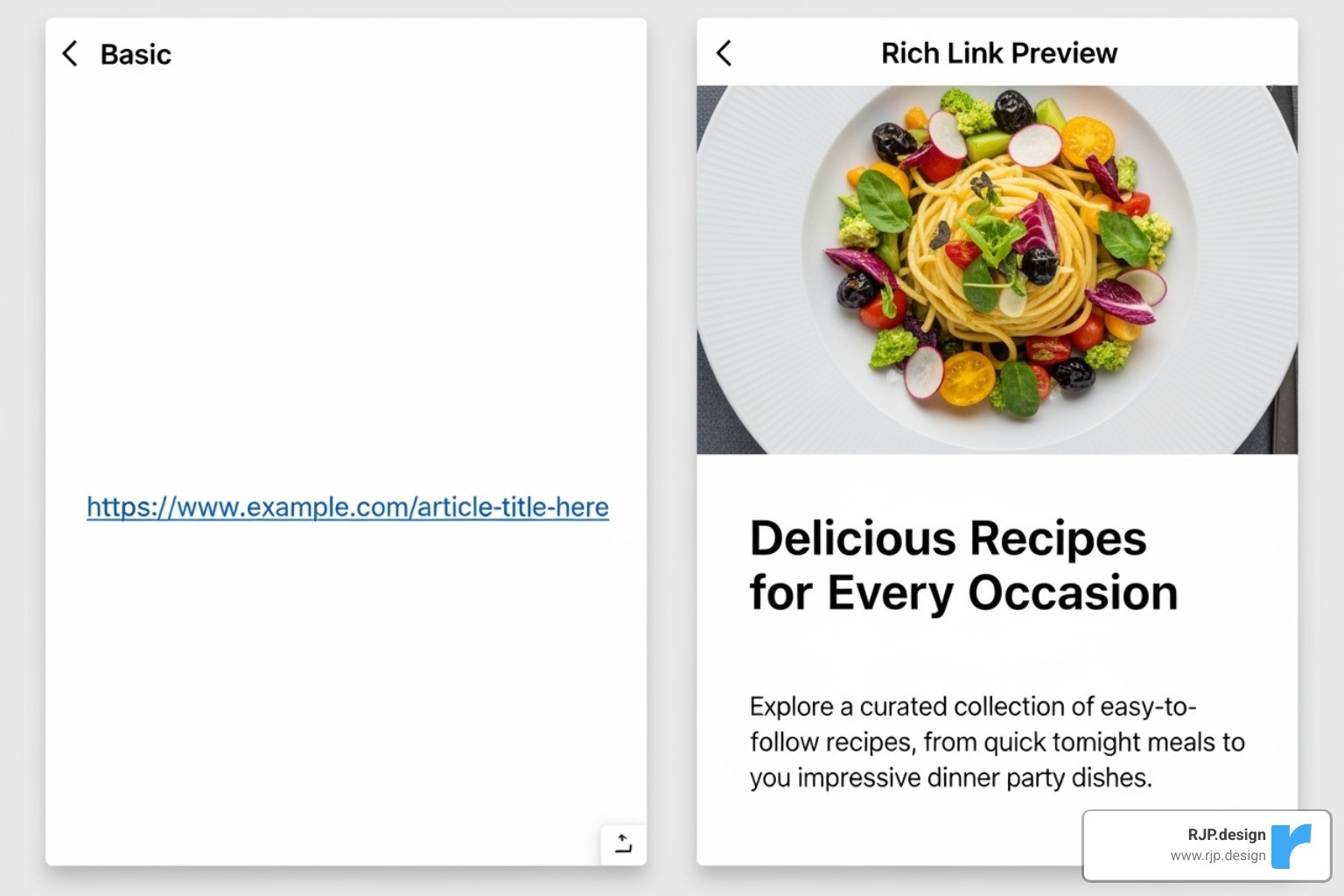
Social media meta tags control how your content looks when shared on platforms like Facebook, LinkedIn, and X (formerly Twitter). While they don’t directly impact SEO rankings, they significantly increase clicks from social media.
The Open Graph Protocol, created by Facebook, turns a webpage link into a rich object with a title, description, and image. Key tags include
og:title,og:description,og:image,og:url, andog:type. You can learn more at The Open Graph protocol official site.X Cards serve the same purpose for X (Twitter), attaching rich media to tweets containing your link.
Implementing these tags ensures your links look professional and stand out in crowded social feeds, driving more traffic and maintaining brand consistency.
Schema Markup and Image Alt Attributes
While not technically meta tags, schema markup and image alt attributes work with your search engine optimization meta tags to provide search engines with deeper context about your page.
Schema markup is structured data that helps search engines understand the meaning behind your content. By using vocabularies from schema.org, you can enable rich snippets in search results—like star ratings, prices, or event dates. These eye-catching results can dramatically increase click-through rates. Schema is also increasingly important for AI-powered search features and local SEO, as it helps define entities like your business name, address, and phone number.
Image alt attributes (alt text) are crucial for both accessibility and SEO.
For accessibility, alt text describes an image for visually impaired users who rely on screen readers.
For SEO, alt text helps search engines “see” and understand your images, allowing them to rank in Google Image Search. Since a huge portion of traffic comes from Google Images, this is a vital optimization.
Good alt text is descriptive and concise (under 125 characters). It should accurately describe the image while naturally including relevant keywords where appropriate.
Your Action Plan: Implementing and Measuring Meta Tags
Knowledge is only powerful when applied. Here’s a practical guide to implementing, auditing, and measuring your search engine optimization meta tags.
How to Add, Audit, and Manage Your Meta Tags
You can manage meta tags by editing code directly or by using user-friendly tools.
Manual HTML Implementation
You can add meta tags directly into the <head> section of your HTML files. This offers full control but can be time-consuming for large sites.
Here’s an example of a well-tagged page:
CMS Plugins and Built-in Tools
Most modern website platforms simplify meta tag management.
WordPress: Plugins like Yoast SEO or Rank Math provide fields for titles, descriptions, and social tags.
Shopify: Includes built-in SEO settings for products, collections, and pages.
Squarespace: Offers user-friendly SEO settings. We provide expert Squarespace SEO Help if you need assistance.
Auditing with SEO Tools
Tools like Ahrefs, Semrush, or Screaming Frog can crawl your site to find missing, duplicate, or poorly optimized meta tags, which is essential for large websites. You can also do a quick check by right-clicking a page, selecting “View Page Source,” and searching for <title> and <meta name="description">.
Google Search Console is invaluable for monitoring. Check the “Pages” report for issues and look for pages with high impressions but low click-through rates—these are prime candidates for meta tag optimization.
Measuring Effectiveness: Are Your Meta Tags Working?
Track these key metrics to measure the impact of your optimizations.
Click-Through Rate (CTR)
Your CTR in Google Search Console is the most important metric. It shows the percentage of users who clicked your result after seeing it. A higher CTR, even with no change in ranking, signals to Google that your page is relevant, which can lead to better rankings over time.
Search Rankings
While descriptions don’t directly affect rankings, title tags do. Improved CTR can also indirectly boost your position. Track your average position for target queries in Google Search Console or other SEO tools.
User Behavior
If your meta tags are misleading, visitors will leave quickly, resulting in a high bounce rate. Use Google Analytics to monitor bounce rate and engagement. A high bounce rate on a newly optimized page may indicate a mismatch between your meta description and your page content.
For important pages, you can test different titles and descriptions over time, using data from Google Search Console to guide your decisions. For a deep dive into your site’s performance, consider a professional Search Engine Optimization Analysis.
Feature | Manual HTML Implementation | CMS Plugin (e.g., Yoast SEO) |
|---|---|---|
Technical Knowledge | High (HTML editing) | Low (User-friendly interface) |
Control | Full, granular control | Good, but limited by plugin features |
Scalability | Time-consuming for large sites | Highly scalable, easy for many pages |
Error Potential | Higher (syntax errors, typos) | Lower (guided fields, validation) |
Cost | Free (developer time) | Free (basic version) to Paid (premium features) |
Best For | Small, static sites; specific custom needs | Most websites, especially blogs and e-commerce |
Conclusion: Weaving Meta Tags into Your Digital Strategy
Search engine optimization meta tags are the unsung heroes of your website’s success. They act as your digital business card, introducing your content to search engines and potential visitors before they even click.
From the title tag’s first impression to the technical control of a robots tag, these elements bridge the gap between your great content and the audience that needs it. Optimizing them is one of the most accessible and high-impact SEO tasks you can perform.
Optimizing meta tags isn’t just about algorithms; it’s about creating a better, more trustworthy user experience from the very first interaction. At RJP.design, we specialize in making the technical aspects of SEO simple, so your business can shine online. We combine beautiful design with smart optimization to ensure you get found.
The digital landscape is always evolving, but the need for clear communication and attention to detail remains constant. By mastering your meta tags, you build a stronger foundation for all your digital marketing efforts.
Ready to transform your website’s first impression? Explore our Digital Marketing services and let’s work together to get your business found by the right people.