
SEO
SEO Audit Essentials: How to Analyze and Improve Your Website
May 15, 2025

seo optimizer audit: 10 Essential Steps for Amazing Results 2025
The Essential Guide to SEO Optimizer Audits
An SEO optimizer audit is a comprehensive analysis of your website’s search engine optimization performance. Here’s what you need to know:
What is an SEO Optimizer Audit? | Why It Matters |
|---|---|
A systematic review of technical, on-page, and off-page SEO factors | Identifies issues preventing your site from ranking well |
Evaluates site structure, content quality, and user experience | Uncovers opportunities to gain more visibility |
Examines backlink profile and competitor positioning | Provides actionable recommendations for improvement |
If your website isn’t performing well in search results, an SEO audit can reveal exactly what’s holding you back. Think of it as a health check-up for your website – finding and fixing problems before they seriously impact your business.
According to research, over 90% of online experiences begin with a search engine, yet many websites suffer from common SEO issues:
Technical problems like slow page speed and mobile unfriendliness
Content gaps that fail to match user search intent
Structural issues that confuse search engine crawlers
Poor backlink profiles that limit domain authority
The good news? Most SEO issues can be identified and fixed with a proper audit.
“An SEO audit is the process of evaluating how well your website is optimized for search engines. It identifies errors that can prevent your site from ranking well and uncovers opportunities to gain more visibility.”
Regular SEO audits are essential because search engines constantly update their algorithms. What worked last year might not work today. By conducting periodic audits, you stay ahead of these changes and maintain your competitive edge.
I’m Ross Plumer, a digital marketing expert who has helped businesses optimize over $20 million in revenue through comprehensive SEO optimizer audits and strategic implementation. My approach combines technical analysis with psychological insights to create SEO strategies that connect with both search engines and your target audience.
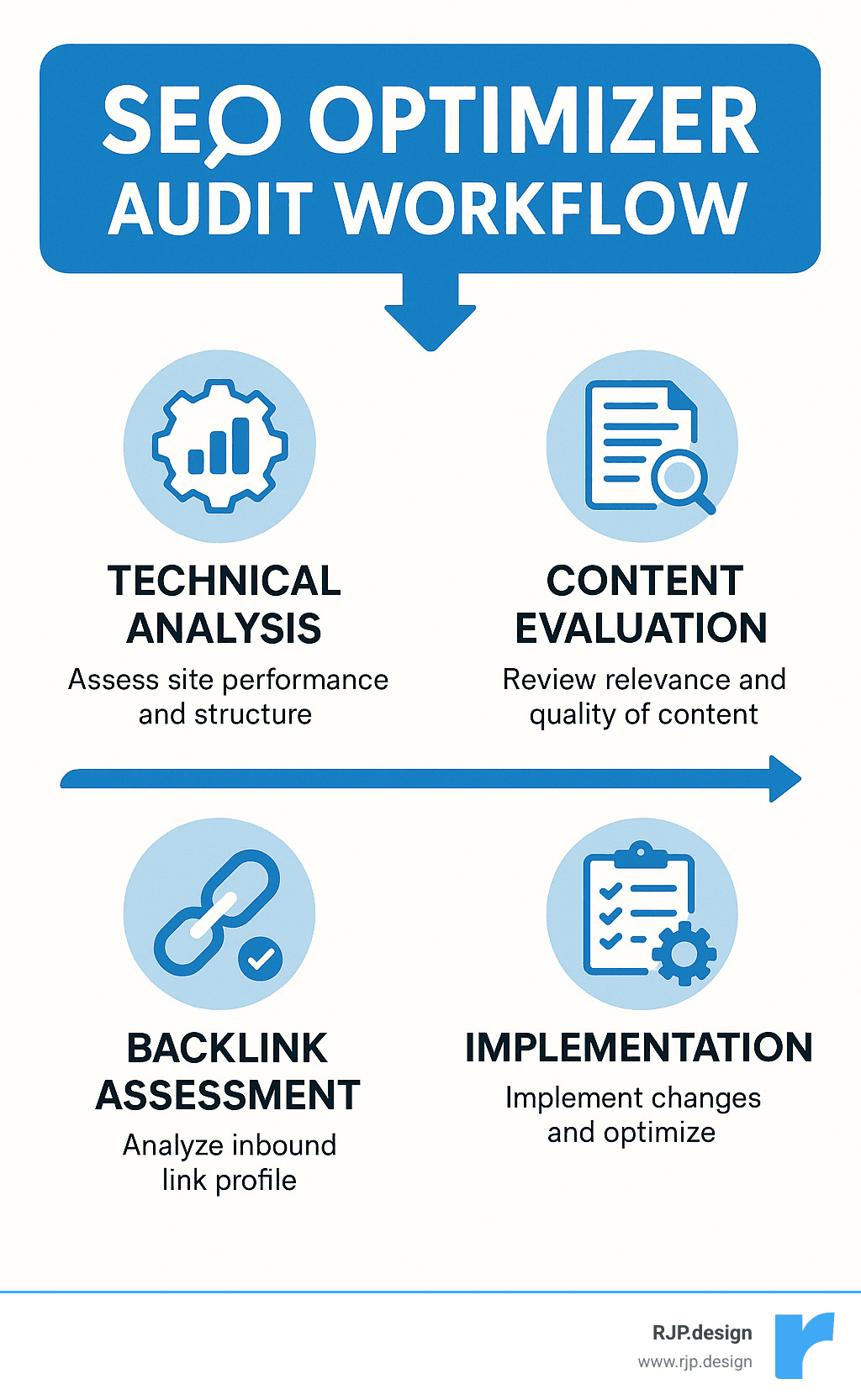
Seo optimizer audit basics:
– technical seo experts
– seo content optimizer
– link building off page seo
Understanding SEO Optimizer Audit
Ever had a doctor give you a complete physical instead of just checking your temperature? That’s the difference between an SEO optimizer audit and a quick website checkup. It’s a thorough examination that looks at every aspect of how your website performs in search engines, giving you a clear picture of what’s working and what needs attention.
Think of an SEO optimizer audit as your website’s yearly wellness visit. And just like your health, your website’s search performance needs regular checkups because search engines are constantly changing the rules. Google alone makes hundreds of algorithm updates every year—what worked brilliantly last month might be hurting you today.
The numbers don’t lie about the value these audits provide. SEOptimer reports examining over 25.5 million unique URLs in just over a decade, showing how essential these evaluations have become for websites that want to stay competitive.
When it comes to return on investment, a proper SEO optimizer audit delivers impressive results. We’ve seen businesses fix critical technical issues and enjoy traffic increases of 10-30% within just a few months. Content improvements based on audit findings often double engagement metrics. And when you fix crawlability and indexation issues, you can recover “invisible” pages that search engines weren’t even seeing before.
Crawlability is particularly crucial—it’s about how easily search engines can explore your site. If Google’s crawlers hit roadblocks, those pages might as well not exist for search purposes. Similarly, proper indexation ensures that once crawled, your pages actually make it into search indexes where people can find them.
This isn’t just our opinion. Google’s research on page experience signals confirms that technical factors like Core Web Vitals directly impact how users experience your site, which directly affects rankings. Their studies reveal that when page experience metrics improve, users are 24% less likely to abandon page loads.
“The average SEO consultant is going to charge you well over a thousand dollars for advice that a product like SEO Site Checkup can do for free.” – SEO Site Checkup
While this quote has some truth to it, automated tools aren’t the whole story. At RJP.design, we believe in combining powerful audit tools with human expertise. Tools can identify issues, but they can’t understand your business goals or make strategic decisions about what to prioritize.
What Makes an “SEO Optimizer Audit” Different?
You might be wondering what makes an SEO optimizer audit different from those free SEO checkers you’ve tried. The difference is like comparing a quick glance in the mirror to a full-body MRI scan—they’re just not in the same league.
A true SEO optimizer audit takes a holistic approach to your website’s performance. Instead of just checking meta tags or counting keywords, it examines over 100 different data points across your site. It doesn’t just tell you something is wrong—it explains why it matters for your specific industry and audience.
What really sets our approach apart is prioritization. Rather than overwhelming you with an endless list of “problems” (many of which might have minimal impact), we rank recommendations by potential impact. This means you can focus your time and resources on the changes that will actually move the needle for your business.
We also include competitive benchmarking in every audit. After all, SEO is relative—you don’t need a perfect website, you just need one that’s better than your competitors for the searches that matter to you.
Perhaps most valuable is the proactive nature of regular audits. Why wait for traffic to drop before investigating issues? Regular SEO optimizer audits catch problems early, before they hurt your rankings. As one of our clients noted after implementing our regular audit schedule, “We doubled inbound SEO leads after fixing issues proactively instead of reactively.”
At RJP.design, we’ve found that establishing a regular cadence for audits works best. For most businesses, a quarterly deep audit combined with monthly monitoring strikes the perfect balance between thoroughness and practicality. Think of it as continuous monitoring rather than a one-time fix—because your website’s health, like your own, requires ongoing attention.
Key Components: Technical, On-Page, Off-Page & UX
When I perform an SEO optimizer audit for clients, I always explain that it’s like checking the four vital systems of your website’s health. Each component plays a crucial role in how well your site performs in search results, and understanding them helps you see the big picture of your SEO efforts.
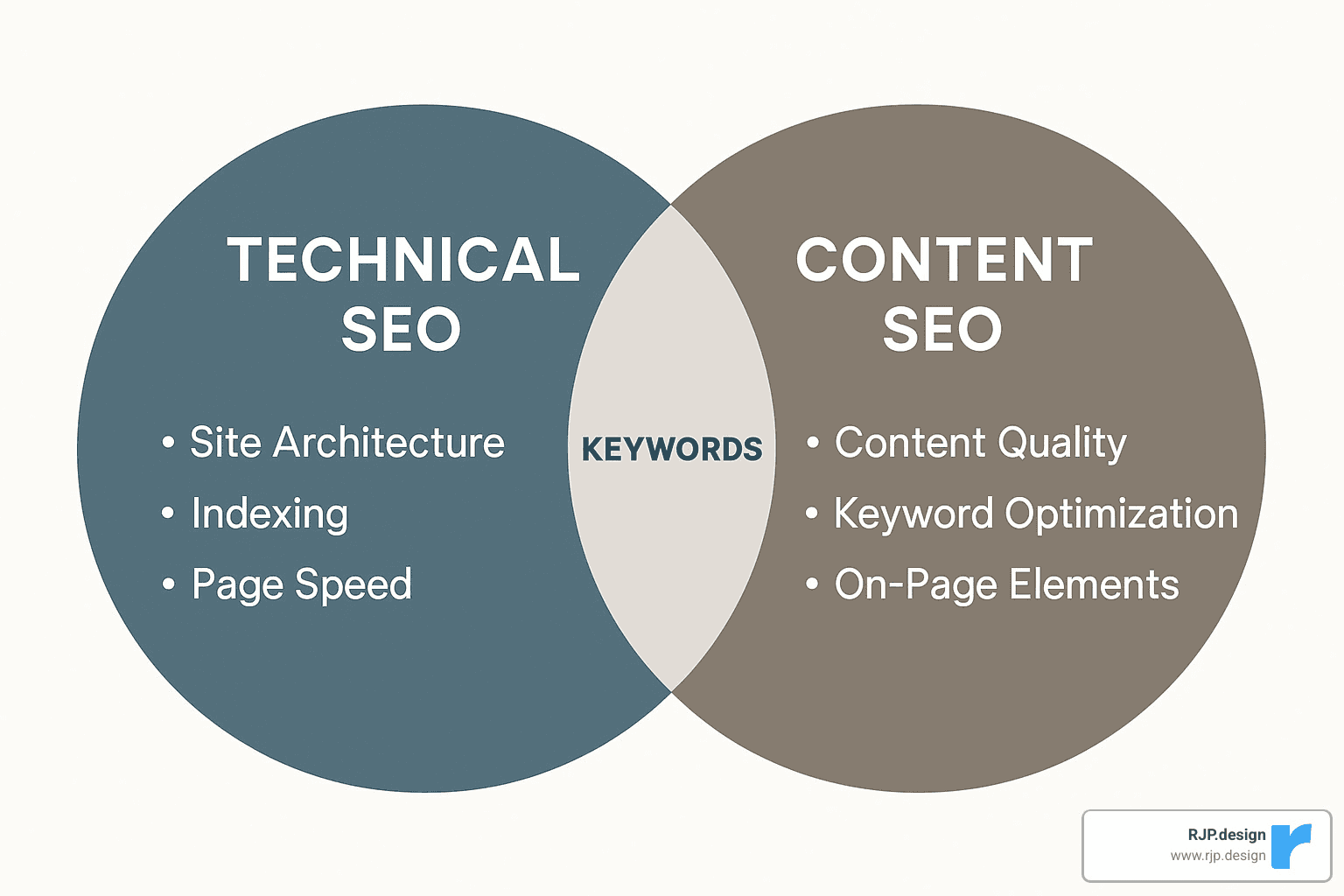
Technical SEO Components
Think of technical SEO as your website’s foundation. Without a solid foundation, even the most beautiful house will eventually crumble. The same goes for your website.
Site speed is critical in today’s world. I’ve seen businesses lose countless visitors simply because their pages take too long to load. Research backs this up – 40% of users will abandon a site that takes more than 3 seconds to load. That’s a lot of potential customers clicking the back button!
Core Web Vitals might sound technical (and they are), but they’re really just Google’s way of measuring user experience. These include how quickly your main content loads (LCP), how responsive your site is to user interaction (FID), and whether elements jump around while loading (CLS). When we improve these metrics for clients, we often see immediate ranking improvements.
Is your site mobile-friendly? It better be! With over 60% of searches now happening on mobile devices, having a site that works beautifully on smartphones isn’t optional anymore. I often show clients how their sites look on different devices during an SEO optimizer audit to drive this point home.
HTTPS security isn’t just about the little padlock icon. Google actually gives preference to secure sites in rankings, and today’s users are increasingly wary of sites without proper security certificates.
Your site’s crawlability and indexability determine whether search engines can find and include your content in search results. It’s surprising how many websites we audit have accidental barriers that keep Google from seeing their best content.
On-Page SEO Components
On-page factors are elements you can directly control on your individual pages.
Effective metadata tells both users and search engines what your page is about. This includes title tags that appear in search results, meta descriptions that entice clicks, and header tags that organize your content.
Content depth and quality matter more than ever. Gone are the days when you could rank with thin, keyword-stuffed pages. Today’s SEO rewards comprehensive content that truly answers users’ questions. During an SEO optimizer audit, we often identify opportunities to improve content depth.
Keyword optimization remains important, but it’s evolved. Rather than cramming keywords everywhere, we look for strategic placement that reads naturally while still signaling relevance to search engines.
Schema markup is like giving search engines a cheat sheet to understand your content better. It’s technical, but the payoff can be huge – especially for local businesses, recipes, events, and products.
Clean, descriptive URL structures might seem minor, but they help both users and search engines understand what a page is about before even clicking or crawling.
Off-Page SEO Components
Off-page factors are external signals that influence how trustworthy and authoritative your site appears.
Your backlink profile – the collection of other websites linking to yours – remains one of Google’s top ranking factors. Quality matters far more than quantity here. One relevant link from an industry authority can outweigh dozens from irrelevant sites.
Brand mentions across the web, even without links, contribute to your site’s authority. Google is getting better at connecting these unlinked mentions to your brand.
Social signals like engagement and shares don’t directly impact rankings, but they expand your content’s reach and can lead to more links and traffic.
For local businesses, local citations – consistent business information across directories – are crucial for appearing in local search results.
User Experience (UX) Components
UX factors bridge the gap between technical performance and content quality.
Strategic internal links create pathways that help both users and search engines explore your site more effectively. They distribute “link juice” and guide visitors to related content they might find valuable.
User signals like bounce rate, time on page, and click-through rate tell Google whether visitors find your content helpful. Poor metrics here can undermine even technically perfect pages.
Clean page layout facilitates content consumption. If users can’t easily find what they’re looking for, they’ll leave – regardless of how good your content might be.
Accessibility features make your content available to all users, including those with disabilities. This is not only the right thing to do but also increasingly important for SEO.
Mapping Components to an SEO Optimizer Audit
When we conduct an SEO optimizer audit at RJP.design, we map these components to specific checkpoints. This helps us organize our findings and ensure nothing gets missed.
For the technical health assessment, we evaluate server response times, test mobile responsiveness, measure Core Web Vitals, analyze crawl efficiency, and verify security certificates.
Our content effectiveness review examines keyword relevance and placement, content comprehensiveness, metadata optimization, schema implementation, and content freshness.
The authority and trust evaluation looks at backlink quality and quantity, referring domain diversity, toxic link identification, brand mention monitoring, and social engagement.
Finally, our user experience analysis reviews navigation structure, internal linking patterns, page layout and readability, conversion paths, and accessibility compliance.
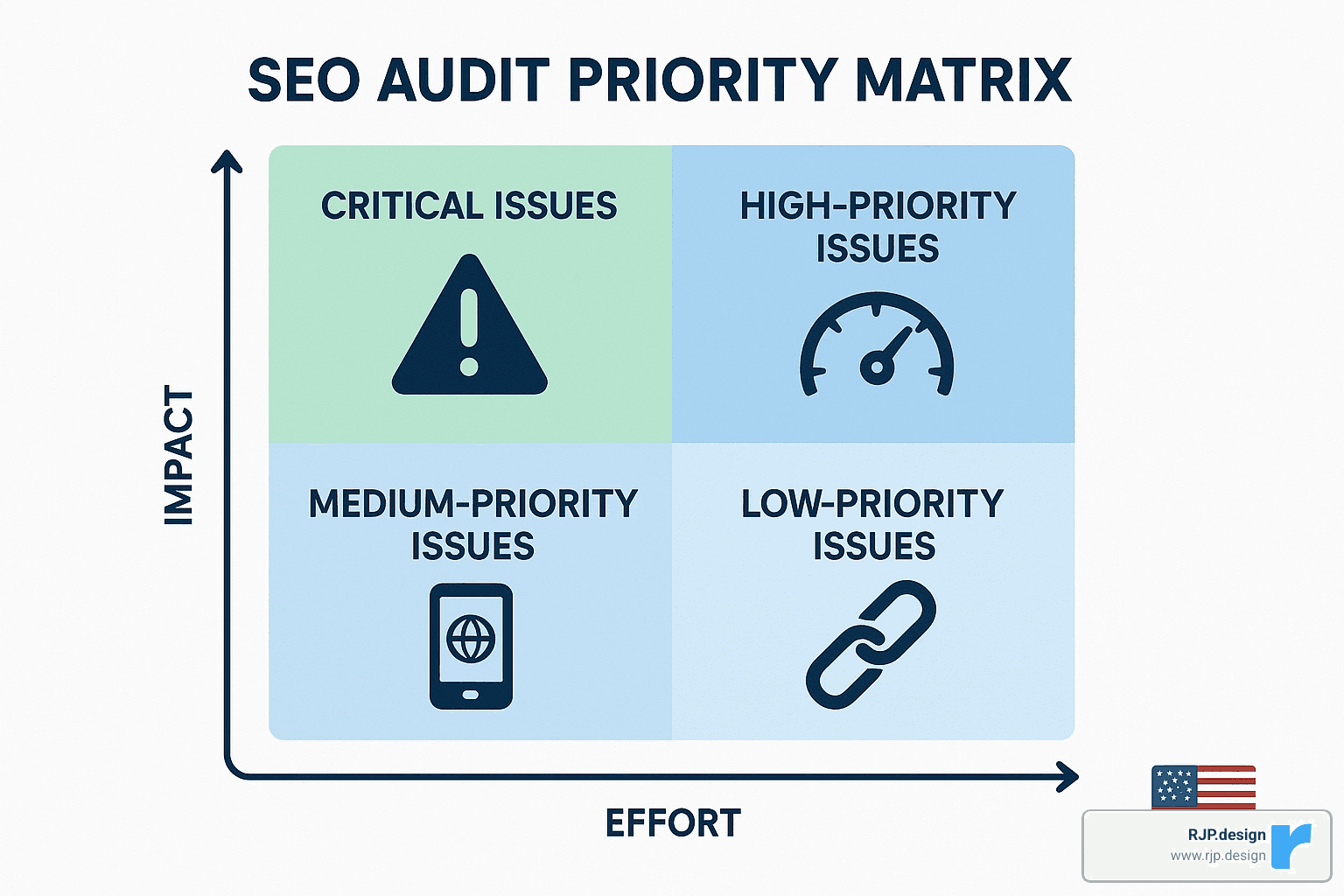
We also assign risk scores to each issue we identify. This helps clients prioritize their fixes effectively. Critical issues directly prevent indexing or cause penalties. High priority problems significantly limit ranking potential. Medium issues moderately affect user experience or crawlability. Low priority items offer incremental benefits.
I remember one client who was overwhelmed by their audit results until we helped them focus on the critical issues first. “We were drowning in the list of problems until you helped us tackle the big ones first,” they told us. “Those quick wins actually funded the rest of the project.” That’s the power of a well-organized SEO optimizer audit – it transforms an overwhelming task into a manageable roadmap for improvement.
10-Step SEO Optimizer Audit Checklist
Let’s face it – knowing where to start with an SEO optimizer audit can feel overwhelming. That’s why we’ve refined this practical 10-step checklist at RJP.design, based on hundreds of successful audits we’ve conducted for businesses just like yours.
1. Set Up a Comprehensive Crawl
First things first – we need to see your website the way search engines do. Using tools like Screaming Frog, Semrush, or Ahrefs, we’ll crawl your entire site to get the full picture.
When we set up these crawls, we make sure to follow your robots.txt directions (just like Google does), render any JavaScript elements (crucial for modern websites), identify those pesky redirect chains that slow down users, and catalog all the status codes across your URLs.
For larger websites, we’ve found it works best to break things down by directory or subdomain – this keeps the process manageable and prevents tool timeouts.
2. Analyze Index Coverage
Next, we’ll dive into Google Search Console’s Index Coverage report – it’s like getting a direct line to Google about what they think of your site. This reveals pages they’re excluding (and why), any submitted URLs that have warnings, mobile usability issues, and any manual actions or security issues.
Did you know that about half of all websites have some form of duplicate content or indexation issues limiting their visibility? We see this problem regularly, but fortunately, it’s often straightforward to fix.
3. Identify and Fix Duplicate Content
Duplicate content is like diluting your ranking potential. Your site’s authority gets spread thin instead of concentrated where it matters. We’ll check for multiple versions of your homepage (www vs. non-www, HTTP vs. HTTPS), duplicate product descriptions (a common e-commerce pitfall), similar content across different URLs, and pagination issues creating duplicate views.
The solutions typically involve implementing canonical tags, setting up proper 301 redirects, and handling URL parameters correctly – all technical-sounding tasks that make a real difference in how Google sees your site.
4. Evaluate Core Web Vitals
User experience matters – Google has made that crystal clear with Core Web Vitals. We’ll assess your site against these critical metrics:
Largest Contentful Paint (LCP): Is your main content loading in under 2.5 seconds?
First Input Delay (FID)/Interaction to Next Paint (INP): Does your site respond to user interaction within 100 milliseconds?
Cumulative Layout Shift (CLS): Does your page layout stay stable as it loads (under 0.1)?
We use PageSpeed Insights and Search Console reports to pinpoint specific issues. One of our financial sector clients saw a 32% jump in mobile conversions after we helped optimize these metrics – real results from technical improvements.
5. Conduct Mobile-Friendliness Testing
With mobile-first indexing now the standard, your site’s mobile experience isn’t optional – it’s essential. We’ll run Google’s Mobile-Friendly Test on your key pages, check your viewport configuration, ensure tap targets are sized appropriately for human fingers (not mouse pointers), and verify text is readable without zooming.
These small details make a huge difference in how users experience your site on their phones and tablets – and how Google ranks you as a result.
6. Analyze On-Page Keyword Optimization
For your most important pages, we’ll evaluate how well you’re targeting the right keywords. This includes checking your title tags (ideally under 60 characters with your primary keyword), meta descriptions (150-160 characters with a compelling call-to-action), header structure (proper H1, H2, H3 hierarchy with relevant keywords), and content comprehensiveness compared to top-ranking competitors.
We’ll also look for keyword cannibalization – when multiple pages target the same keywords and end up competing against each other. This is like having two salespeople trying to sell the same product to the same customer – confusing and counterproductive!
7. Perform an Internal Link Audit
Your internal links are the pathways that guide both users and search engines through your site. We’ll identify any orphaned pages (those with no internal links pointing to them), check for broken internal links, evaluate your anchor text for diversity and relevance, analyze click depth (ideally, pages should be reachable in 3-4 clicks from the homepage), and review your navigation structure for logical pathways.
Good internal linking is like having clear signposts throughout your site – it helps everyone find what they’re looking for.
8. Assess Your Backlink Profile
External links pointing to your site remain a crucial ranking factor. We’ll evaluate your backlink profile by checking domain authority distribution, identifying potentially toxic links that might harm your rankings, comparing your backlinks to competitors, finding opportunities for link reclamation (broken backlinks that could be fixed), and analyzing your anchor text diversity.
This external perspective helps us understand how the wider web views your site’s authority and trustworthiness.
9. Conduct a Competitor Gap Analysis
Sometimes the best insights come from seeing what your competitors are doing right. We’ll compare your site to top competitors to identify keywords they rank for that you don’t, content types driving their success, technical advantages in their site structure or speed, and backlink sources you could potentially acquire.
This competitive intelligence helps us find opportunities you might otherwise miss.
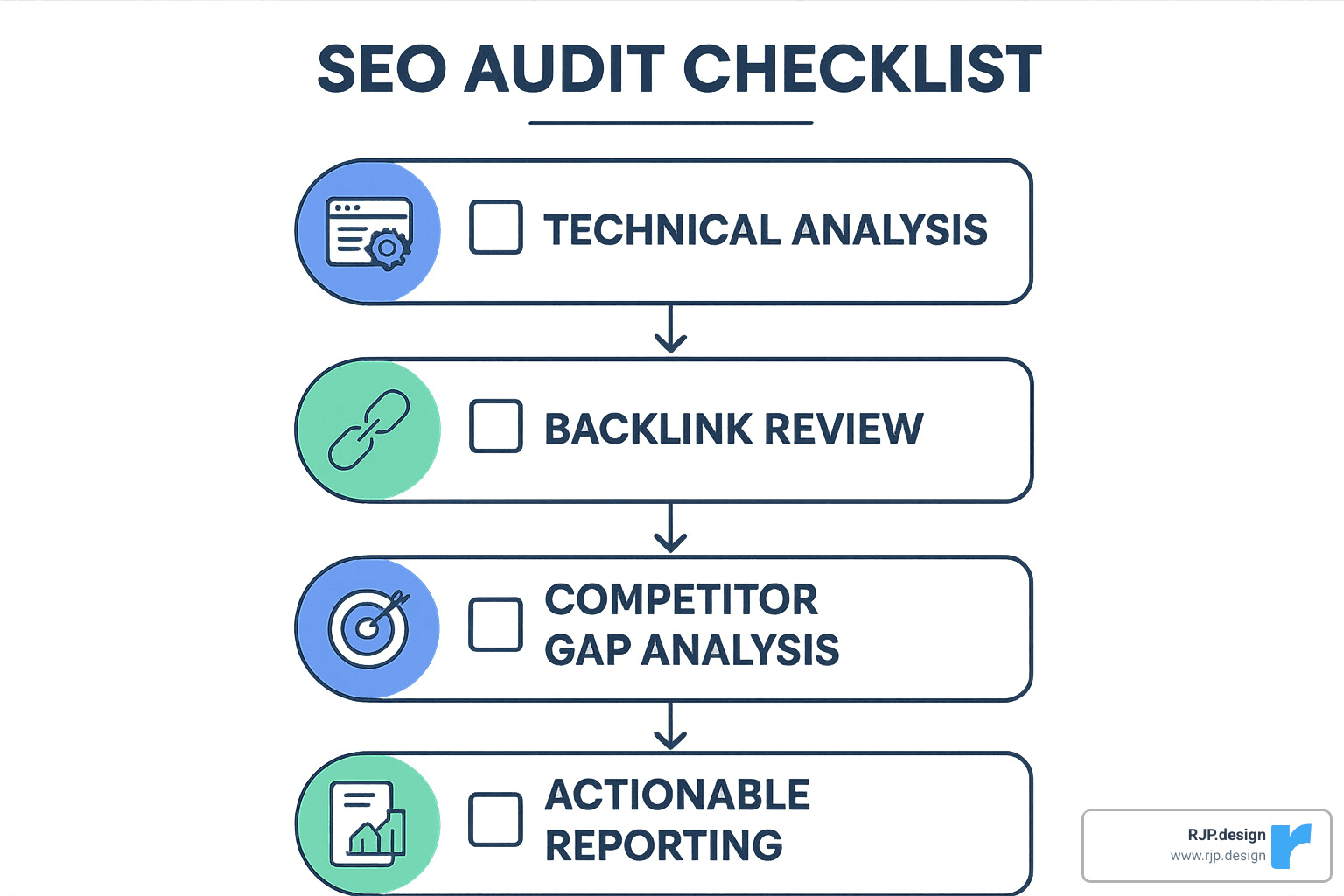
10. Generate an Actionable Report
All this analysis is only valuable if it leads to action. We compile our findings into a structured report with an executive summary of critical issues, prioritized recommendations based on potential impact, specific action items with implementation guidance, clear benchmarks for measuring improvement, and a realistic timeline for implementation and follow-up.
Quick Wins (1-2 Weeks) | Complex Fixes (1-3 Months) |
|---|---|
Meta tag optimization | Site architecture overhaul |
Image compression | Server configuration changes |
Broken link repair | Content restructuring |
Simple redirect fixes | Full migration to HTTPS |
Title tag updates | Advanced schema implementation |
Running a Quick SEO Optimizer Audit in 15 Minutes
Sometimes you just need a quick health check rather than a full physical. When time is tight, you can still conduct a valuable SEO optimizer audit in just 15 minutes with these steps:
Run an automated scan with a tool like SEOptimer or Ahrefs Webmaster Tools, check your site’s overall health score, and focus first on any critical errors (usually highlighted in red). Take a quick look at mobile usability with Google’s Mobile-Friendly Test, check Core Web Vitals in Search Console for performance issues, verify your key pages are being indexed with a simple “site:” search in Google, and scan the metadata on your top landing pages for quick optimization opportunities.
One small business owner told us: “I was skeptical about what a 15-minute audit could reveal, but it immediately identified that my site was blocking search engines with a robots.txt error. Fixing that alone doubled my organic traffic within weeks.”
While these quick checks won’t replace a comprehensive analysis, they often reveal low-hanging fruit that can deliver immediate impact.
Advanced Audit for Large Sites
For enterprise websites or complex e-commerce platforms, we need to bring out the big guns. Advanced techniques include log-file analysis, where we examine server logs to see how search engines actually crawl your site. This reveals crawl frequency patterns, which pages get disproportionate crawler attention, resources wasting your crawl budget, and error patterns invisible in standard tools.
For sites heavily dependent on JavaScript, we’ll compare rendered versus non-rendered content, identify elements that might be invisible to search engines, test progressive improvement approaches, and verify structured data is visible after rendering.
We also use tools like Ahrefs’ Data Explorer to create custom filters based on internal PageRank distribution, content quality metrics, custom technical requirements, and industry-specific compliance needs.
A global e-commerce client with over 100,000 products saw tremendous benefits from our advanced approach. By identifying crawl budget wastage through log analysis, we restructured their site architecture to prioritize high-value pages. The result? A 43% increase in indexed product pages and a 27% lift in product-specific organic traffic. Real numbers that translated directly to their bottom line.
Best Practices & Tools for SEO Optimizer Audits in 2025
The SEO landscape is constantly evolving, and so are the tools we use to steer it. At RJP.design, we’ve refined our approach to SEO optimizer audits over the years, finding the perfect balance of powerful tools and human expertise.
Let’s talk about what actually works in 2025 for conducting effective audits:
Google Search Console remains the foundation of any good audit. It’s like having a direct line to Google – showing you exactly how they see your site, what’s being indexed, and where problems might be lurking. We always start here because it provides unfiltered truth straight from the source.
For deeper technical insights, Semrush Site Audit has become our go-to tool. It examines over 140 technical and on-page issues, presenting them in a way that makes sense even if you’re not an SEO expert. One of our clients actually called it their “website doctor” after it diagnosed a critical redirect issue that had been hurting their traffic for months.
Ahrefs Site Audit deserves special mention for its visualization capabilities. When explaining complex SEO concepts to clients, being able to show rather than just tell makes all the difference. Their evaluation of 160+ pre-defined SEO issues helps us spot patterns that might otherwise go unnoticed.
For larger websites, Screaming Frog SEO Spider is still the industry workhorse. It’s not the prettiest tool, but it’s incredibly powerful for crawling complex site structures. We recently used it to audit a client’s 50,000-page catalog and finded that nearly 30% of their pages were being blocked from search engines by an incorrectly configured robots.txt file. Fixing this single issue led to a significant traffic boost within weeks.
Don’t overlook the importance of PageSpeed Insights for analyzing Core Web Vitals. With user experience signals becoming increasingly important ranking factors, this tool provides specific recommendations that can make a real difference in how both users and search engines perceive your site.
For smaller businesses just getting started with SEO, SEOptimer offers a nice balance of depth and usability, analyzing 100 website data points while keeping reports clear and actionable. And Moz Pro continues to be a solid all-in-one platform that combines technical auditing with keyword research and rank tracking.
“Ahrefs’ Site Audit checks against 160+ pre-defined SEO issues with your domain and provides recommendations on how to fix each one.” – Ahrefs
When choosing your SEO optimizer audit tools, consider what matters most for your specific situation. How many pages does your site have? Does it rely heavily on JavaScript? Do you need to integrate with other marketing platforms? Will non-technical team members need to understand the reports?
At RJP.design, we’ve found that the most comprehensive approach combines multiple tools rather than relying on just one. We typically use Google Search Console as our foundation, then layer in Semrush for technical analysis, Ahrefs for backlink evaluation, and Screaming Frog for those deep-dive crawls.
A rhythm that works well for most of our clients is running automated weekly or monthly checks for ongoing monitoring, combined with more thorough quarterly reviews where we really roll up our sleeves and dig into the details.
Free vs Paid SEO Optimizer Audit Tools
Let’s be honest – good SEO tools aren’t cheap, but neither is losing business to competitors because your site isn’t performing well. Understanding the landscape of free versus paid options helps you invest wisely.
On the free side, Google Search Console is absolutely essential – it’s direct insight from Google itself. Similarly, Bing Webmaster Tools provides visibility into Microsoft’s search engine. PageSpeed Insights gives you solid performance analysis focused on Core Web Vitals, while Google’s Mobile-Friendly Test helps ensure your site works well on smartphones. Ahrefs Webmaster Tools offers a generous free tier that allows crawling up to 5,000 pages.
For paid options, Semrush starts around $119.95/month and provides comprehensive analysis. Ahrefs’ full platform begins at $99/month, as does Moz Pro. Screaming Frog charges £149/year for unlimited crawling (their free version limits you to 500 URLs). SEOptimer’s professional features start at a more accessible $29/month.
The differences go well beyond just price. Paid tools typically offer much higher crawl limits – often 100,000+ pages compared to the 500-5,000 you’ll get with free options. They analyze 100+ technical factors rather than just basic issues, and they store historical data so you can track progress over time. Most paid tools also offer white-label, customizable reporting that looks professional when shared with clients or executives.
I remember working with a hesitant e-commerce client who initially balked at investing in paid tools. After six months of limited progress using only free options, they finally took the plunge. Within weeks, our paid tools revealed critical issues with their faceted navigation that were creating massive duplicate content problems. Once fixed, they saw a 62% organic traffic increase in just three months – making the tool investment seem tiny in comparison.
For smaller sites under 500 pages, free tools often provide enough insight to make meaningful improvements. But as your site grows in size and complexity, the efficiency and depth of paid tools become increasingly valuable. At RJP.design, we tailor our recommendations based on each client’s specific situation, ensuring they’re making smart investments that deliver real returns.
The best approach? Start with the free essentials, and as your site and business grow, gradually add paid tools that address your specific challenges. An SEO optimizer audit is only as good as the actions you take based on its findings – so choose tools that not only identify issues but help you understand how to fix them.
Interpreting Results, Prioritizing Fixes & Staying Ahead
When you’ve finished your SEO optimizer audit, you’ll likely feel a bit overwhelmed looking at all the issues uncovered. Don’t panic! Success isn’t about fixing everything at once – it’s about tackling the right problems in the right order.
Most audit tools give you an overall health score – that percentage or number rating your site’s SEO condition. While it’s tempting to fixate on this single metric, remember it doesn’t tell the whole story. I’ve seen sites with 75% health scores struggling with a few critical issues that were tanking their rankings, while others at 60% were performing reasonably well despite having numerous minor problems.
Instead of obsessing over the overall score, focus on these severity tiers:
Critical Issues are the true emergencies – problems actively preventing Google from indexing your site or triggering penalties. These include blocked robots.txt directives, manual actions in Search Console, duplicate content across domains, or security issues like malware.
High-Priority Issues significantly limit your ranking potential. Think Core Web Vitals failures, missing or duplicate title tags on key pages, broken canonical implementation, mobile usability problems, or important pages returning error codes.
Medium-Priority Issues moderately affect performance – things like somewhat slow page speed (but still passing Core Web Vitals), thin content on secondary pages, missing alt text on images, or HTTP links on an HTTPS site.
Low-Priority Issues offer incremental benefits when fixed, like optimizing meta description length, further compressing images, minor schema improvements, or URL parameter handling.
Developing an Action Plan
With your issues properly categorized, it’s time to create a roadmap balancing quick wins with strategic improvements. Here’s how we approach it at RJP.design:
Start with Immediate Fixes in your first week. These are your critical technical issues blocking indexing, resolving any manual penalties, fixing broken pages with significant traffic potential, and addressing Core Web Vital failures on your most important landing pages.
Move to Short-Term Improvements in weeks 2-4. This is when you’ll optimize title tags and meta descriptions, improve your internal link structure, improve content on key landing pages, and resolve mobile usability issues.
For Medium-Term Projects in months 2-3, focus on site-wide content quality improvements, kick off backlink acquisition campaigns, implement schema markup, and optimize secondary pages.
Finally, tackle Long-Term Initiatives in months 4-6, including site architecture refinements, filling content gaps, implementing advanced technical optimizations, and comprehensive user experience improvements.
When tracking progress, establish clear KPIs tied to actual business outcomes. Don’t just track rankings – monitor organic traffic growth, conversion rates from organic visitors, keyword visibility for target terms, page load performance, and crawl efficiency statistics.
“Updating pages that used to perform well can breathe new life into them and recover lost traffic.” – Semrush
Staying Ahead of Algorithm Updates
Google makes hundreds of algorithm updates every year, with major core updates dropping several times annually. Your SEO optimizer audit process should include a system for monitoring and responding to these changes.
Follow authoritative sources for update announcements, including the Google Search Central Blog, Google Search Liaison Twitter account, and major SEO news sites like Search Engine Journal and Search Engine Land.
Monitor ranking fluctuations using tools like Semrush Sensor, Mozcast, or Advanced Web Ranking Flux, and analyze traffic patterns after known updates to identify affected areas of your site.
Maintain an algorithm update response protocol – immediate assessment of impact, correlation analysis with site characteristics, targeted re-audit of affected areas, and rapid response for critical issues.
Google’s research on Core Web Vitals offers valuable insights into their evolving priorities. Their findings show that sites meeting Core Web Vitals thresholds see 24% fewer abandons – a clear signal that user experience metrics will continue growing in importance.
I recently worked with a client in the health sector who experienced this during a core update. Their pages with poor Core Web Vitals scores saw significant drops, while optimized pages maintained or improved rankings. By quickly identifying this pattern through our monitoring system, we prioritized performance improvements on the affected pages and recovered most positions within weeks rather than months.
Measuring Success After an SEO Optimizer Audit
Properly measuring your SEO optimizer audit impact is crucial for demonstrating ROI and guiding future optimization efforts.
For traffic lift analysis, compare organic sessions before and after implementing fixes. Don’t just look at overall numbers – segment by landing page to identify specific improvements, track new vs. returning visitor ratios, and measure changes in engaged sessions and time on page.
When assessing ranking gains, monitor position changes for target keywords, track featured snippet and rich result acquisition, measure SERP click-through rates via Search Console, and evaluate ranking stability during algorithm updates.
For conversion impact measurement, calculate changes in conversion rate from organic traffic, assess improvements in micro-conversions like newsletter signups, compare organic traffic value pre and post-audit, and measure changes in assisted conversions where organic plays a role.
Establish a consistent reporting cadence – weekly quick metrics on traffic and rankings, monthly comprehensive performance analysis with next steps, and quarterly strategic review and planning sessions.
One of our e-commerce clients at RJP.design implemented our audit recommendations over a three-month period. By tracking not just traffic but conversion impact, we demonstrated a 213% increase in revenue from organic search – far exceeding their investment in both the audit and implementation. Those are the kinds of results that make all the detailed work of an SEO optimizer audit worthwhile!
Conclusion & Next Steps
After diving deep into SEO optimizer audits, one thing becomes crystal clear – this isn’t a one-and-done task. It’s more like tending a garden that needs regular care to truly flourish. Throughout this guide, we’ve seen how a proper audit examines everything from technical foundations to content quality, user experience, and those all-important off-page factors.
I’ve watched countless websites transform from barely-visible online brochures into traffic-generating powerhouses through the magic of regular, thoughtful auditing. The most successful businesses don’t just audit once and call it a day – they make it part of their ongoing digital routine.
Your SEO Audit Action Plan
Think of your audit schedule like a health checkup – the frequency depends on your website’s size and complexity. For smaller sites with fewer than 100 pages, a quarterly deep-dive usually does the trick. Medium-sized websites benefit from bi-monthly audits with weekly check-ins, while larger sites with 1,000+ pages need monthly section-specific audits with continuous monitoring.
When it comes to fixing what you find, not all issues deserve equal attention. Focus first on those critical problems that might be blocking Google from indexing your site or triggering penalties. Then move on to those delightful quick wins – high-impact fixes that don’t require much effort. After that, align your efforts with your broader business goals, and finally, establish routines for ongoing maintenance.
Your toolbox doesn’t need to be expensive from day one. Start with the essentials like Google Search Console (completely free and incredibly powerful), then gradually add specialized tools as your needs and budget grow. For particularly complex situations, bringing in professional help can save you countless hours of frustration.
Document everything you do. Create audit checklists specific to your site, keep records of changes you make and their impacts, and develop standard procedures for handling common issues. This documentation becomes invaluable when training team members or when you need to troubleshoot problems later.
Staying informed about SEO developments is crucial in this ever-changing landscape. Follow trusted sources for algorithm updates, join SEO communities where professionals share insights, and test new approaches on non-critical sections of your site before rolling them out widely.
The digital world keeps evolving, but the core principles remain remarkably consistent: provide genuinely valuable content on a technically sound platform that people actually enjoy using. A well-executed SEO optimizer audit simply helps ensure you’re hitting these marks as effectively as possible.
“The average SEO consultant is going to charge you well over a thousand dollars for advice that a product like SEO Site Checkup can do for free.” – SEO Site Checkup
While automated tools can spot technical issues, the real magic happens in the strategic implementation and ongoing refinement. That’s where our team at RJP.design truly shines – we transform technical findings into tangible business growth.
Ready to take your website’s search performance to new heights? Learn more about our digital marketing services or reach out for a personalized SEO optimizer audit that zeroes in on your specific opportunities for improvement.
Remember this: in today’s competitive online landscape, standing still is actually moving backward. Start your SEO audit today, implement changes systematically, and watch as your visibility – and your business – grow together.