SEO
Mastering SEO on Squarespace: A Step-by-Step How-To
Jan 11, 2025

Mastering Squarespace search engine optimization can be the key to open uping your business’s potential online. With search engines driving a significant portion of web traffic, understanding SEO is crucial for increasing your site’s visibility. Here’s a quick rundown:
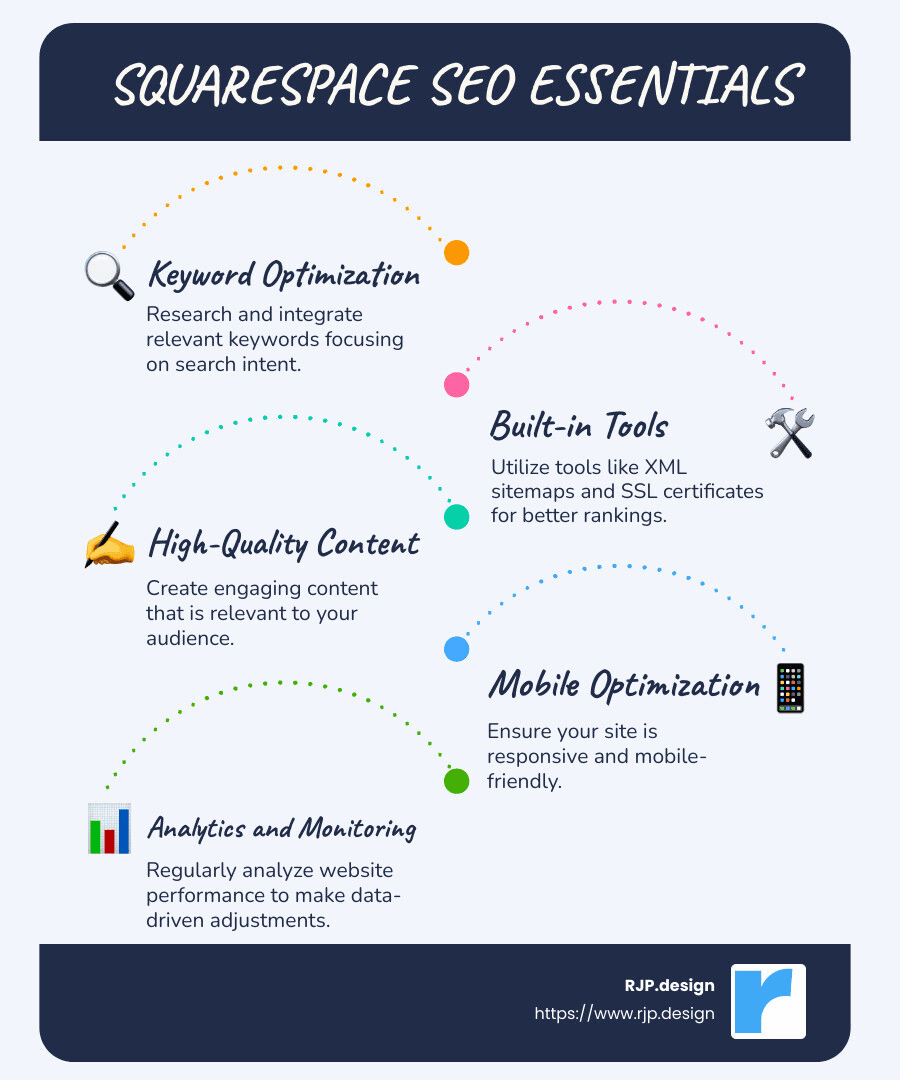
Keywords: Use relevant keywords for topic optimization and searcher intent.
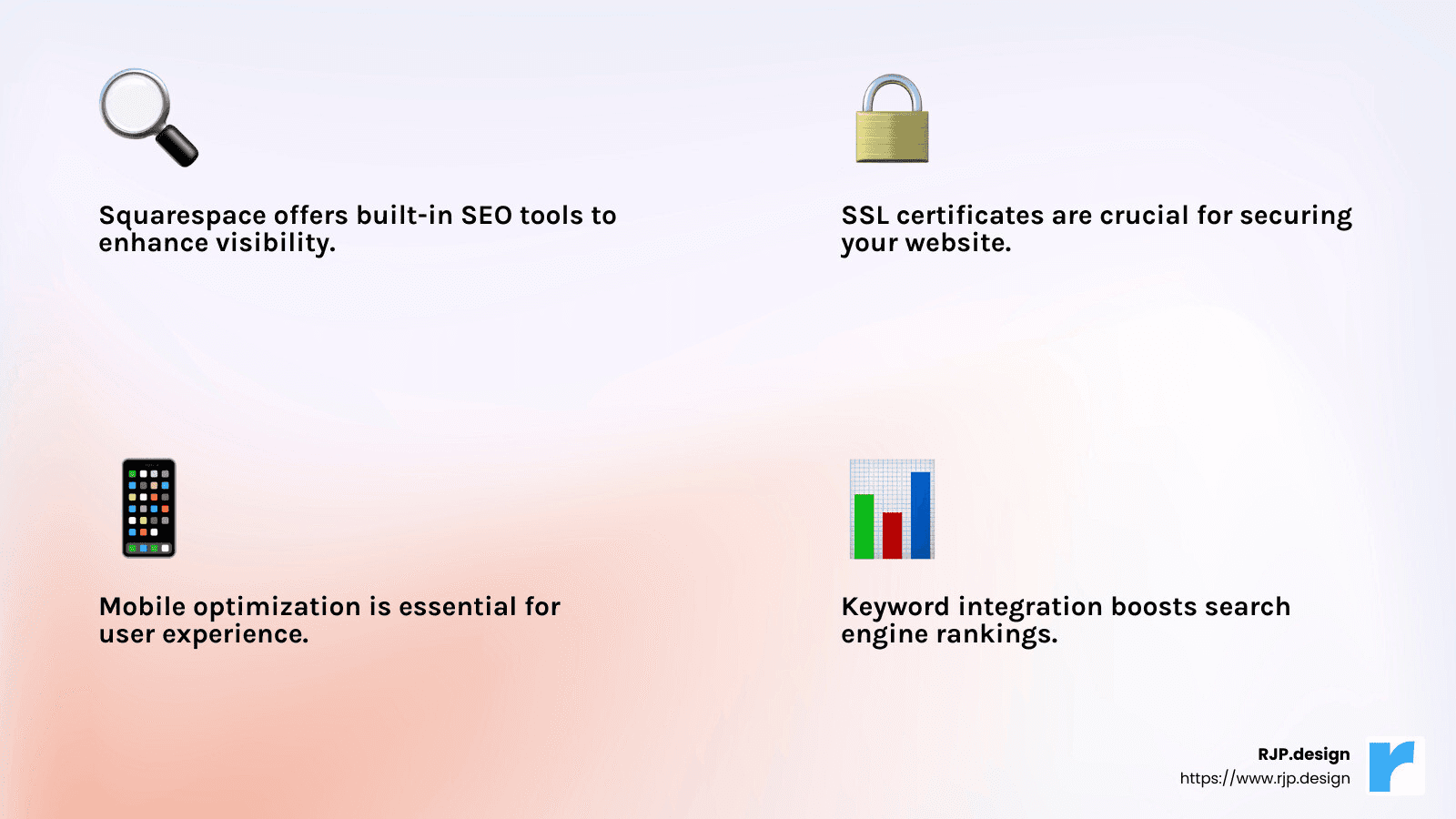
Built-in Tools: Use Squarespace’s built-in SEO features like XML sitemaps and SSL certificates.
Content: Ensure high-quality, relevant content that engages your audience.
Mobile Optimization: Make your site mobile-friendly for broader accessibility.
Squarespace offers an SEO-friendly platform, integrating features like automatic sitemaps, SSL security, and responsive design, which simplify the optimization process. Google mentions small changes can lead to big results: “SEO provides a cost-effective strategy for organic growth.”
I’m Ross Plumer, a digital marketing expert with a proven track record in enhancing websites via Squarespace search engine optimization. My experience in digital landscapes and working with high-revenue businesses empowers me to guide you seamlessly into advanced SEO strategies.
Basic squarespace search engine optimization vocab:
– hubspot search engine optimization
– local business SEO
– search engine optimization price
Understanding Squarespace SEO
To harness the full power of Squarespace search engine optimization, grasp the basics and use the platform’s built-in tools effectively. At its core, SEO is about making your website more visible to search engines, which in turn helps attract more visitors. Let’s explore how Squarespace supports this process.
SEO Basics
SEO involves optimizing various elements of your website to improve its ranking on search engines like Google. At a fundamental level, this includes using the right keywords, creating high-quality content, and ensuring your website is technically sound.
Built-In Tools
Squarespace offers a suite of built-in tools that simplify SEO for users. These tools are designed to help you implement best practices without needing extensive technical knowledge. Some of the key features include:
Automatic XML Sitemaps: Squarespace automatically generates a sitemap for your site, which helps search engines index your pages efficiently. This ensures all your content is findable.
SSL Certificates: Every Squarespace site comes with a free SSL certificate, providing a secure connection for your visitors. This is crucial as search engines prioritize secure sites.
Responsive Design: All templates are mobile-friendly, which is vital since Google favors sites that perform well on mobile devices.
SEO Panel
The Squarespace SEO panel is your go-to resource for managing essential SEO settings. Here, you can customize page titles, meta descriptions, and URLs to ensure they are optimized for search engines. The panel also provides guidance on keyword placement and other SEO best practices.
Google Search Console
Integrating Google Search Console with your Squarespace site gives you access to valuable data about how your site is performing in search results. It helps you understand which keywords are driving traffic, identify indexing issues, and monitor your site’s search visibility.
Squarespace’s built-in tools and integrations offer a robust foundation for enhancing your site’s SEO. By leveraging these features, you can improve your site’s visibility and drive more organic traffic.
How to Optimize Your Squarespace Site
Optimizing your Squarespace site is essential for improving its visibility on search engines. Let’s explore the key elements involved in Squarespace search engine optimization.
Keyword Research
Start with keyword research to understand what your audience is searching for. Focus on topic optimization and searcher intent rather than just individual keywords. This approach helps you create content that answers real questions and meets user needs. Use tools to find relevant keywords and assess the competition.
High-Quality Content
High-quality content is the backbone of SEO. Ensure your content is relevant and valuable to your audience. Aim for clarity, depth, and engagement. Well-written content that addresses user needs not only improves SEO but also improves user experience.
Page Title Tags and Meta Descriptions
Optimize your page title tags and meta descriptions. These elements provide search engines with a summary of your page content. Include primary keywords naturally. While meta descriptions aren’t a ranking factor, they can improve click-through rates by compelling users to visit your site.
Using Keywords in Headings
Place keywords strategically in your headings. Headings help structure your content and signal its relevance to search engines. Use clear and descriptive headings to guide readers and search engines through your content.
Keeping URLs Simple
Simple URLs are crucial for both readability and SEO. Use meaningful words separated by hyphens. Shorten long URLs to make them more user-friendly. A well-structured URL improves user experience and can improve search engine indexing.
Improving Your Images
Optimize your images by using descriptive alt text and relevant file names. This practice improves accessibility and helps search engines understand your content. Compress images to reduce load times, enhancing site speed and user satisfaction.
Enabling SSL
Ensure your site uses SSL certificates for security. Squarespace provides free SSL, which is vital for protecting user data and building trust. Secure sites are favored by search engines, so enabling SSL can positively impact your rankings.
By focusing on these key areas, you can effectively optimize your Squarespace site for search engines, enhancing its visibility and attracting more organic traffic.
Advanced SEO Techniques for Squarespace
Enhancing your Squarespace site’s SEO involves more than just basic optimization. Let’s dig into some advanced techniques to further improve your site’s search engine performance.
Removing Duplicate Content
Duplicate content can confuse search engines and hurt your rankings. Content uniqueness is crucial. Ensure each page on your site offers distinct and valuable information. Avoid copying text across multiple pages. If similar content is necessary, use canonical tags to indicate the preferred version to search engines. This helps maintain your site’s authority and prevents dilution of page rank.
Utilizing Sitemaps
Squarespace automatically generates an XML sitemap for your site. This tool is essential for search engine indexing. It lists all your page URLs and helps search engines crawl your site more efficiently. Verify your sitemap is up-to-date and submit it to Google Search Console. This ensures search engines are aware of all your content, improving your chances of being indexed and ranked.
Automatic Markup
Structured data, or automatic markup, is key to helping search engines understand your content. Squarespace supports this by providing built-in product markup for e-commerce sites. This improves your site’s visibility in search results by enabling rich snippets. Use structured data to highlight products, reviews, and other key information, giving users more context about your offerings directly in search results.
Clean URLs
Clean URLs are static and descriptive, which aids in search engine indexing. Avoid using dynamic URLs with query parameters. Instead, ensure your URLs are concise and keyword-rich. This not only improves SEO but also improves user experience by making URLs easier to read and share. Squarespace’s platform naturally supports clean URLs, but double-check for any manual adjustments.
Mobile Optimization
A mobile-friendly design is non-negotiable in today’s digital landscape. Google prioritizes mobile-friendly sites in its rankings. Squarespace themes are responsive, ensuring your site looks great on any device. Test your site on various screen sizes to ensure it remains user-friendly. Fast loading times and easy navigation on mobile devices contribute to better search engine friendliness and user satisfaction.
By implementing these advanced techniques, you can bolster your Squarespace site’s SEO and ensure it stands out in search engine results. This approach not only improves visibility but also provides a better experience for your users.
Squarespace SEO Checklist
Before launching your Squarespace site, it’s crucial to ensure it is fully optimized for search engines. Here’s a comprehensive SEO checklist to guide you through best practices and pre-launch optimization:
1. Keyword Research
Start with thorough keyword research. Identify terms your target audience is searching for. Use tools like Google Keyword Planner to find relevant keywords. Focus on searcher intent to ensure your content aligns with what users are looking for.
2. Content Quality
Create high-quality content that is relevant and valuable to your audience. Content should be original and engaging, addressing the needs and interests of your visitors. This not only improves SEO but also encourages users to stay longer on your site.
3. Page Title Tags and Meta Descriptions
Craft compelling title tags and meta descriptions for each page. Title tags should include primary keywords and be under 60 characters. Meta descriptions, while not a ranking factor, should be persuasive to improve click-through rates from search results.
4. Using Keywords in Headings
Incorporate keywords naturally into your headings. Use H1 tags for main titles and H2 or H3 for subheadings. This structure helps search engines understand the hierarchy and context of your content.
5. Keeping URLs Simple
Ensure your URLs are clean and descriptive. Use hyphens to separate words and avoid unnecessary characters. A simple URL structure improves readability and SEO, making it easier for search engines to index your pages.
6. Improving Your Images
Optimize images by reducing file sizes for faster loading times. Add alt text to describe images, which aids accessibility and provides additional context to search engines. Name image files with relevant keywords before uploading.
7. Enabling SSL
Secure your site with an SSL certificate. This not only protects user data but is also a ranking factor for Google. Squarespace offers free SSL certificates, so ensure yours is enabled for a secure connection.
Pre-Launch Optimization
Before going live, use this checklist to conduct a final review:
Verify all pages have unique title tags and meta descriptions.
Check for broken links and fix them.
Ensure your XML sitemap is submitted to Google Search Console.
Test your site on mobile devices for responsiveness and speed.
Use Google Analytics to track visitor data post-launch.
By following this Squarespace SEO checklist, you set a solid foundation for your site’s visibility and performance in search engine results. A well-optimized site not only attracts more visitors but also improves user engagement and satisfaction.
Frequently Asked Questions about Squarespace Search Engine Optimization
Does Squarespace do SEO optimization?
Yes, Squarespace provides a variety of built-in tools to help with SEO optimization. Every Squarespace site includes features like automatic XML sitemaps, clean URLs, and SSL certificates, which are essential for SEO. Additionally, Squarespace allows users to customize title tags and meta descriptions, which are crucial for improving search engine rankings. By offering these tools, Squarespace simplifies the process of optimizing your site for search engines.
How to optimize search on Squarespace?
Optimizing search on Squarespace involves several key steps:
Keyword Research: Start by identifying the keywords that your audience is searching for. Use tools like Google Keyword Planner to find relevant keywords that align with your content.
Content Quality: Ensure your content is high-quality and relevant. This means it should be unique, engaging, and satisfy the user’s intent. High-quality content helps improve your site’s ranking in search results.
Title Tags and Meta Descriptions: Customize your title tags and meta descriptions to include primary keywords. Make sure they are compelling and concise to encourage users to click through to your site.
Headings: Use keywords in your headings to help search engines understand the structure and context of your content.
Simple URLs: Keep your URLs clean and descriptive. Use hyphens to separate words and avoid unnecessary characters.
Image Optimization: Reduce image file sizes for faster loading times and add alt text to describe images, aiding both accessibility and SEO.
By following these steps, you can effectively optimize your Squarespace site for search engines.
How do I enter SEO on Squarespace?
Entering SEO settings on Squarespace is straightforward:
Page Settings: Go to the page you want to optimize and click on the settings icon. Steer to the SEO tab where you can edit the title tag and meta description.
Site-Wide Settings: For site-wide SEO settings, go to the Marketing section in the main menu, then select SEO. Here, you can manage settings like search engine visibility and site description.
Image Alt Text: When uploading images, add descriptive alt text in the image editor to improve SEO.
Squarespace’s user-friendly interface makes it easy to manage these settings, ensuring your site is optimized for search engines. By taking advantage of these features, you can improve your site’s visibility and attract more visitors.
Conclusion
In wrapping up our guide on Squarespace search engine optimization, it’s clear that optimizing your website for search engines is not just a one-time task but a continuous process. Squarespace offers a robust suite of tools to help you achieve this, from keyword integration to SSL security. These features are designed to make your site both user-friendly and search engine friendly.
At RJP.design, we pride ourselves on delivering high-quality service with a personal touch. Our team is dedicated to ensuring that your online presence is not only visually appealing but also highly findable. We understand that client satisfaction is paramount, and we strive to exceed expectations by providing custom solutions that meet your unique needs.
Whether you’re just starting out or looking to improve your existing site, we’re here to help you steer the complexities of SEO. Our down-to-earth approach and commitment to excellence mean you can trust us to handle all aspects of your digital marketing.
Ready to take your website to the next level? Explore our digital marketing services and see how we can help you thrive online.