
Marketing
Analytics Unlocked: How to Track and Understand Your Website Data
Oct 15, 2025
Website Analytics Tracking: Unlock Your 2025 Growth
Why Website Analytics Tracking is Essential for Your Business Success
Website analytics tracking is the process of collecting, measuring, and analyzing data about how visitors interact with your website. It helps you understand who your visitors are, what they do on your site, and how you can improve their experience to grow your business.
Quick Answer: How to Track Website Analytics
Choose an analytics platform (Google Analytics, Matomo, Plausible)
Create an account and set up your website property
Add tracking code to your website’s header section
Validate the setup using real-time reports
Configure goals to track conversions and important actions
Website analytics tracking matters because it turns guesswork into facts. Instead of wondering why visitors leave your site, you’ll know exactly where they struggle. Instead of guessing which marketing efforts work, you’ll see which channels bring the most valuable customers.
The numbers speak for themselves. Gymshark used Google Analytics to improve their website data quality and reduce user drop-offs by 9%. Meanwhile, 412 Food Rescue cut their reporting time in half by understanding user journeys across platforms. Lider increased their conversion rate by an incredible 18 times using analytics insights.
But here’s the reality: 85.9% of websites use Google Analytics, yet many business owners still feel lost in their data. The good news? You don’t need to be a data scientist to make your website work harder for your business.
I’m Ross Plumer, and I’ve helped businesses market over $20 million in revenue by turning website analytics tracking into actionable growth strategies. My approach combines technical expertise with psychology-based insights to help you understand not just what your visitors do, but why they do it.
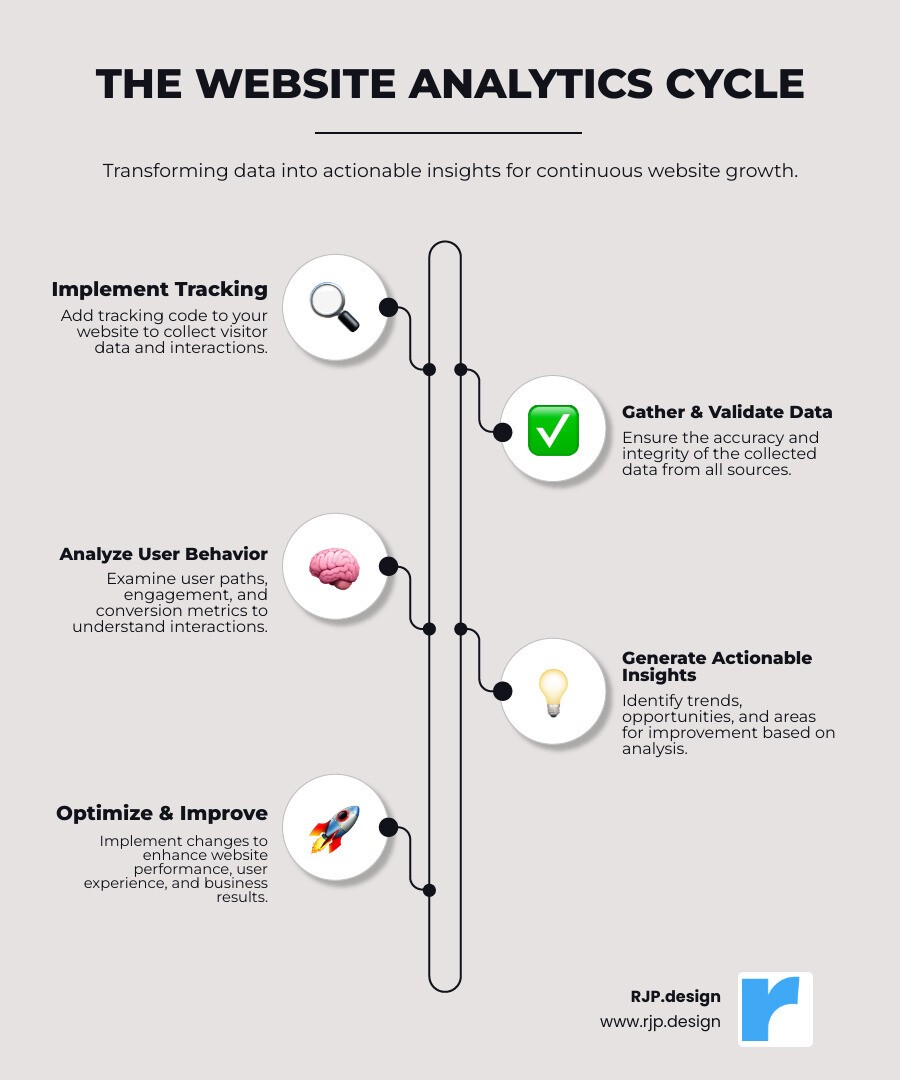
Quick look at website analytics tracking:
Choosing Your Toolkit: How Analytics Platforms Work
Think of website analytics tracking as having a friendly assistant who never sleeps, constantly watching how visitors interact with your website. This digital helper works through a small piece of code – usually JavaScript – that gets embedded into every page of your site.
When someone visits your website, this tracking code springs into action like a detective gathering clues. It collects anonymous information about what your visitors do: which pages they visit, how long they stay, where they click, and when they leave. All this data gets sent back to your analytics platform, where it’s organized into easy-to-understand reports.
How the magic happens: Traditionally, analytics tools used something called “cookies” – tiny text files stored in visitors’ browsers – to remember who’s who and track their journey across your site. But times are changing! With privacy becoming more important, many tools now use server-side tracking, where data gets processed on your own server before heading to the analytics platform. This gives you more control and often better accuracy.
Once your analytics platform receives all this data, it transforms raw numbers into meaningful insights. You’ll see key metrics that tell your website’s story: pageviews show how many times people looked at your pages, while unique visitors tells you roughly how many individual people stopped by.
Your bounce rate reveals what percentage of visitors left after seeing just one page – think of it as people walking into a store and immediately walking out. Session duration shows how long people typically stick around, and your conversion rate measures how many visitors actually do what you want them to do, like buying something or signing up for your newsletter.
One of the most valuable insights comes from understanding your traffic sources – basically, how people found you in the first place.

Maybe they found you through Google search (organic), clicked a link on Facebook (social), typed your website address directly (direct), or followed a link from another website (referral). Knowing this helps you double down on what’s working and fix what isn’t.
Want to dive deeper into understanding where your visitors come from? Check out our guide on Website Traffic Analysis.
Key Features to Look For in an Analytics Tool
Choosing the right analytics tool is like picking the perfect pair of glasses – you want something that gives you crystal-clear vision into what matters most for your business. The best tools don’t just show you numbers; they tell you the story behind those numbers.
Real-time data is like having a window into your website right now. You can see who’s browsing, which pages they’re looking at, and where they came from. This is incredibly helpful when you’re running a promotion or launching something new – you get instant feedback on how it’s performing.
Customizable dashboards matter because every business is different. What keeps you up at night might be completely different from what worries your competitor. Good analytics tools let you arrange your most important metrics front and center, so you’re not hunting through dozens of reports to find what matters.
Goal tracking is where things get exciting. This is where you define what “winning” looks like on your website. Whether that’s someone buying your product, filling out a contact form, or downloading your guide, goal tracking shows you exactly how well your site converts visitors into customers.
Event tracking goes beyond basic page views to monitor specific actions. Did someone click your “Call Now” button? Watch your demo video? Scroll down to read your testimonials? This granular detail helps you understand what really engages your visitors.
Audience segmentation recognizes that not all visitors are created equal. Maybe people from Google behave differently than those from Facebook. Or perhaps mobile users have different needs than desktop users. Segmentation helps you understand these differences and tailor your approach accordingly.
Integration capabilities ensure your analytics tool plays nicely with your other business tools. When your analytics connects with your email marketing, advertising platforms, or customer management system, you get a complete picture of your customer journey.
Sometimes numbers only tell half the story. That’s where qualitative features shine. Heatmaps show you exactly where people click and scroll on your pages – like having X-ray vision into user behavior. Session recordings let you watch actual visitors steer your site, revealing friction points you never knew existed. User feedback surveys cut straight to the chase by asking visitors what they think, want, or struggled with.
These features work together to give you both the “what” and the “why” behind your website’s performance.
Choosing the Right Website Analytics Tracking Tool
Picking the right website analytics tracking tool is a bit like choosing a car – you want something that fits your needs, budget, and values. The good news? There’s something for everyone.
Comprehensive platforms offer the full package. Google Analytics dominates this space, powering 85.9% of websites that use known analytics tools. It’s free, incredibly powerful, and integrates seamlessly with other Google services. Google Analytics 4 even uses machine learning to spot trends automatically and predict what your visitors might do next. For many businesses, it’s like having a data scientist built right into their website.
The platform excels at cross-platform tracking, following customers across devices and platforms to give you a complete picture of their journey. Its machine learning insights can automatically flag important changes in your data, saving you from manually hunting through reports.
But not everyone wants to hand over their data to a tech giant. Privacy-focused solutions are gaining popularity as businesses and visitors become more conscious about data protection. These tools often work without cookies, use lightweight scripts that don’t slow down your site, and give you complete ownership of your data.
Plausible Analytics champions the privacy-first approach. It doesn’t collect personal data or use persistent tracking, which means you often don’t need those annoying cookie consent banners. Their tracking script is 75 times smaller than Google Analytics, making your website faster. They even calculated that a site with 100,000 monthly visitors can save 8.2 kg of CO2 emissions per year by switching to their lighter platform!
Matomo takes a different approach, offering the power of comprehensive analytics while keeping your data under your control. Used on over 1 million websites across 190 countries, it provides 100% accurate data without sampling limitations. Since it’s open-source, you can host it on your own servers if you want complete data ownership.
Open-source options give you ultimate control. Tools like Open Web Analytics let you host everything yourself, ensuring your data never leaves your servers. This approach requires more technical knowledge but offers best privacy and customization.
When we help businesses choose their analytics tool, we look at what matters most to them. Do they want the robust, free features of Google Analytics? Are they willing to pay for privacy-focused alternatives? Do they need the technical control of self-hosted solutions?
The beauty is that there’s no wrong choice – only the choice that’s right for your business goals, technical comfort level, and privacy values.
From Data to Decisions: Improving Your Website’s Performance
Here’s where the real excitement begins! Collecting data is like gathering ingredients for a recipe – but the magic happens when you actually start cooking. Website analytics tracking gives you all the raw information, but changing that data into real improvements for your business? That’s where things get interesting.
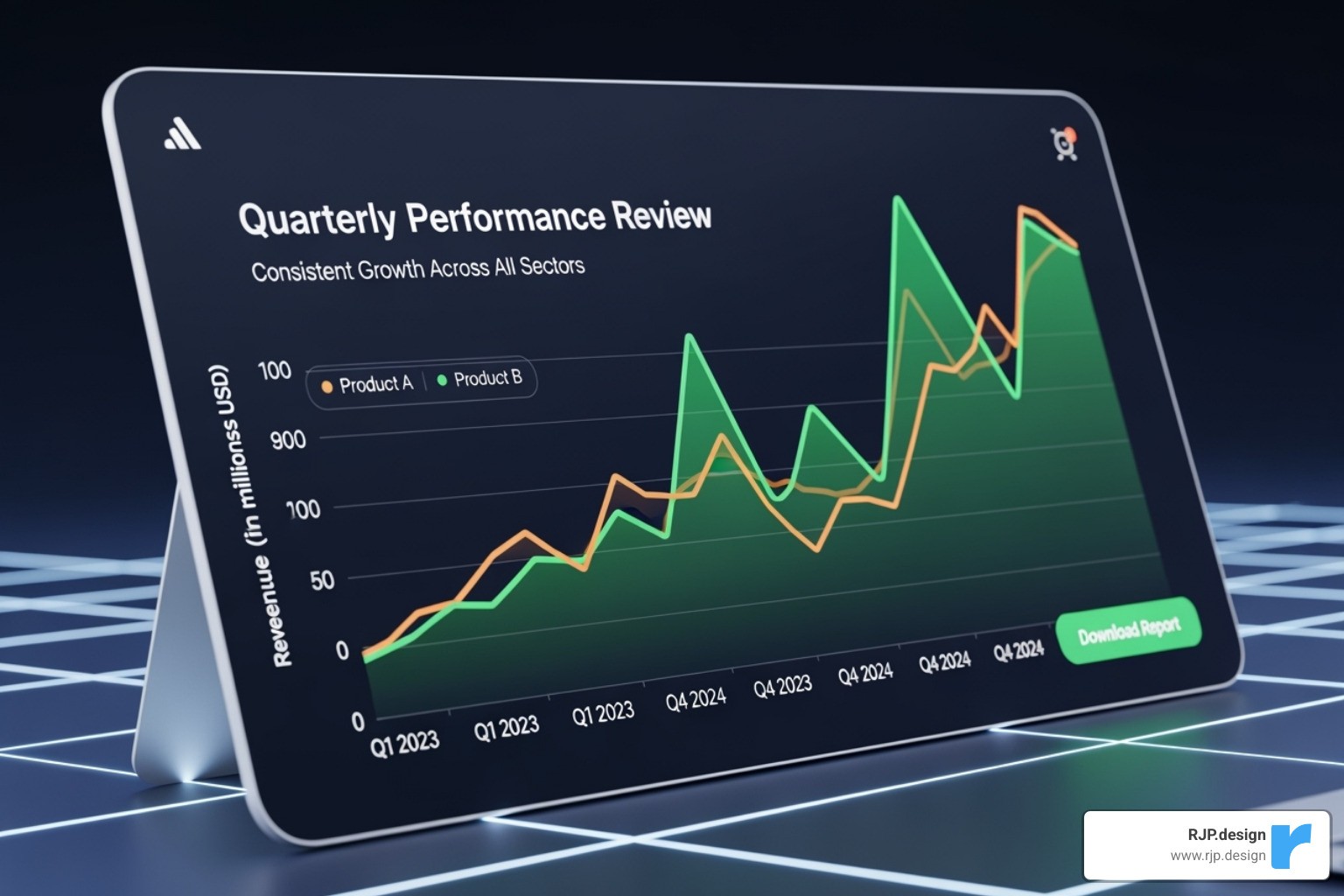
Think of your analytics dashboard as a treasure map. Every metric tells a story, and every story reveals an opportunity to make your website work harder for your business.
Identifying your top content is like finding which songs get people dancing at a party. When you analyze pageviews, time on page, and engagement metrics, you’ll quickly spot which pieces of content make your audience stick around. Maybe your “How-to” guides are getting tons of traffic while your product pages feel lonely. This insight tells you exactly what topics to create more of and which ones might need a fresh approach.
Your most popular pages deserve special attention because they’re already doing something right. But here’s the thing – popularity doesn’t always equal profit. You might find your “About Us” page gets thousands of views but rarely leads to actual inquiries. That’s valuable intelligence! It means people are interested in your story, but something’s missing in the journey from curiosity to contact.
Understanding user engagement goes deeper than just counting visitors. It’s about following the breadcrumbs of their digital journey. Where do they come from? Which pages do they visit next? When do they decide to leave? This detective work reveals patterns that can transform your website’s effectiveness.
The real goldmine lies in optimizing your user journey. Think of your website like a physical store. Analytics shows you exactly where customers get confused, frustrated, or simply lose interest. Maybe they’re abandoning their shopping carts because shipping costs appear too late, or perhaps your contact form is buried three clicks too deep. When you identify these drop-off points, you can smooth out the bumps and guide more visitors toward becoming customers. Our Website Conversion Strategies dive deeper into turning browsers into buyers.
Your marketing campaigns become incredibly more powerful when guided by analytics data. Instead of guessing which social media platform works best, you’ll know exactly which channels bring you the most valuable visitors. You’ll find whether your email newsletters actually drive sales or if your paid ads are worth the investment. This knowledge lets you put your marketing dollars where they’ll make the biggest impact. Just look at Lider’s success – they increased their conversion rate by 18 times using analytics insights! Our Internet Marketing Services help you maximize this potential.
SEO improvements become laser-focused when you combine analytics with search data. You’ll see which search terms actually bring people to your site, not just which ones you think should. This reveals content gaps you didn’t know existed and shows you which pages deserve more optimization love. Our SEO Optimization Services use these data-driven insights to help your website climb higher in search results.
The beautiful thing about website analytics tracking is that it turns your website into a learning machine. Every visitor teaches you something new, and every improvement opens up new possibilities. It’s not about making one big change – it’s about making dozens of small, smart adjustments that add up to remarkable results.
Your Step-by-Step Guide to Website Analytics Tracking
Setting up website analytics tracking doesn’t have to be overwhelming. Think of it like installing a security system for your house – once it’s in place, you’ll wonder how you ever managed without knowing who’s visiting and what they’re doing!

Let’s walk through this together, step by step.
Step 1: Setting Up Your Analytics Account and Property
First things first – we need to create your analytics home base. For most businesses, this means setting up Google Analytics, though the process is similar for other platforms.
Account creation is surprisingly straightforward. You’ll use an existing Google account or create a new one specifically for your business. I always recommend using a business email address rather than a personal one – it makes things cleaner if you ever need to transfer access to team members.
Next comes property setup. Think of a property as a dedicated folder for all your website’s data. We’ll give it a clear, descriptive name (usually your business name) and enter your website URL. This tells the system exactly which site we’re tracking.
The final piece is obtaining your Measurement ID. This unique identifier – starting with “G-” for Google Analytics 4 – is like your website’s fingerprint in the analytics world. Write this down somewhere safe; you’ll need it for the next step.
Ready to get started? You can get started with a free analytics account right now.
Step 2: Implementing the Tracking Code
Here’s where we connect your website to your new analytics account. The goal is simple: get that tracking code onto every page you want to monitor.
Manual installation works if you’re comfortable with a bit of code. We’ll copy the Global Site Tag provided by your analytics platform and paste it right after the opening <head> tag on every page. This ensures the code loads quickly when visitors arrive.
But honestly? Website builder integrations make life so much easier. Platforms like Webflow have dedicated sections in their project settings where you simply paste your Measurement ID. No code wrestling required – the platform handles everything behind the scenes.
For businesses using multiple tracking tools, tag manager solutions like Google Tag Manager become incredibly valuable. Instead of adding separate code snippets for analytics, advertising pixels, and other tracking tools, you add one container code and manage everything from a central dashboard. It’s like having a universal remote for all your tracking needs.
Step 3: Validating Your Website Analytics Tracking Setup
Now comes the moment of truth – making sure everything actually works! There’s nothing worse than thinking you’re collecting data for months, only to find your tracking was broken from day one.
Real-time reports are your best friend here. Visit your website, then immediately check the “Realtime” section in your analytics dashboard. If you see yourself listed as an active user, congratulations – your tracking is working perfectly!
Don’t see any data? Don’t panic. Checking for active users can sometimes take a few minutes, and there are several troubleshooting tips that usually solve the problem. Try clearing your browser cache or using an incognito window. Ad blockers can sometimes interfere with tracking, so temporarily disable them to test.
While real-time data appears instantly, fully processed reports need data processing time – typically 24 to 48 hours to show complete information. It’s like developing film; good things take a little time.
If you’re still stuck, the help center for tutorials has step-by-step guides that can walk you through any technical hiccups.
Step 4: Ensuring Data Accuracy and Privacy
Getting accurate data means filtering out the noise and respecting your visitors’ privacy – both crucial for reliable insights.
Filtering internal traffic is essential because you probably visit your own website more than anyone else! We set up filters to exclude IP addresses from your office, home, or anywhere your team regularly accesses the site. This ensures your analytics reflect real customer behavior, not your own browsing habits.
Anonymizing IP addresses helps protect visitor privacy while still giving you valuable location insights. Instead of storing complete IP addresses, the system masks the final digits, so you can still see that visitors came from “Chicago” without storing personally identifiable information.
Cookie consent has become increasingly important with privacy regulations like GDPR and CCPA. Some analytics tools require visitor consent before tracking, which can impact your data completeness. This is one reason why privacy-focused alternatives that don’t rely on cookies are gaining popularity – they can track usage without needing explicit consent.
Finally, data retention policies ensure you’re not storing information longer than necessary. Most platforms have default settings, but we review these to make sure they align with your business needs and legal requirements. It’s about finding the right balance between useful historical data and responsible data management.
With these four steps complete, your website analytics tracking will be collecting accurate, privacy-compliant data that helps you make smarter decisions about your online presence.
Frequently Asked Questions about Website Analytics
Let’s tackle some of the most common questions we hear from clients about website analytics tracking. Don’t worry – these are the same questions everyone asks when they’re getting started!
How long does it take for analytics data to appear?
Here’s the thing about analytics data – it’s a bit like baking a cake. Some parts are ready right away, while others need time to fully develop.
When you first set up your website analytics tracking, you’ll typically see real-time data within minutes. This means you can visit your website and watch yourself show up as an active visitor in your analytics dashboard. It’s actually pretty exciting the first time you see it work!
However, the more detailed reports take longer to process. Most platforms need 24 to 48 hours to fully crunch the numbers and show you comprehensive insights. Think of it as the difference between seeing someone walk into your store versus getting a detailed report about shopping patterns.
The good news? Real-time reports are perfect for checking if everything’s working correctly right after you set things up. You don’t have to wait around wondering if your tracking code is doing its job.
What’s the difference between a pageview and a unique visitor?
This is one of those questions that sounds more complicated than it actually is. Let me break it down with a simple example.
A pageview counts every single time someone loads a page on your website. If I visit your homepage, click to your services page, then go back to the homepage, that’s three pageviews. It’s like counting footsteps through your store.
A unique visitor (sometimes called a “user”) is the actual person doing all that clicking around. No matter how many pages I visit or how many times I come back to your site in a day, I’m still just one unique visitor. It’s like counting the actual number of people who walked into your store.
So if you had 100 pageviews but only 25 unique visitors, it means those 25 people were really engaged – they stuck around and explored multiple pages. That’s usually a good sign!
Can I track website analytics without using cookies?
Absolutely! This is becoming a really popular question as more people care about privacy online. The short answer is yes – you can definitely track website analytics without cookies.
Traditional analytics tools relied heavily on cookies to remember visitors and track their journeys. But with privacy laws like GDPR getting stricter, many new tools have found clever ways to gather insights without storing anything on your visitors’ devices.
Privacy-focused analytics tools work by collecting data in ways that don’t identify individual users. They can still tell you how many people visited your site, which pages were popular, and where your traffic came from – all without needing those pesky cookie consent banners.
These tools typically use lightweight scripts that are faster for your website and don’t require visitor consent for basic tracking. They focus on giving you the business insights you need while respecting your visitors’ privacy.
The best part? Many of these solutions are actually simpler to set up and understand than traditional cookie-based tracking. It’s a win-win for both you and your website visitors.
Conclusion: Open up Your Website’s Full Potential
Think of website analytics tracking as your website’s personal coach – always watching, always learning, and always ready to help you improve. Running a website without analytics is like driving blindfolded. You might get somewhere, but you’ll probably crash into a few things along the way!
We’ve taken quite a journey together. We started by understanding what website analytics tracking is and why it matters for your business success. Then we explored the nuts and bolts of how different platforms work, from tracking codes to cookies to privacy-focused alternatives. We finded how to transform raw data into real improvements – whether that’s identifying your top-performing content, smoothing out user journeys, or boosting your marketing ROI.
Most importantly, we walked through the practical steps to get your analytics up and running. From setting up your account to validating that everything works correctly, you now have a clear roadmap to follow.
Data-driven decisions aren’t just a fancy business buzzword – they’re your secret weapon for continuous improvement. Every visitor click, every page view, and every conversion tells a story about what’s working and what needs attention. This ongoing cycle of tracking, analyzing, and optimizing transforms your website from a digital brochure into a powerful business tool that works around the clock.
The beauty of analytics lies in its ability to reveal the unexpected. Maybe you’ll find that your “About Us” page is your most popular content, or that visitors from social media convert better than those from search engines. These insights become the foundation for smarter business decisions and sustainable growth.
At RJP.design, we understand that diving into analytics can feel overwhelming at first. That’s where our down-to-earth team comes in. We specialize in making the complex simple, ensuring your website doesn’t just look amazing but also delivers measurable results. From professional analytics setup to interpreting what your data actually means, we’re here to empower your Business Growth Online.
Ready to stop wondering and start knowing what your website visitors really want? Your data is waiting to tell its story, and we’re here to help you listen.