
Web
From Scratch to Storefront: Building Your Custom E-commerce Website
Dec 4, 2024

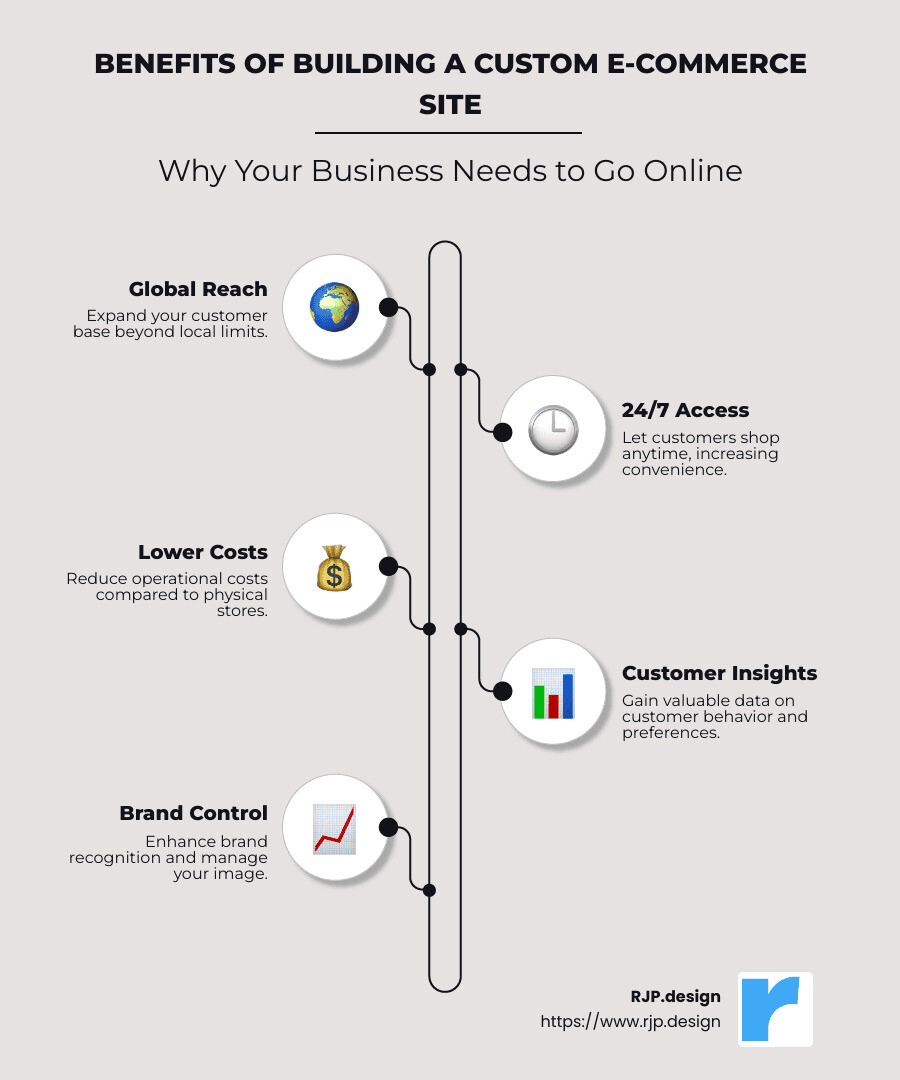
Build custom ecommerce site and open up a world of opportunities for your business. With the rapid rise of e-commerce, now’s the perfect time to take your business online. Here’s what you gain:
Reach more customers globally, no longer limited to your local market.
Provide 24/7 access to products, so customers can shop anytime.
Lower operational costs compared to brick-and-mortar stores.
Gather invaluable insights on customer behavior and preferences.
Improve brand recognition and control your brand image.
The world of online shopping is booming, with a projected e-commerce revenue of $476 billion in the U.S. by 2024. More than 43% of shoppers are researching products online before purchasing. When you build custom ecommerce site, you meet evolving customer expectations head-on, offering a seamless and satisfying shopping experience.
I’m Ross Plumer, an expert in digital marketing and website design. With hands-on experience in helping businesses generate over $20 million in revenue, I will guide you through the process of building custom ecommerce site, ensuring you get high-quality results. Let’s explore e-commerce and explore how it can lift your business.
Choose Your Content Management System (CMS)
The backbone of your e-commerce website is the Content Management System (CMS). Picking the right CMS is crucial for your online store’s success. It determines how easily you can manage your site, customize it, and grow your business.
Popular CMS Options
WordPress is a leading choice for those looking to build custom ecommerce site. As an open-source platform, it’s highly customizable and flexible. With plugins like WooCommerce, WordPress transforms into a powerful e-commerce tool. If you have some technical knowledge or a developer on your team, WordPress offers best control over your site’s functionality and design.
Shopify is a popular all-in-one solution that’s perfect for beginners and growing businesses. It’s known for its user-friendly interface and robust features. Shopify handles everything from hosting to payments, allowing you to focus on selling your products. Its extensive range of plugins can improve your store’s capabilities, but keep an eye on costs as they can add up.
Squarespace offers an neat and straightforward website-building experience. It’s best for creative industries or those who want a visually appealing online store without needing extensive technical skills. Squarespace provides beautiful templates and strong design tools, making it easier to create a stunning online presence.
Square Online is ideal for retailers looking to integrate their in-person and online sales. It offers seamless synchronization between physical and digital stores. Square Online is particularly beneficial for businesses already using Square’s point-of-sale systems, providing a unified experience across all sales channels.
Wix is an excellent choice for those who want a highly customizable and easy-to-use platform. With its drag-and-drop builder, you can design your store exactly how you envision it. Wix offers a range of e-commerce tools and templates custom for various business types. It’s perfect for those who want to start quickly and scale over time.
Each of these platforms has its strengths, so consider your business needs, budget, and technical skills when choosing your CMS. The right platform will support your growth and help you build a custom e-commerce site that delights your customers.
Create an Account or Get Web Hosting
Once you’ve chosen your CMS, the next step is to get your domain and hosting sorted out. These are the essentials that will bring your custom e-commerce site to life.
Register Your Domain
Your domain name is your online address. It’s how customers find you, so make it memorable and relevant to your brand. Keep it short, simple, and easy to spell. Avoid using numbers or hyphens, as they can be confusing.
To register your domain, you’ll need a domain name registrar. This is a service that manages the reservation of internet domain names. Popular registrars include Domain.com and Network Solutions. The cost usually ranges from $10 to $20 per year, depending on the top-level domain (like .com or .net) you choose.
Select a Hosting Service
Once your domain is registered, you’ll need a place to store your website’s files—this is where web hosting comes in. A reliable hosting service ensures your e-commerce site runs smoothly and is always accessible to customers.
GoDaddy and Bluehost are two popular hosting providers that offer a range of plans to fit different needs and budgets. Bluehost, for instance, is highly recommended for WordPress users and provides a seamless one-click WordPress installation. Both services offer perks like tech support and free domain names with certain plans.
Don’t forget about security. An SSL certificate is crucial for protecting your customers’ data. It encrypts information, keeping transactions secure and boosting customer trust. Many hosting providers include an SSL certificate in their packages or offer it as an add-on.
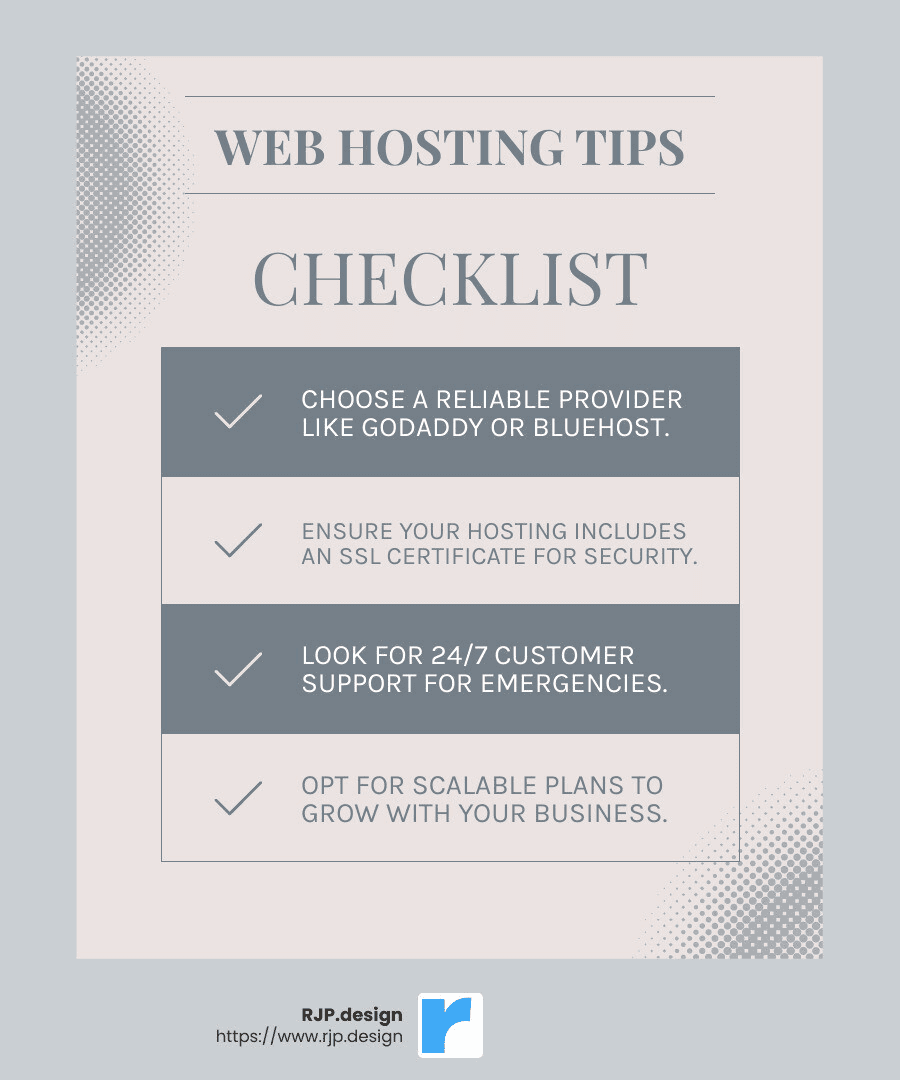
When choosing a hosting provider, consider the following:
Performance: Fast load times and minimal downtime are key.
Support: 24/7 customer support can be a lifesaver if something goes wrong.
Scalability: As your business grows, your hosting needs might change. Choose a provider that can scale with you.
With your domain registered and hosting set up, you’re ready to start building your custom e-commerce site. Next, we’ll look at how to select the perfect theme or template to showcase your products.
Select an E-commerce Theme or Template
Choosing the right e-commerce theme or template is a crucial step in building a custom e-commerce site. Your theme is the framework that shapes the look and feel of your online store. It’s your digital storefront, so it needs to reflect your brand and make a great impression on visitors.
Customize Your Theme
Themes and templates come in two main varieties: free and premium.
Free templates are a good starting point, especially if you’re on a budget. They offer basic designs that you can tweak to fit your brand. However, they might lack some advanced features and uniqueness.
Premium templates, on the other hand, often come with more sophisticated designs and additional features. They can range from $30 to over $200, as seen in platforms like WordPress and Shopify. Investing in a premium theme can save you time on customization and give your site a more professional look.
Once you’ve selected a theme, it’s time to make it your own. Here are some common areas to customize:
Header and Footer: These are the top and bottom sections of your website. Your header should include your company logo, navigation menu, and perhaps a search bar. The footer is a great place for contact information, social media links, and legal pages like terms of service.
Navigation: A smooth navigation experience is key for keeping visitors on your site. Ensure your navigation bar is easy to read and logically organized. Customers should be able to find what they’re looking for without hassle.
Homepage: This is often the first page visitors see, so it should clearly convey what your business is about. Use high-quality images, engaging text, and clear calls-to-action to guide visitors through your site.
Refunds and Return Policy Page: This page is essential for building customer trust. Clearly outline your policies regarding returns and refunds. Make sure this page is easy to find, perhaps linking it in your footer or during the checkout process.
When customizing your theme, remember to keep your brand identity in mind. Use colors, fonts, and images that align with your brand to create a cohesive look.
With your theme customized, your e-commerce site is starting to take shape. Next, we’ll dive into creating detailed product listings that will captivate your customers and drive sales.
Build Custom E-commerce Site: Customize and Build Out Web Pages
Create Product Listings
Creating compelling product listings is a cornerstone of any successful e-commerce site. This is where you showcase what you have to offer, so getting it right is crucial for engaging customers and driving sales.
Customization is key. Each product listing should be custom to fit your brand and speak directly to your target audience. Here’s how to build out your product catalog effectively:
Product Descriptions
Your product descriptions should be clear and concise. Avoid jargon and keep sentences short. Answer these essential questions:
Who is the product for?
What are the product’s basic details?
Where and when can someone use this product?
For example, instead of saying “This is a high-quality jacket,” say “Stay warm this winter with our cozy, fleece-lined jacket, perfect for chilly outdoor trips.”
Product Categories
Organizing your products into categories helps customers find what they’re looking for quickly. Think of categories like chapters in a book—they guide your customers through your store. Common categories might include:
Clothing
Electronics
Home Goods
Consider adding filters for things like brand or price range to further refine the shopping experience.
Product Images
Images are powerful. They’re often the first thing customers notice. High-quality images can make your products stand out. Here’s what to keep in mind:
Use images that are the same size to avoid a messy look.
Show the product from multiple angles.
Include an image of the product in use to help customers imagine it in their lives.
SKU (Stock Keeping Unit)
Assigning a unique SKU to each product helps you keep track of inventory. It’s like a fingerprint for your products, making it easy to manage stock levels and fulfill orders efficiently.
Building a Product Catalog
A well-structured product catalog is essential. It’s your digital shelf space. Use a spreadsheet or software to organize all information about your products, including descriptions, images, SKUs, and categories. This will make it easier to upload and manage your listings on your site.
With these elements in place, your product listings will not only inform but also entice customers, making them more likely to click “buy.”
Next, we’ll look at setting up payment gateways and tools for managing inventory and taxes to ensure a smooth shopping experience for your customers.
Set Up Payment Gateway, Inventory, and Tax Tools
To ensure a smooth shopping experience, setting up a payment gateway, managing inventory, and calculating taxes are crucial steps in building your custom e-commerce site.
Choose a Payment Gateway
A payment gateway is like a digital cashier. It processes payments securely, so you get paid, and your customers feel safe. Popular options include Stripe and PayPal.
Stripe offers a seamless experience by allowing payments to be processed on your site, while PayPal redirects customers to its secure site for transactions. Both are PCI-compliant, meaning they meet industry standards for securely handling credit card information.
Consider these factors when choosing a gateway:
Ease of Integration: Does it work well with your e-commerce platform?
Security: Is it PCI-compliant?
Fees: What are the costs per transaction? Stripe typically charges 2.9% + $0.30, similar to PayPal.
Customer Experience: Does it offer a smooth checkout process?
Integrate Shipping
Shipping is more than just getting products from point A to B. It’s about creating a seamless experience for your customers. Shipping integration ties together your sales and delivery processes, ensuring orders move smoothly from your store to your customers.
Here’s what to consider for shipping policies:
Options: Offer choices like free shipping, flat rates, or variable fees based on location.
Carriers: Decide which shipping companies you’ll work with. Consider reliability and cost.
Refund and Return Policies: Clearly outline how customers can return items. This builds trust and can influence purchasing decisions.
By integrating shipping into your e-commerce platform, you can automate tracking and notifications, freeing you up to focus on growing your business.
Add a Sales Tax Calculator
Calculating sales tax can be complex, especially if you sell in multiple regions. A tax calculator tool simplifies this process, ensuring you charge the correct amount based on where your customers are located.
Here’s how to set it up:
Determine Tax Rates: These vary by location. Make sure your calculator can adjust accordingly.
Integrate with Checkout: Ensure taxes are calculated and displayed before customers complete their purchase.
Compliance: Keep up-to-date with tax laws to avoid fines or penalties.
With these tools in place, your e-commerce site will be ready to handle transactions smoothly, keeping both you and your customers happy.
Next, we’ll dive into testing and launching your e-commerce site to ensure everything is working perfectly before you go live.
Test and Launch Your E-commerce Site
Run Tests
Before showing your custom e-commerce site to the world, it’s crucial to ensure everything runs smoothly. Start by processing a few test orders. This helps verify that your payment processing works correctly and that customers receive email confirmations promptly.
Mobile optimization is key since many shoppers use their phones. Check how your site looks and functions on various devices. Are images clear? Are buttons easy to tap?
Also, test your site across different browsers like Chrome, Firefox, Safari, and Edge. Make sure it looks consistent and works without glitches. If you encounter issues, consult your developers to address them.
Announce Your Launch
Once testing is complete and you’re confident in your site’s performance, it’s time to announce your launch. Start with a soft launch by sharing the site with a select group. This allows you to catch any last-minute issues on a smaller scale.
After a successful soft launch, go big with your announcement. Use social media platforms to reach a broad audience. Craft engaging posts that highlight your brand’s unique offerings.
Email marketing is another powerful tool. Send custom emails to your subscriber list, offering special launch promotions or discounts.
Consider influencer marketing to tap into wider networks. Collaborate with influencers in your niche to create buzz around your launch.
If budget allows, invest in paid advertising. Platforms like Facebook and Google offer targeted ad options to boost visibility.
With thorough testing and a strategic launch plan, your e-commerce site will be ready to welcome customers and drive sales.
Frequently Asked Questions about Building Custom E-commerce Sites
Can I build an e-commerce website on my own?
Absolutely! You can build a custom e-commerce site on your own. Many platforms offer user-friendly tools that make it possible for anyone to create a site without needing extensive technical skills. These platforms often include drag-and-drop editors and pre-designed templates which simplify the process.
If you prefer a more custom approach, you might consider hiring a developer. This can be especially helpful if you want unique features or a design that stands out. Many platforms keep a list of expert developers you can hire if you need help.
How much does it cost to build an e-commerce website?
The cost of building a custom e-commerce site varies widely. If you’re doing it yourself using a platform, you might spend as little as $20 to $200 per month, depending on the plan you select. This typically covers hosting, domain, and basic features.
For more complex sites, especially those requiring custom development, costs can range from $1,000 to over $10,000. This includes expenses for premium themes, plugins, and possibly hiring a developer. Investing in quality can improve your site’s performance and customer experience.
Which is the best e-commerce platform?
Choosing the best e-commerce platform depends on your specific needs.
Some platforms are great for beginners due to their ease of use and flexibility. They offer a range of e-commerce features and affordable plans.
Other platforms are ideal for businesses focused on selling physical products online. They are known for their robust e-commerce capabilities and scalability.
Certain platforms are perfect for businesses that also need strong design capabilities, especially if you offer services or host events.
Each platform has its strengths, so consider what features are most important for your business when making a decision.
Conclusion
Building a custom e-commerce site is not just about having an online store; it’s about creating an engaging experience that resonates with your audience. At RJP.design, we specialize in crafting websites that not only look great but also perform exceptionally well. Our focus is on ensuring client satisfaction through high-quality service and a supportive, down-to-earth team.
Our approach is simple: we listen to your needs and tailor our solutions to fit your brand. We understand that a strong online presence is crucial for your business’s success. That’s why we prioritize creating websites that are not only visually appealing but also optimized for search engines and user-friendly.
With e-commerce sales projected to reach 22% of global retail by 2023, having a robust online presence is more important than ever. We are here to help you steer the digital landscape with ease, ensuring your website is equipped to meet evolving customer expectations.
Whether you’re a solopreneur or a large business, our team is ready to support you every step of the way. From design to development and beyond, we are committed to helping you thrive online.
Ready to lift your online presence? Explore our web design and development services to learn how we can help you build a custom e-commerce site that stands out.