
Web
Content Management Systems Made Easy (Even for Your Grandma)
Jun 10, 2025
Content Management Systems: 7 Powerful Benefits in 2025
Explaining Content Management Systems
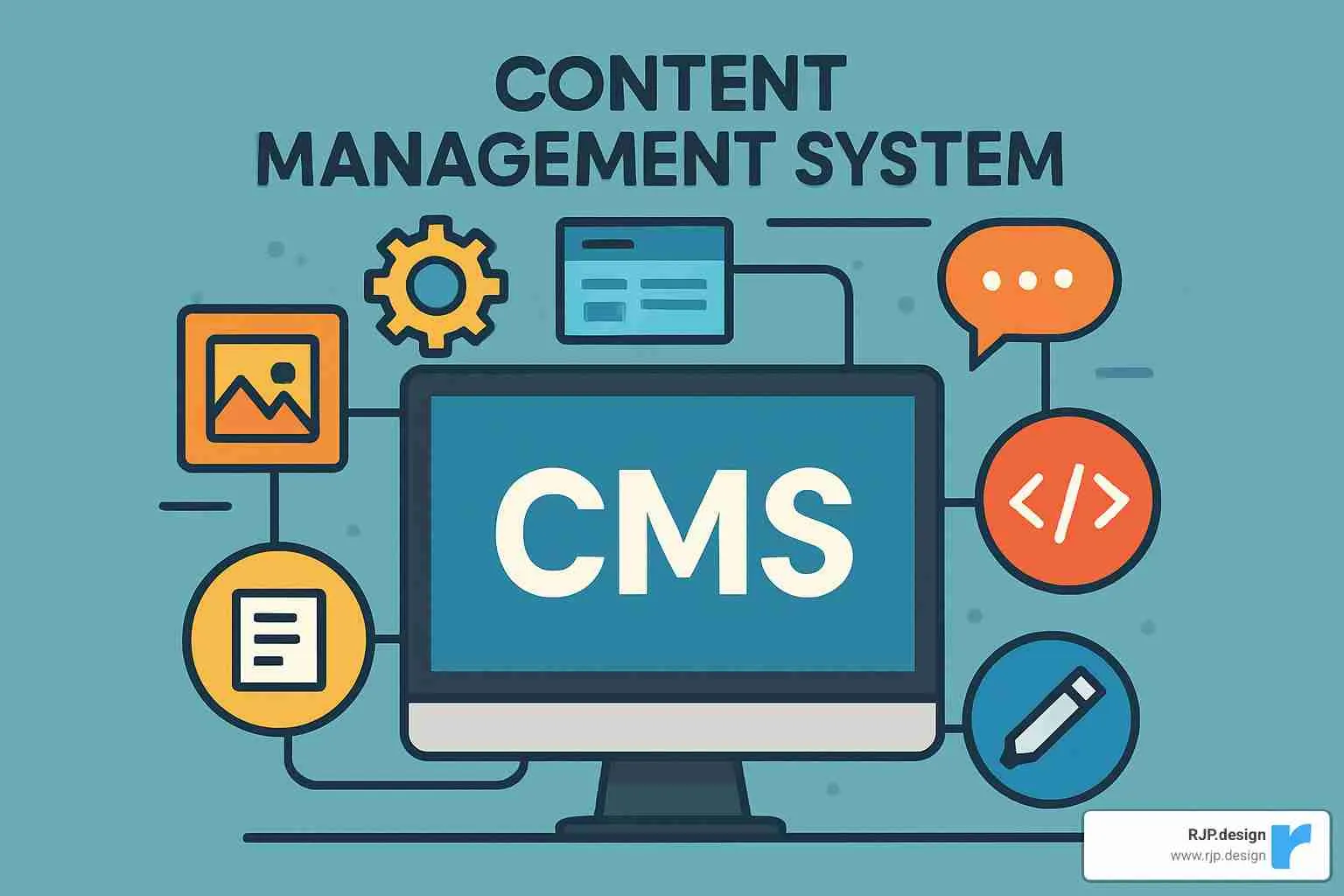
Content management systems are software platforms that help you create, manage, and modify website content without needing technical skills or coding knowledge. They’re the secret sauce behind most modern websites, making it possible for anyone—yes, even your grandma—to maintain a professional online presence.
What is a Content Management System (CMS)?
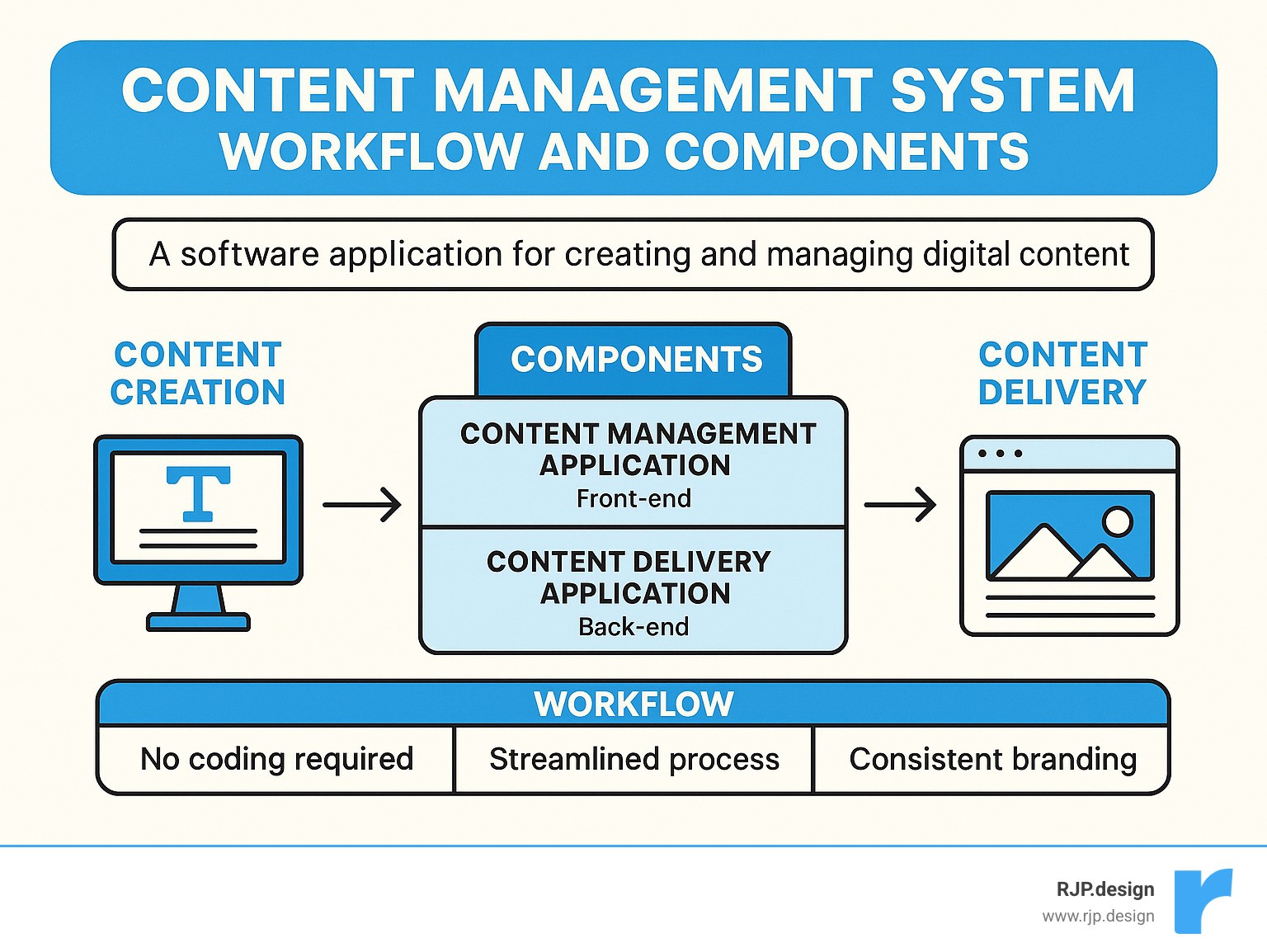
Definition: A user-friendly software application that lets you create and manage digital content without coding
Two Main Components: Content Management Application (front-end) and Content Delivery Application (back-end)
Popular Examples: WordPress (43% of all websites), Joomla, Drupal, Wix, Squarespace
Key Benefits: No coding required, easy collaboration, streamlined workflows, consistent branding
Think of a CMS as the digital equivalent of a filing cabinet combined with a publishing press. It stores all your website content (text, images, videos) in an organized database and provides simple tools to display that content beautifully on your website.
Unlike the old days when updating a website meant editing HTML files and uploading them via FTP, a CMS gives you a user-friendly dashboard where you can make changes as easily as writing an email. When you hit “publish,” the CMS automatically handles all the technical details behind the scenes.
For small business owners, this means you can focus on creating great content instead of wrestling with code. You can update your services, add new products, publish blog posts, or change your contact information—all without calling a developer.
I’m Ross Plumer, and I’ve helped numerous businesses implement and optimize content management systems that have marketed over $20 million in revenue, changing their digital presence with solutions custom to their specific needs and goals.
Learn more about content management systems:
– affordable web design
– business website solutions
– creative website solutions
What Are Content Management Systems?
Think of a content management system as your digital Swiss Army knife—it’s the software that lets you build and run a website without needing to know code. I remember when websites required typing out HTML by hand; now my clients can update their sites as easily as writing an email.
A content management system emerged in the mid-1990s but really hit its stride in the early 2000s. Today, the most popular open-source CMS alone powers about 43% of all websites—from mom-and-pop shops to Fortune 500 companies. That’s nearly half the internet running on a single CMS!
At its heart, every CMS has two main parts working together:
The Content Management Application (CMA) is the friendly face you interact with—where you write posts, drag-and-drop images, and organize your pages without touching a line of code.
Behind the scenes, the Content Delivery Application (CDA) does the heavy lifting—storing your content in databases and serving it up to visitors as beautiful web pages.
When we talk about content management, we’re usually referring to either:
Web Content Management (WCM) focuses specifically on website content, making it easy for multiple people to collaborate on your site.
Enterprise Content Management (ECM) takes a broader approach, handling all your organization’s documents, records, and digital assets.
One feature I absolutely love (and has saved my clients countless headaches) is revision control. Made a mistake? No problem! You can track changes, compare versions, and restore previous content with just a few clicks. It’s like having a time machine for your website.
How Do Content Management Systems Work?
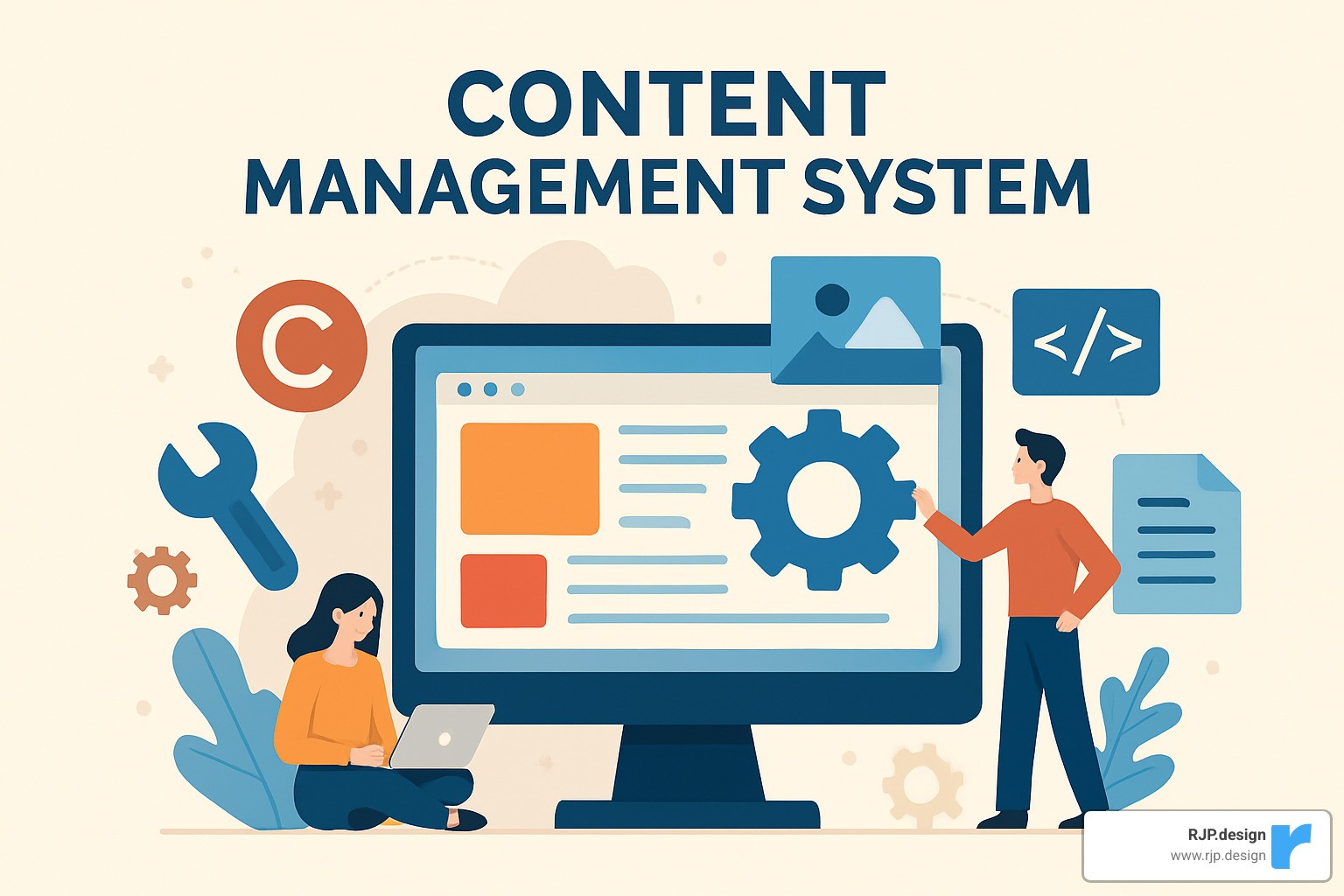
The magic of a content management system happens through several interconnected pieces working harmoniously:
Your content database acts like a digital filing cabinet, storing all your text, images, videos, and other media in an organized structure.
Templates provide the visual framework for your site—think of them as pre-designed digital canvases waiting for your content.
When you hit publish, the publishing engine springs into action, pulling content from your database and placing it into your templates.
Modern systems also include APIs (Application Programming Interfaces) that connect your site with other services and deliver content across multiple channels—from your website to mobile apps and beyond.
The typical workflow feels remarkably simple: log in to your dashboard, create or edit content with intuitive tools, add media from your library, preview how it will look, and publish. Behind the scenes, the CMS generates all the necessary code to make your page work beautifully.
User roles are another brilliant feature—giving different team members appropriate access levels. Writers can draft content, editors can review it, and only administrators can make site-wide changes. As one industry expert wisely noted, “Technology should get out of the way.” That’s the true beauty of a good CMS.
Core Components of Content Management Systems
Every content management system shares several essential building blocks that make website management accessible to everyone:
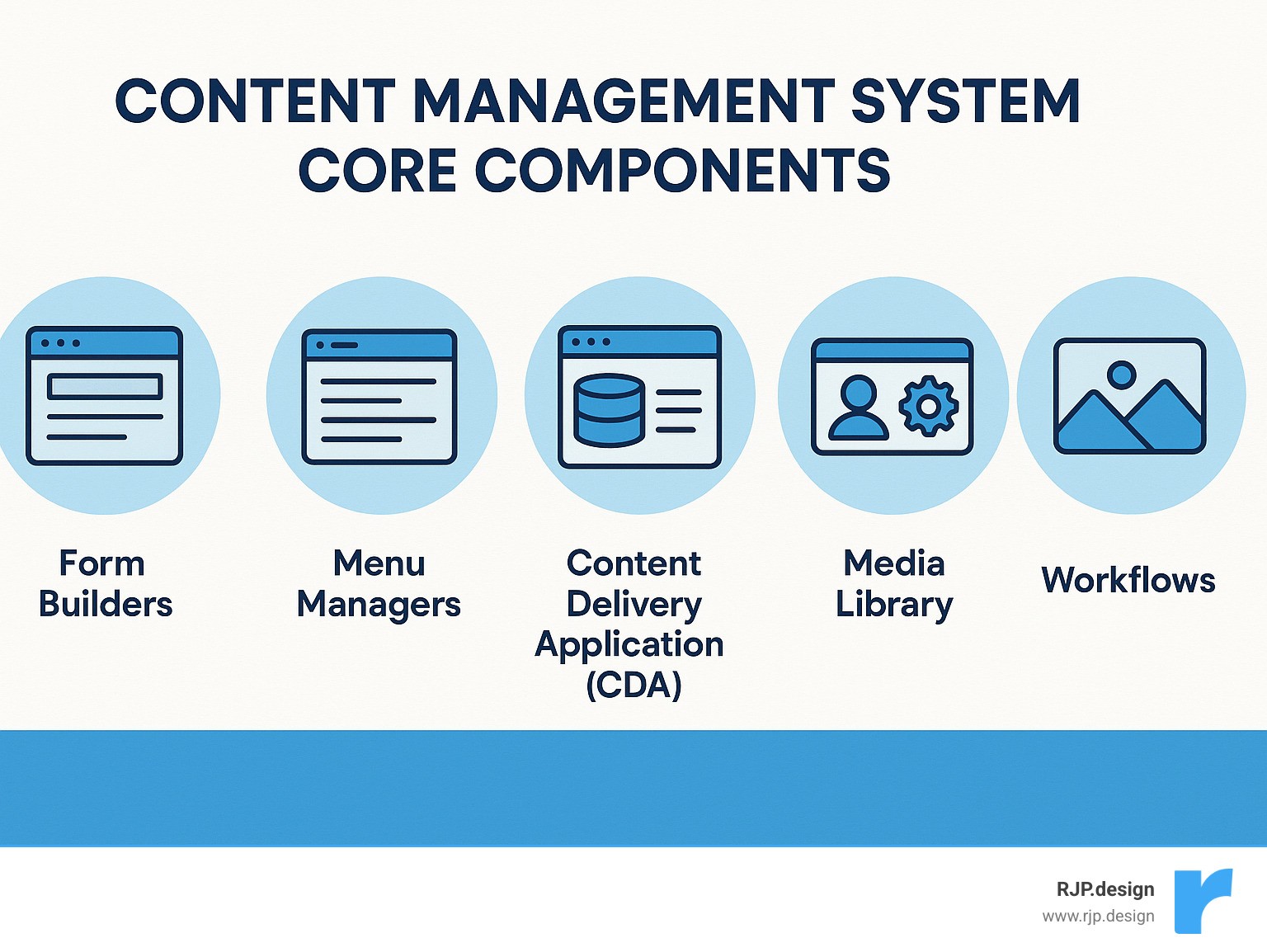
The Content Management Application (CMA) provides the user interface where you’ll spend most of your time. This includes text editors that show exactly how your content will appear, media uploaders for images and videos, form builders, and menu managers to organize your site’s navigation.
Working silently in the background, the Content Delivery Application (CDA) stores your content in databases, retrieves it when needed, applies your chosen design templates, and delivers the final webpage to your visitors.
Your Admin Dashboard serves as command central—the place where you manage users and permissions, configure site settings, monitor performance, and install additional functionality.
The Media Library keeps all your digital assets organized in one place—images, videos, documents, and other files—making them easily accessible whenever you need them.
Finally, Workflows manage the content lifecycle from creation through review, approval, publishing, and eventually archiving—particularly valuable for businesses with multiple team members contributing to the site.
All these components work together seamlessly, handling complex technical processes automatically. For instance, when you upload a photo, your CMS processes it, creates multiple versions optimized for different devices, and makes it instantly available throughout your site—no Photoshop required!
Types of CMS & Best Use Cases
When it comes to content management systems, there’s no one-size-fits-all solution. Think of choosing a CMS like picking the right vehicle—a sports car might be flashy, but it won’t help much if you need to move furniture!
Traditional vs Headless Content Management Systems
Traditional CMS platforms (sometimes called “coupled” or “monolithic”) are like comfortable family homes with everything built-in. They handle both storing your content and displaying it to visitors in one tidy package. Many popular CMS platforms in their standard setups fall into this category.
On the flip side, a headless CMS is more like buying just the foundation of a house and building custom rooms exactly how you want them. The content lives in one place, but it can be sent anywhere through APIs—websites, mobile apps, smart watches, or whatever digital platform comes next.
The beauty of headless systems is their flexibility. Your content becomes like water that can flow into any container, rather than being locked into a specific presentation format.
Feature | Traditional CMS | Headless CMS |
|---|---|---|
Ease of use | Usually simpler for non-technical users | Requires more technical knowledge |
Flexibility | Limited to the CMS’s templates | Extremely flexible |
Development speed | Faster for simple websites | Faster for complex, multi-channel projects |
Content reuse | Limited | Excellent (publish once, display anywhere) |
Future-proofing | May require redesign for new channels | Ready for any future platform |
Sitting comfortably in the middle is the decoupled CMS—offering both a content management back-end and a default presentation layer, while still allowing API access when you need it. It’s like having a house with rooms already built, but with the option to add a custom extension whenever you want.
Open-Source vs Proprietary Platforms
The open-source versus proprietary debate often comes down to a trade-off between freedom and convenience.
Open-source systems are free to download and use (though you’ll still pay for hosting). They’re community-driven, infinitely customizable, and backed by thousands of developers worldwide. They’re perfect if you value flexibility and don’t mind a slightly steeper learning curve.
Proprietary platforms offer polished, subscription-based experiences with dedicated support teams. They’re the “we’ll handle everything” option—often easier to use but potentially more expensive and less flexible in the long run.
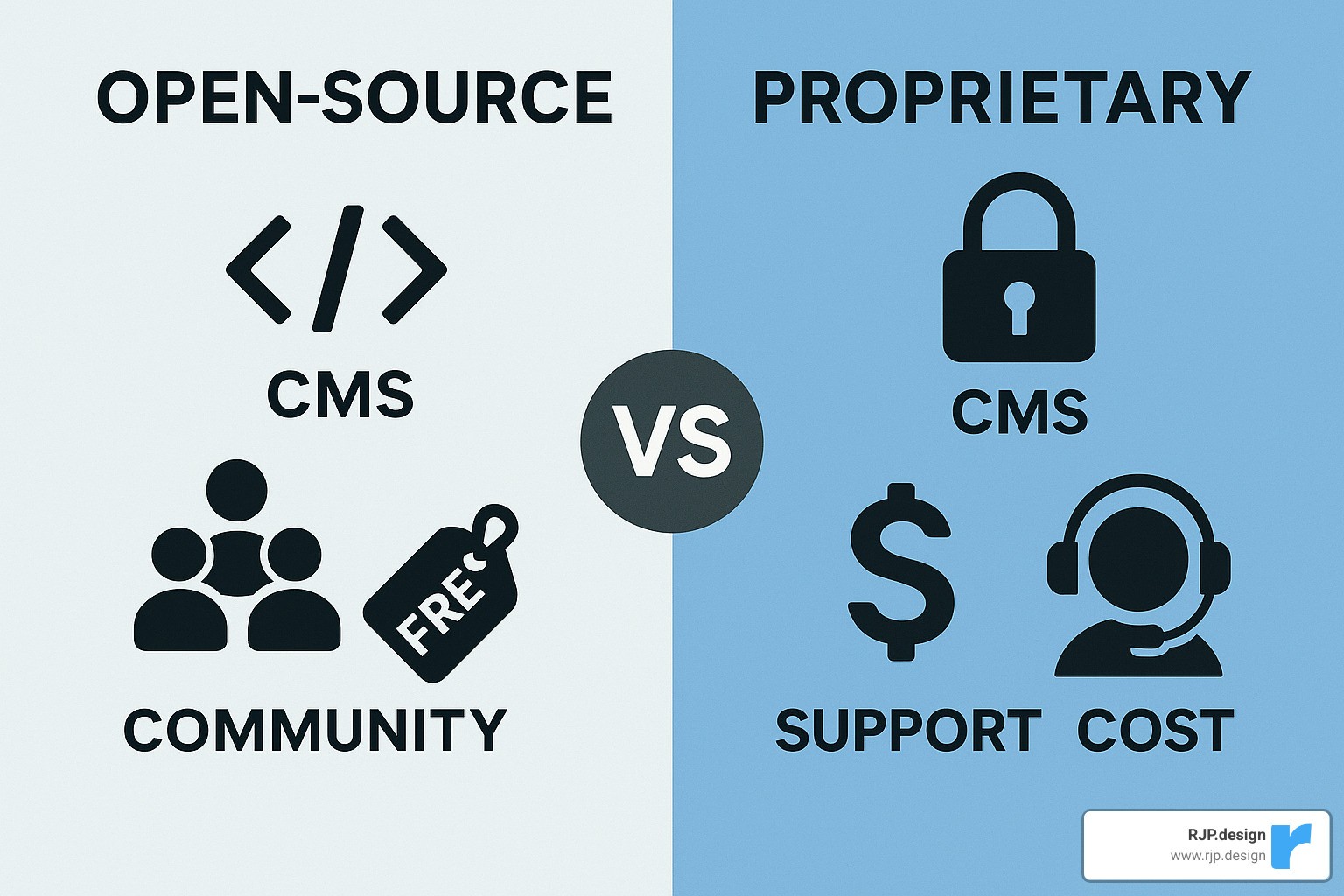
Think of open-source as cooking from scratch—more work but unlimited possibilities—while proprietary systems are more like meal delivery services: convenient but with fewer customization options.
Which CMS Fits Your Project?
Finding your perfect content management system match depends entirely on what you’re trying to build:
For blogs and content-focused websites, the most popular open-source CMS remains the reigning champion (powering over 43% of all websites for good reason). Its intuitive publishing tools, robust categorization options, and SEO-friendly structure make it ideal for anyone who primarily deals in words and images.
Portfolio and visual showcase sites often flourish with visually-oriented platforms where beautiful templates and drag-and-drop design tools let your visual content take center stage.
If you’re selling products, e-commerce-focused options provide the specialized tools you need to manage products, process payments, and handle shipping.
Enterprise-level projects and internal company sites might benefit from advanced security features and complex content relationships, or deep integration with your existing business ecosystem.
And for multilingual sites, there are excellent CMS options with built-in support or plugins that handle multiple languages beautifully.
The best advice? Choose a CMS that fits both your current needs and your technical comfort level. As we often tell our clients at RJP.design, the perfect system isn’t necessarily the most powerful one—it’s the one you’ll actually enjoy using day after day.
Choosing & Customizing Your Ideal CMS
Finding the perfect content management system feels a bit like dating—you need one that matches your needs today but can also grow with you tomorrow. At RJP.design, we’ve guided countless businesses through this important decision, and I’ve noticed that success comes down to knowing what truly matters for your specific situation.
Think of your CMS selection as building the foundation of your digital home. You want it solid, reliable, and flexible enough for future renovations! The most successful websites are built on systems that balance ease-of-use with the right set of capabilities.
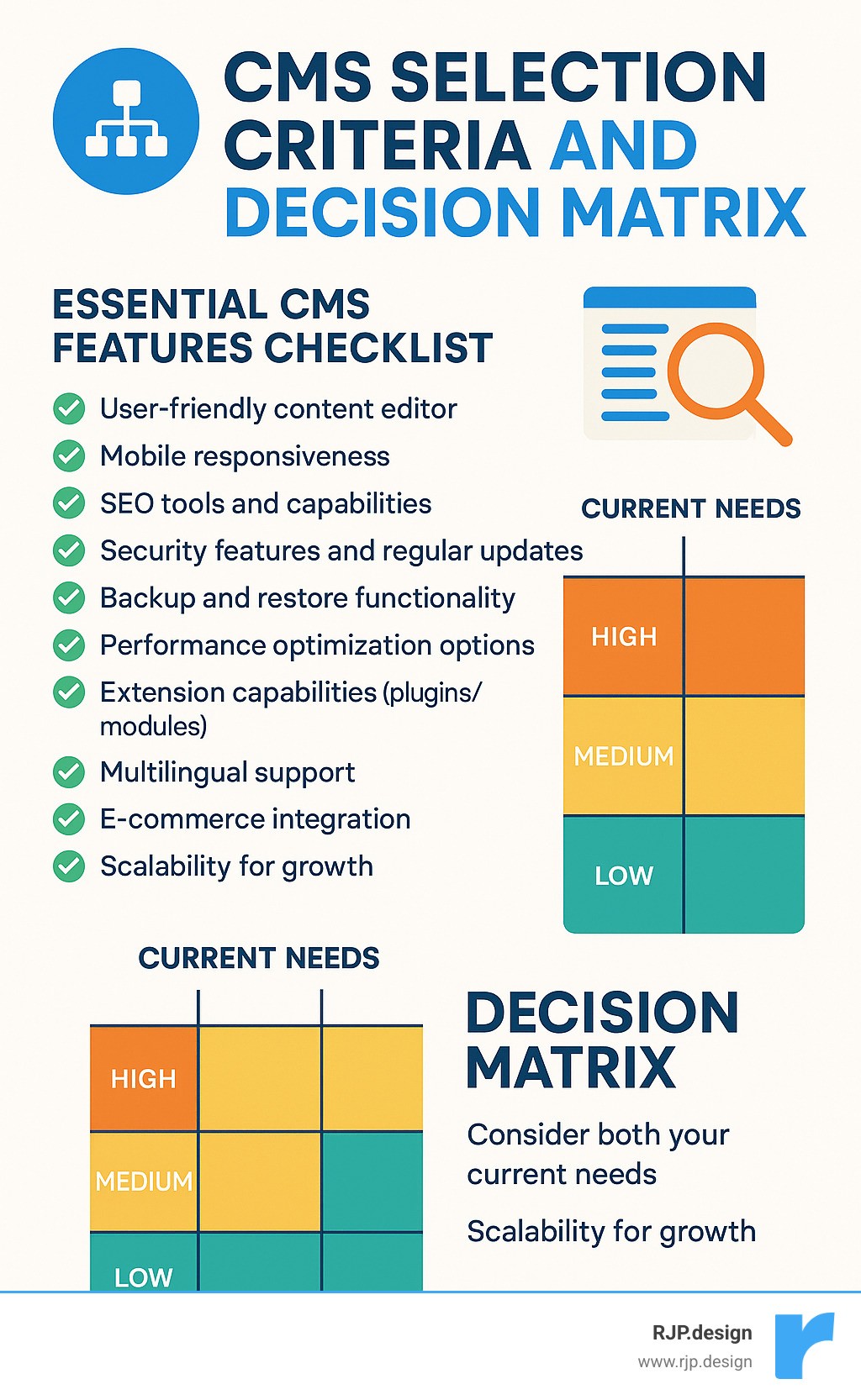
What should be on your must-have checklist? A user-friendly editor tops the list—after all, if creating content feels like pulling teeth, you simply won’t do it often enough. Mobile responsiveness is non-negotiable these days, with most visitors coming from smartphones. Built-in SEO tools will help people actually find you online, while regular security updates protect your digital investment.
The SEO capabilities of your content management system deserve special attention. Google rewards websites that are technically sound and user-friendly. Look for systems that let you customize page titles and meta descriptions, create clean URL structures, and automatically generate sitemaps. Schema markup support might sound technical, but it helps search engines understand your content better, potentially boosting your visibility. Learn more about our practical Search engine optimization tips that work with any good CMS.
The right system should grow with you—what seems perfect for a small business might become limiting as you expand. That’s why our Professional Web Design approach focuses on scalable solutions that won’t paint you into a corner.
Security & Performance Considerations for Content Management Systems
Let’s talk about something that isn’t particularly exciting but is absolutely crucial—security. Your content management system is like your digital storefront, and unfortunately, popular platforms attract unwanted attention from hackers. It’s a bit like driving the most popular car model—more thieves know how to break into it.
The good news? Simple security practices make an enormous difference. Regular updates are your first line of defense—over 94% of CMS vulnerabilities come from outdated software or plugins. Think of updates like vaccinations for your website! Strong passwords and two-factor authentication are like having both a lock and an alarm system on your door.
Backing up your website regularly is your insurance policy. We’ve seen the relief on clients’ faces when we could restore their site after an issue—it’s like having a time machine for your digital business.
Performance matters just as much as security. A slow website isn’t just frustrating—it actively drives visitors away and hurts your search rankings. Google has made site speed an official ranking factor, so this directly impacts who finds you online.
The best content management systems support performance-boosting technologies like Content Delivery Networks (CDNs), which distribute your website across multiple servers worldwide, delivering content from locations closest to each visitor. Caching capabilities store frequently-accessed parts of your site for faster delivery, while image optimization reduces file sizes without sacrificing quality.
Extending a CMS: Plugins, Themes & Integrations
The real magic of modern content management systems happens through extensions. Think of your CMS as a smartphone—it comes with essential functions out of the box, but the app store transforms it into something truly personalized and powerful.
Plugins (sometimes called modules or extensions) add specific functionality to your site. Need a contact form? There’s a plugin for that. Want to sell products? Add an e-commerce plugin. Need to build an email list? You guessed it—there’s a plugin for that too.
WordPress alone offers over 59,000 free plugins, with thousands more premium options. This incredible flexibility means your website can evolve alongside your business without requiring a complete rebuild.
Themes control the visual appearance of your site, determining colors, layouts, and overall style. When choosing a theme, prioritize responsive design (looks good on all devices), customization options (make it uniquely yours), and loading speed (keeps visitors happy). Also consider accessibility compliance—making your site usable for people with disabilities isn’t just the right thing to do; it expands your potential audience.
The most powerful websites connect seamlessly with other business tools through integrations. Your content management system can talk directly to your CRM system, email marketing platform, payment processors, and analytics tools. These connections create efficient workflows that save time and reduce errors.
At RJP.design, we love helping businesses find their perfect CMS match and then extending it with just the right plugins and integrations. The right system feels less like software and more like a trusted partner in your business growth—one that works quietly in the background while you focus on what you do best.
Step-by-Step: Building a Site with a CMS
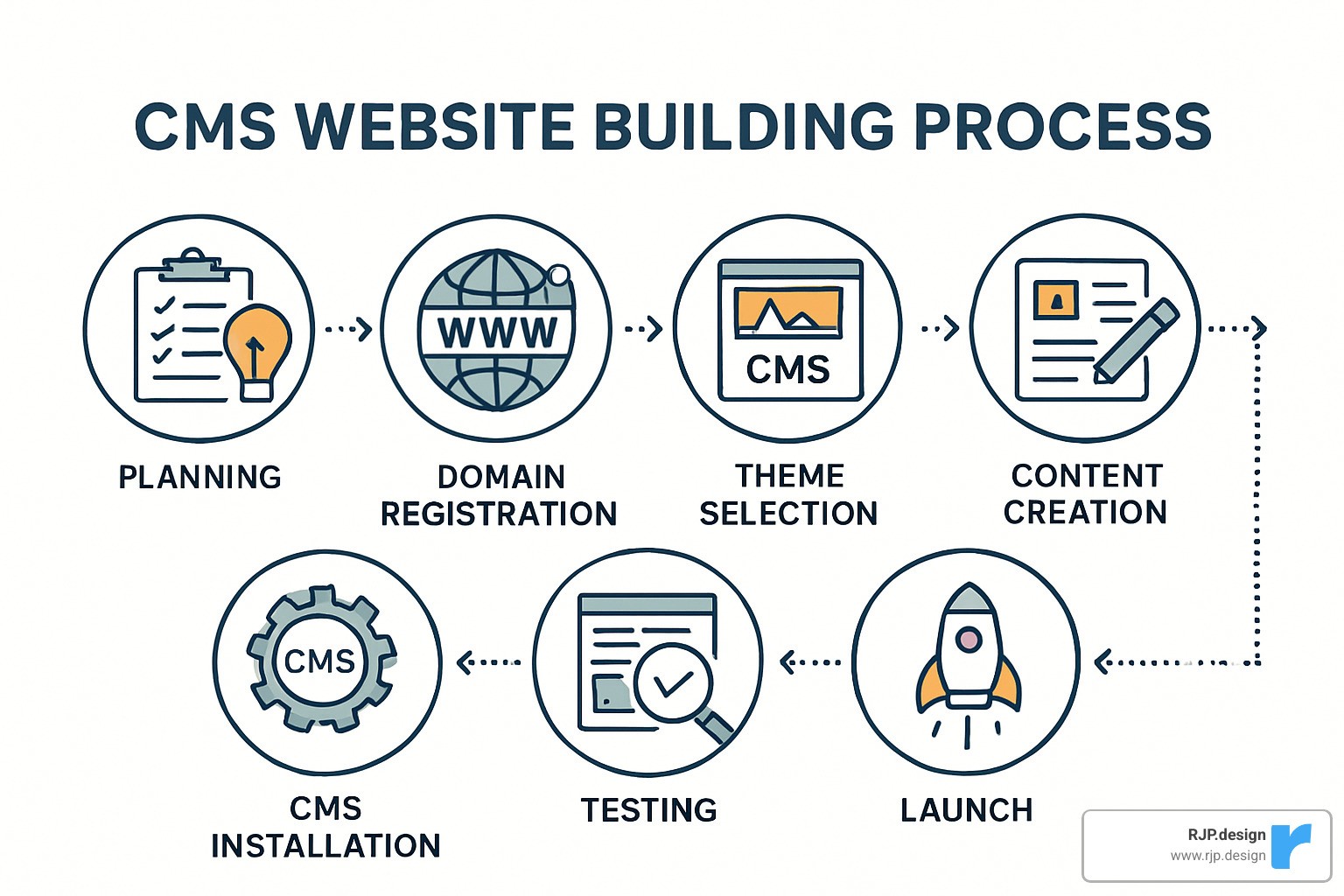
Building a website doesn’t have to be complicated when you use a content management system. At RJP.design, we’ve refined our website development process to be straightforward yet comprehensive:
We start with thoughtful planning – understanding what you want to achieve, who you’re trying to reach, and what functionality your site needs. This foundation guides everything that follows.
Next comes securing your online home – choosing a memorable domain name that represents your brand and pairing it with reliable hosting that keeps your site running smoothly.
CMS installation follows, which is much simpler than it sounds. Modern systems often require just a few clicks to get up and running. Once installed, we select and customize a theme that aligns with your brand personality and business goals.
With the framework in place, we develop your core pages – the essential information visitors need like your Home, About, Services, and Contact pages. These pages are populated with engaging, SEO-optimized content that speaks to both your audience and search engines.
We then improve your site with necessary functionality through carefully selected plugins and features – whether that’s a contact form, photo gallery, or online store. Everything is thoroughly tested across devices to ensure a seamless experience for all visitors.
Only when everything is perfect do we launch your site to the world. But our relationship doesn’t end there – regular maintenance keeps your site secure, updated, and fresh.
For businesses looking to refresh their digital presence without headaches, our Modernize Your Site Without the Hassle service handles this entire process with care and expertise.
Setup: From Domain to Dashboard
Getting your content management system up and running might seem technical, but we promise it’s more straightforward than it appears. Think of it as setting up your digital storefront – a few steps that pay dividends for years to come.
First, you’ll need a domain name – your address on the internet. Choose something memorable that reflects your brand, considering whether a .com, .org, or another extension makes sense for your business. We recommend purchasing through established registrars for peace of mind.
Next comes selecting the right web hosting. This is like choosing real estate for your website. Shared hosting works well for smaller sites and budgets, while VPS or dedicated hosting offers more power for growing businesses. If you’re using WordPress, specialized WordPress hosting can provide extra benefits.
Installing your CMS has become remarkably simple. Many hosting companies now offer “one-click” installations that handle all the technical bits for you. If you need to do it manually, the process typically involves creating a database, uploading some files, and following an installation wizard – nothing too scary!
Once installed, initial configuration sets the foundation for your site. This includes basics like your site title, creating user accounts, setting up security measures, and ensuring your site uses HTTPS (that little padlock in the browser that visitors have come to expect).
Finally, you’ll get acquainted with your dashboard – the control center for your website. Here you’ll find everything you need to manage content, upload media, install plugins, adjust your theme, and handle users.
At RJP.design, we handle all these technical steps for our clients. You don’t need to worry about DNS settings or database connections – we take care of the technical stuff so you can focus on your business.
Design & Personalization
Now for the fun part – making your content management system truly yours! The design of your website isn’t just about looking pretty; it directly impacts how visitors engage with your content and whether they take action.
Selecting the right template is like choosing the architectural style for your building. We look for designs that align with your brand personality while considering industry norms. A law firm website should feel different from a daycare center’s site, after all! We always ensure mobile responsiveness (because more than half of web traffic comes from phones) and verify that accessibility features are in place for visitors of all abilities.
Implementing your branding transforms a generic template into your digital home. We carefully integrate your logo, apply your brand colors throughout the site, select typography that matches your brand personality, and use imagery that tells your story. Every element works together to create a consistent experience that visitors will remember.
Layout customization fine-tunes the user experience. We structure your navigation to help visitors find what they need, organize your footer with essential information, and thoughtfully place call-to-action buttons where they’ll be most effective. The right spacing and content width improve readability, while strategic element placement guides visitors toward conversion.
Different content management systems offer varying levels of design flexibility. Some platforms let you drag and drop elements anywhere you’d like, while others use more structured themes with specific customization options. We’ll help you choose the system that offers the right balance of flexibility and ease-of-use for your needs.
For businesses that need something truly unique, our Responsive Web Design services create custom solutions that perfectly reflect your brand while working beautifully on every device – from smartphones to desktop computers.
Publish, Optimize & Maintain
Publishing your website is just the beginning of your digital journey. To truly succeed online, your content management system needs ongoing attention and optimization.
Smart content publishing makes all the difference. We recommend creating a content calendar to plan your posts, using categories and tags to keep everything organized, and including eye-catching images that bring your words to life. Breaking text into readable chunks with headings, short paragraphs, and lists dramatically improves engagement. Strategic internal links help visitors find more of your content, while thoughtful calls-to-action guide them toward conversion.
SEO optimization helps people find you in the first place. We carefully craft page titles and meta descriptions – your first impression in search results. We create clean, keyword-rich URLs and naturally incorporate relevant terms throughout your content. Images get proper alt text for accessibility and search visibility, and we build internal linking structures that help search engines understand your content’s relationships.
Regular maintenance keeps everything running smoothly. Like any valuable tool, your website needs care to perform at its best. We update your CMS core software and plugins to patch security vulnerabilities, back up your site regularly to protect against data loss, check for and fix broken links, and continuously monitor for security issues that could impact your site.
Analytics and growth complete the picture. We install tracking tools to understand visitor behavior, test different approaches to see what works best, gather feedback from real users, and use all this data to continuously improve your site’s performance.
At RJP.design, our ongoing maintenance packages handle these essential tasks, allowing you to focus on running your business while we ensure your website remains secure, up-to-date, and optimized for both visitors and search engines.
Frequently Asked Questions about Content Management Systems
What is the difference between a CMS and a digital asset management (DAM) system?
I get this question a lot when talking with clients about their digital needs. While content management systems and DAM systems might seem similar on the surface, they actually serve different but complementary purposes.
Think of a CMS as your website’s brain and nervous system. It’s primarily designed to help you create web pages, organize site structure, and publish content for your visitors. When you’re writing blog posts, updating your services page, or changing your contact information, you’re using a CMS.
A DAM system, on the other hand, is more like your digital library or media vault. It’s specifically built to store, organize, and retrieve all your digital assets—those high-resolution product photos, company videos, PDF brochures, and audio files. DAMs excel at tracking versions, managing usage rights, and distributing these assets across multiple channels.
Many of our clients at RJP.design actually use both systems together in their workflow. Their DAM serves as the central home for all media assets, while their content management system pulls these assets when needed for the website. It’s a perfect partnership, especially for content-rich businesses.
How do content management systems help with SEO and site speed?
Good news! Modern content management systems are built with search engines and performance in mind, giving you powerful tools to improve your visibility and user experience.
For SEO, a good CMS gives you control over the elements search engines care about most. You can easily customize page URLs (no more cryptic page names), manage meta titles and descriptions, structure your headings properly, and add alt text to images. Most systems also automatically generate XML sitemaps that help search engines find and index all your content.
WordPress users love plugins like Yoast SEO that actually analyze your content in real-time and suggest improvements—it’s like having an SEO coach built right into your website!
When it comes to speed (which search engines absolutely care about), today’s content management systems shine with features like caching, which stores versions of your pages so they load faster for visitors. Many also compress images automatically, minify code, and support lazy loading—where images only load when a visitor scrolls down to them.
At RJP.design, we pay special attention to these performance factors because we know they directly impact both rankings and visitor satisfaction. A fast, well-optimized site simply performs better in every way.
Are content management systems secure out-of-the-box?
I wish I could give you a simple “yes,” but the honest answer is: it depends. Content management systems vary widely in their default security posture, and there’s more to the story than just the platform itself.
Out of the box, most reputable CMS platforms include basic security features and receive regular updates to patch vulnerabilities. That’s the good news. The challenge is that popular systems like WordPress are also popular targets for hackers precisely because they’re so widely used.
Think of your CMS like a house—it might have decent locks installed, but if you never lock them, or if you leave windows open, security becomes compromised. The most common security issues we see aren’t with the core CMS itself but stem from:
Outdated software (the #1 vulnerability by far)
Weak admin passwords (please, no more “password123”!)
Insecure plugins or extensions
Missing security configurations
The good news is that with proper setup and maintenance, your content management system can be very secure. At RJP.design, we implement multiple security layers for our clients, including strong authentication, regular updates, security plugins, firewalls, and automated backups.
Security isn’t a one-time setup but an ongoing process. No website is 100% hack-proof, but with the right approach, you can make your site a much harder target than most.
Conclusion & Next Steps
Let’s take a moment to appreciate how far we’ve come. Content management systems have truly changed the game for businesses online. Remember the days when you needed a web developer on speed dial just to update your phone number on your website? Those days are thankfully behind us!
Today, anyone can manage a professional website—yes, even your tech-shy grandmother who just mastered email last year. That’s the beauty of modern CMS platforms.
As we look ahead, the CMS landscape continues to evolve in exciting ways. AI is beginning to transform how we create and personalize content, making smart suggestions and helping us work more efficiently. We’re seeing more businesses accept headless CMS architecture, which separates content creation from display—perfect for delivering your message across websites, apps, digital displays, and whatever new device comes next.
The trend toward low-code and no-code tools is making website management even more accessible. Visual builders and intuitive interfaces mean you can focus on your message, not the mechanics behind it. At the same time, personalization features are becoming more sophisticated, allowing you to deliver exactly the right content to the right person at the right time.
And thankfully, as cyber threats grow more advanced, so do CMS security measures to protect your digital presence.
At RJP.design, we’re passionate about staying ahead of these trends. We don’t just build websites—we create digital experiences that grow with your business. Our approach combines the latest technology with good old-fashioned usability, ensuring your site not only looks fantastic but is also a joy to manage.
Whether you’re starting fresh or breathing new life into an existing website, a thoughtfully implemented content management system gives you the control and flexibility your business needs. It puts you in the driver’s seat of your online presence, connecting you directly with your audience without technical barriers standing in the way.
Ready to take your website to the next level? Explore our digital marketing services or reach out for a conversation about how we can help you harness the full potential of content management systems for your business.
Your website often forms the first impression potential customers have of your business. With the right CMS solution, you can make that impression count—without the headaches that used to come with website management.