
Web
Responsive Web Solutions: Designing for Every Device
Apr 21, 2025

The Essentials of Responsive Web Design
Responsive web solutions are approaches to web design that ensure websites look and function optimally across all devices, from smartphones to desktop computers.
What are responsive web solutions?
Web designs that automatically adapt to different screen sizes
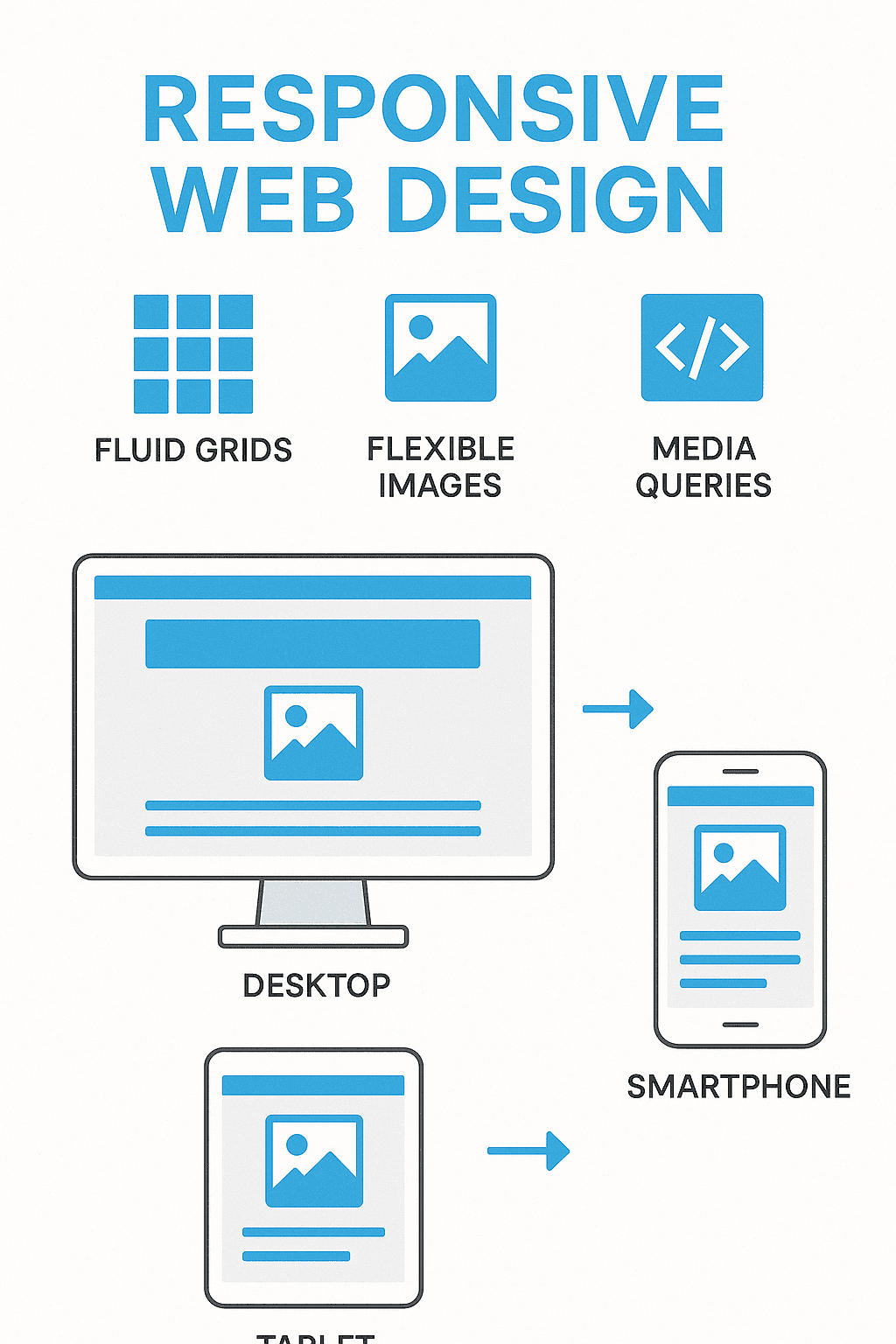
Use fluid grids, flexible images, and CSS media queries
Eliminate the need for separate mobile websites
Improve user experience and boost SEO performance
As Ethan Marcotte, who coined the term in 2010, famously put it: “Content is like water” – it should flow naturally to fill whatever container it’s placed in. This perfectly captures the essence of responsive design, where your website content adapts seamlessly to provide an optimal viewing experience regardless of the device being used.
In today’s multi-device world, having a website that works well only on desktops is no longer acceptable. With mobile internet usage having surpassed desktop usage for nearly a decade, and Google prioritizing mobile-friendly sites in its rankings since 2015’s “Mobilegeddon” update, responsive design has shifted from a luxury to a necessity.
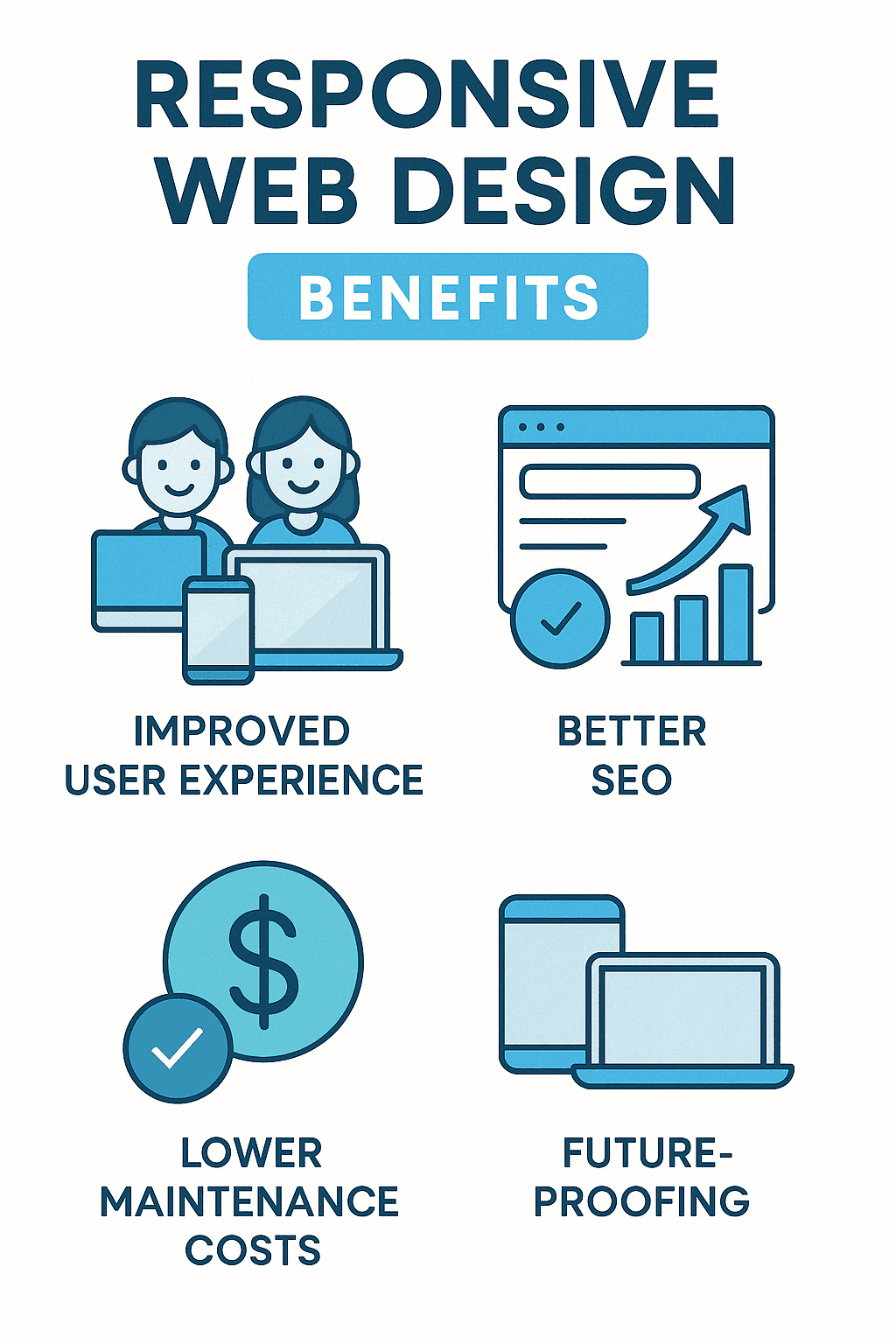
The benefits of implementing responsive web solutions include:
Improved user experience across all devices
Improved SEO performance through Google’s mobile-first indexing
Reduced bounce rates as visitors find your site easy to use
Lower maintenance costs versus managing separate mobile sites
Future-proofing against new device types and screen sizes
I’m Ross Plumer, and I’ve helped businesses implement responsive web solutions that have significantly improved their online presence and customer engagement. My experience with high-revenue companies has shown that responsive design is not just about aesthetics—it’s a critical business strategy that directly impacts your bottom line.
Responsive web solutions terminology:
– easy responsive design
– responsive web design
– responsive website design agency
Understanding Responsive Web Design
Picture this: you’re browsing a website on your laptop, and it looks perfect. Later, you pull up the same site on your phone while waiting in line for coffee, but suddenly you’re pinching and zooming, struggling to read tiny text, and accidentally clicking the wrong buttons. Frustrating, right?
That’s exactly the problem responsive web design solves.
At its heart, responsive web design is a smart approach that creates websites that automatically adjust to provide the best possible experience on any device. Instead of building separate sites for phones, tablets, and desktops, you create one flexible website that adapts beautifully to whatever screen it’s viewed on.
Ethan Marcotte, who first introduced this game-changing concept in his 2010 article “Responsive Web Design”, described it as combining three key ingredients:
A flexible, grid-based layout that expands and contracts
Images and media that resize proportionally
Media queries (a CSS3 feature) that allow the page to adapt to different conditions
But responsive design isn’t just technical wizardry—it represents a fundamental shift in how we think about the web. As Marcotte eloquently put it, it’s about designing for the “ebb and flow of things” rather than trying to control every pixel as we might in print design.
When done right, responsive web solutions ensure your website looks gorgeous and works flawlessly whether someone’s viewing it on a massive desktop monitor, a mid-sized tablet, or a pocket-sized smartphone. Text stays readable, navigation remains intuitive, and the user experience feels natural regardless of device.
The Shift from Traditional to Responsive Web Solutions
Remember the old days of web design? Sites were built with fixed widths (usually 960 pixels) and optimized for desktop monitors. When smartphones exploded in popularity, many businesses scrambled to create separate mobile websites—often with “m.” subdomains—that offered stripped-down versions of their content.
This approach created all sorts of headaches:
Maintaining multiple websites was expensive and time-consuming. Every update needed to be made in multiple places, content could get out of sync, and development costs essentially doubled.
SEO efforts were split between different versions of the same site, diluting your search ranking power.
New devices with different screen sizes (hello, tablets!) often got stuck with experiences that weren’t optimized for them.
Responsive web solutions neatly solve these problems by using a single, adaptable codebase. This shift toward responsive design happened alongside another important development in web philosophy: the mobile-first approach.
Luke Wroblewski championed this idea in his influential work “Mobile First”, arguing that designers should start by creating the mobile version of a website first, then progressively improve it for larger screens. It’s like building the foundation of a house before adding all the fancy rooms.
“Mobile forces you to focus,” Wroblewski noted. “Mobile devices are constrained, so they require you to prioritize what matters most to your customers and your business.”
This approach offers several benefits:
It keeps content focused on what truly matters, removing unnecessary clutter.
It ensures fast loading times, which everyone appreciates (not just mobile users).
It creates a rock-solid foundation that works even on the most limited devices.
Today, the powerful combination of responsive techniques and mobile-first thinking forms the backbone of modern responsive web solutions. At RJP.design, we’ve seen how this approach transforms not just how websites look, but how effectively they connect businesses with their customers across all devices.
Key Components of Responsive Web Solutions
Creating truly effective responsive web solutions isn’t just about making things look pretty – it’s about building websites that actually work well for everyone, no matter what device they’re using. Let’s break down the essential building blocks that make this possible.
Media Queries: The Backbone of Responsive Web Solutions
Think of media queries as your website’s ability to ask, “What kind of device are you using?” and then adjust accordingly. These clever bits of CSS code are what allow your site to deliver different experiences based on screen size, orientation, or even user preferences.
Here’s a simple example of how media queries work:
“`css
/ Base styles for all devices /
body {
font-size: 16px;
}
/ Styles for screens at least 768px wide /
@media (min-width: 768px) {
body {
font-size: 18px;
}
}
/ Styles for screens at least 1200px wide /
@media (min-width: 1200px) {
body {
font-size: 20px;
}
}
“`
In this case, the text automatically gets a bit larger as screens get bigger – ensuring comfortable reading across all devices. But media queries can do so much more than adjust font sizes. They can completely transform layouts, rearrange navigation menus, or even show and hide elements based on what makes sense for each screen size.
As you dive deeper into responsive design, you’ll find that modern media queries can detect all sorts of things beyond just screen dimensions. According to the CSS-Tricks guide to media queries, they can check whether a user has a mouse or touchscreen, their color display capabilities, and even accessibility preferences like reduced motion settings.
When we build responsive web solutions at RJP.design, we don’t just set breakpoints based on popular device sizes. Instead, we look at where the content itself naturally needs to adjust – creating a more fluid experience that works well on any screen, not just the popular ones.
Flexible Grids and Flexible Images
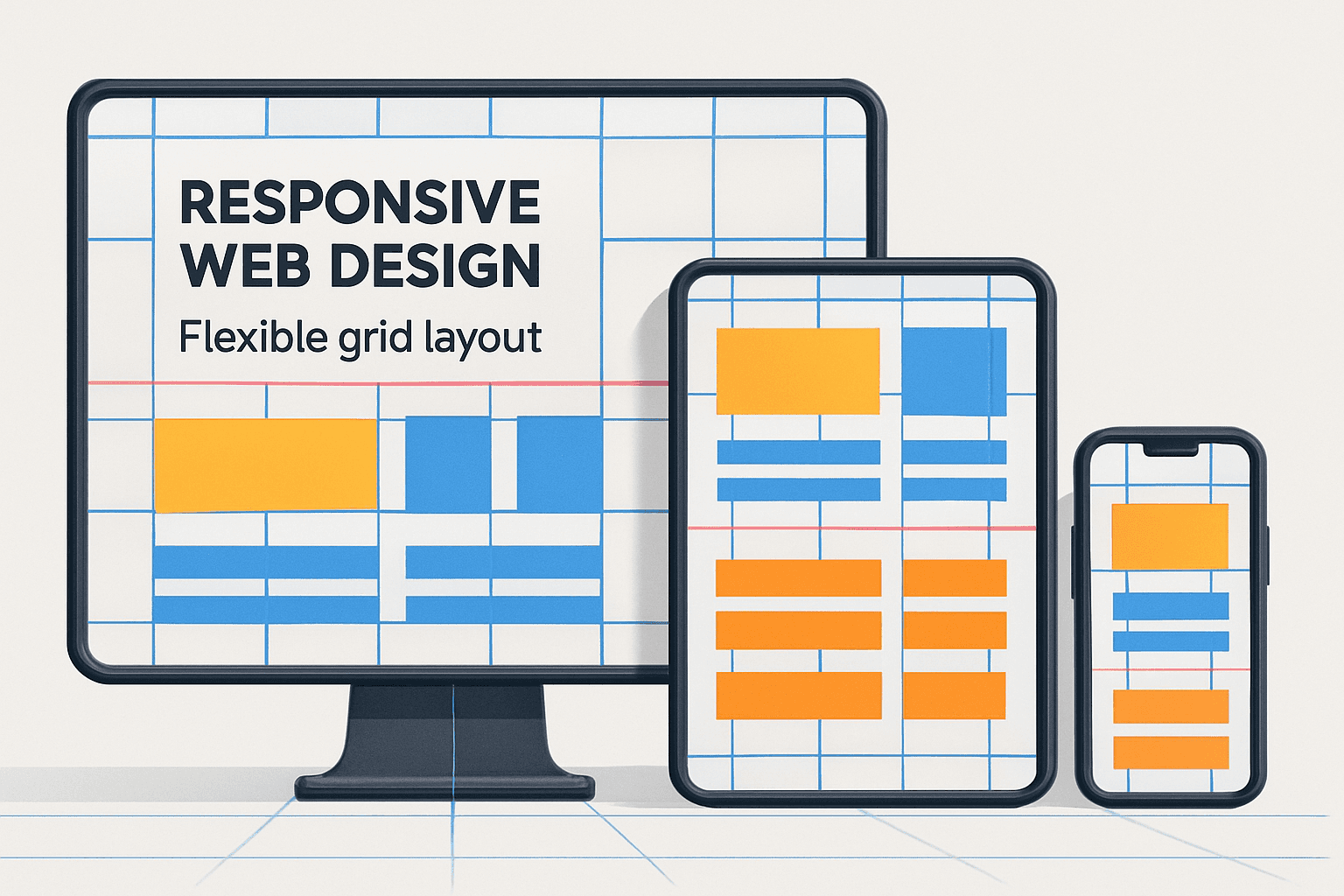
Remember when websites used to be built with fixed pixel widths? Those days are thankfully behind us. Modern responsive web solutions use flexible grids that adapt proportionally to any screen size.
As Ethan Marcotte explained in his influential article “Fluid Grids”, the key is thinking in percentages rather than pixels. Instead of saying “this column is 640 pixels wide,” we say “this column takes up 66.67% of the available space.” This seemingly small shift makes a world of difference.
Here’s how the code differs:
“`css
/ Old fixed-width approach /
.container {
width: 960px;
}
.main-content {
width: 640px;
}
.sidebar {
width: 320px;
}
/ Modern fluid approach /
.container {
width: 100%;
max-width: 1200px;
}
.main-content {
width: 66.67%;
}
.sidebar {
width: 33.33%;
}
“`
The flexible approach means your layout breathes with the screen size, rather than forcing users to scroll horizontally on smaller devices (which, let’s be honest, nobody enjoys doing).
Images need this same flexibility. The simplest approach is adding a rule that ensures images never exceed their container width:
css
img {
max-width: 100%;
height: auto;
}
This neat solution means images scale down nicely on smaller screens but don’t become pixelated by stretching beyond their natural size on larger displays.
For sites where image quality and performance really matter, we can get even fancier by using the HTML <picture> element or srcset attribute. These allow us to serve different image files based on device capabilities – so mobile users don’t waste precious bandwidth downloading enormous images meant for 4K displays.
As Marcotte wisely noted, these technical ingredients – fluid grids, flexible images, and media queries – are just part of the equation. True responsive web solutions also require a fundamentally different way of thinking about web design – one that accepts flexibility rather than fighting against it.
Modern CSS Techniques Facilitating Responsive Web Solutions
Gone are the days of clunky CSS hacks and workarounds to make websites look decent on different devices. While the core principles of responsive design remain unchanged since Ethan Marcotte first introduced them, the tools we use to create responsive web solutions have evolved dramatically. Today’s modern CSS techniques make building adaptive websites more intuitive and less headache-inducing.
Utilizing Flexbox in Responsive Web Solutions
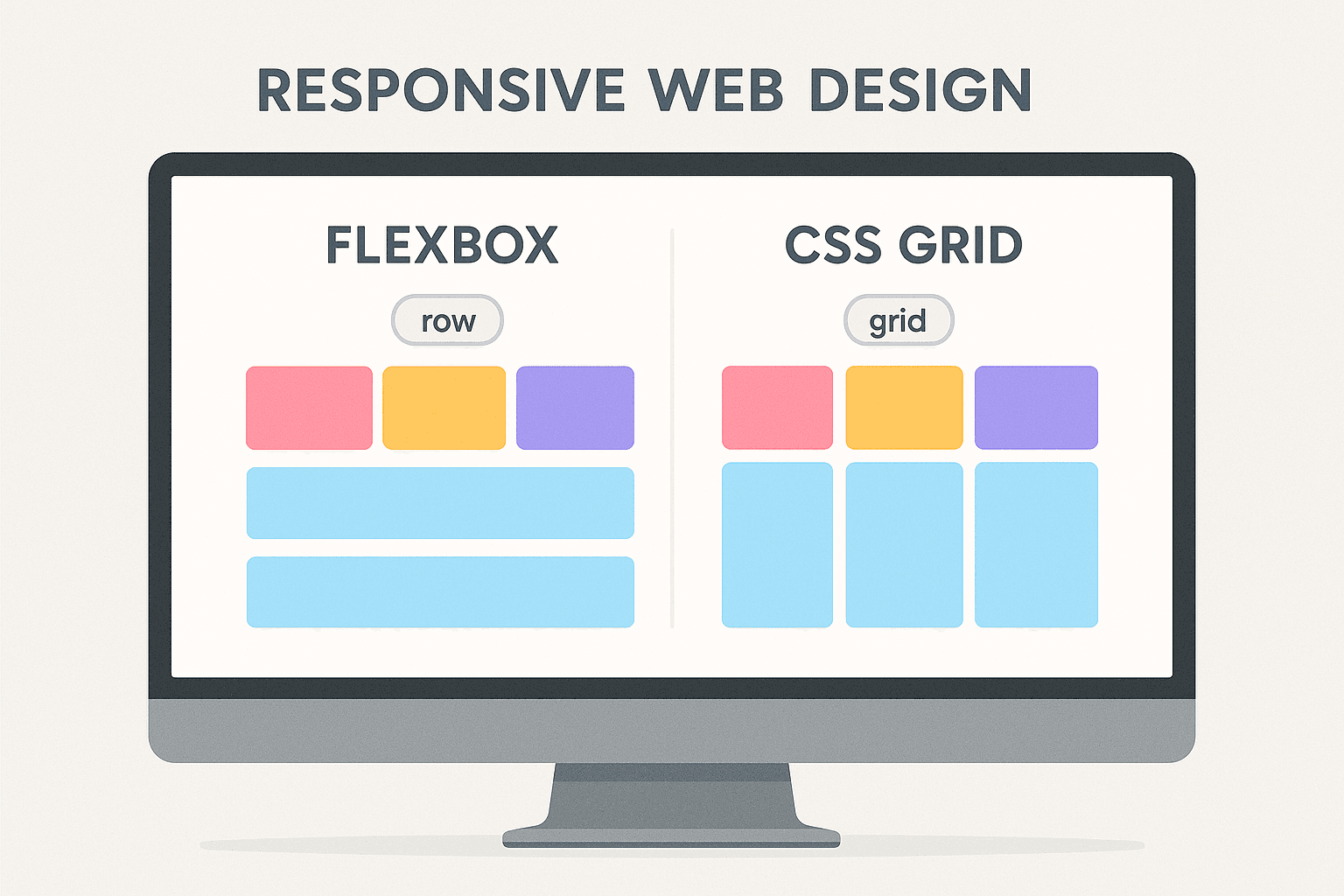
Remember the days of float-based layouts? If you’ve been in web design long enough, you probably still have nightmares about them! Flexbox came along and changed everything. It’s like the difference between trying to parallel park a bus versus driving a sports car—suddenly, everything became more intuitive.
Flexbox gives us a natural way to distribute space and align items, even when we don’t know exactly how big they’ll be. This is perfect for responsive designs where content needs to adapt to all sorts of screen sizes.
The real magic of Flexbox comes from properties like flex-direction, which controls whether items flow horizontally or vertically, and flex-wrap, which determines if items should flow to a new line when space runs out. The justify-content property aligns items along the main axis, while align-items handles alignment along the cross axis.
But my personal favorite Flexbox feature for responsive web solutions has to be the order property. It’s a game-changer! Imagine being able to completely rearrange your content based on screen size without touching your HTML. For example, on a phone, you might want your navigation menu to appear below your main content, but on desktop, it should be above:
“`css
.nav {
order: 1; / Appears second (below content) on mobile /
}
.main-content {
order: 0; / Appears first on mobile /
}
@media (min-width: 768px) {
.nav {
order: 0; / Appears first (above content) on desktop /
}
.main-content {
order: 1; / Appears second on desktop /
}
}
“`
This simple CSS trick creates two completely different layouts for different devices—all while keeping your HTML clean and semantic.
CSS Grid for Complex Responsive Designs
If Flexbox is like driving a sports car, CSS Grid is like piloting a spaceship. It takes things to a whole new dimension—literally! While Flexbox excels at one-dimensional layouts (rows OR columns), CSS Grid gives us true two-dimensional control, allowing for complex layouts that respond beautifully to different screen sizes.
The beauty of CSS Grid is how it lets you define entirely different grid templates for various viewport sizes using media queries. For instance:
“`css
.container {
display: grid;
grid-template-columns: 1fr;
gap: 20px;
}
@media (min-width: 768px) {
.container {
grid-template-columns: 2fr 1fr;
}
}
@media (min-width: 1200px) {
.container {
grid-template-columns: 3fr 1fr 1fr;
}
}
“`
With this simple code, you’ve created a layout that starts as a single column on phones, transforms into a two-column layout on tablets, and expands to three columns on large desktop screens. No JavaScript required, no complicated calculations—just clean, declarative CSS.
My favorite feature of CSS Grid has to be named grid areas. They make visualizing and managing complex layouts feel almost like drawing them on paper:
“`css
.container {
display: grid;
grid-template-areas:
“header”
“main”
“sidebar”
“footer”;
}
@media (min-width: 768px) {
.container {
grid-template-areas:
“header header”
“main sidebar”
“footer footer”;
}
}
“`
You can literally see the layout changing in your code! This approach makes creating responsive web solutions so much more intuitive than the methods we had to use just a few years ago.
These modern CSS layout methods are inherently responsive by design. They reduce the need for complicated media query overrides and make creating flexible, adaptive layouts feel less like solving a puzzle and more like expressing your creative vision. At RJP.design, we’ve acceptd these techniques to create websites that not only look beautiful on every device but also maintain clean, maintainable code that’s easy to update as your business grows.
Challenges and Best Practices in Implementing Responsive Web Solutions
Creating websites that look great on everything from a tiny smartphone to a massive desktop monitor isn’t always smooth sailing. Let’s talk about the real-world challenges you might face with responsive web solutions and how to overcome them.

When I first started building responsive websites, I quickly learned that what looks perfect on my laptop might look completely broken on someone’s phone. This is the reality of responsive design – it comes with unique challenges that require thoughtful solutions.
One of the biggest headaches is performance optimization. Mobile users often have slower connections, but they still expect your site to load quickly. Nobody wants to stare at a blank screen while sipping their coffee at a café with spotty WiFi. You’ll need to carefully optimize images, minify code, and think strategically about how resources load.
Then there’s the navigation dilemma. That beautiful horizontal menu with dropdown submenus? It probably won’t work on a 5-inch screen. Creating navigation that adapts gracefully across devices requires some creative thinking and often completely different approaches for mobile versus desktop.
Tables and data-heavy content present another puzzle. Try squeezing a 10-column spreadsheet onto a phone screen and you’ll see what I mean! Sometimes you’ll need to rethink how information is presented entirely for smaller screens.
Touch versus mouse interactions add another layer of complexity. A tiny button that works perfectly with a precise mouse cursor might be impossible to tap accurately with a finger. As one of my clients once said after trying to use their desktop-optimized site on their phone: “It’s like trying to thread a needle while wearing oven mitts!”
And let’s not forget the testing nightmare. With hundreds of different screen sizes and device capabilities out there, how do you make sure your site works well for everyone? It’s like trying to hit a moving target that keeps multiplying.
Testing and Validating Responsive Web Solutions
The difference between a responsive website that delights users and one that frustrates them often comes down to thorough testing. As Harry Roberts wisely points out in his article “Media queries, handier than you think”, we need to validate our responsive designs across many scenarios.
Your browser’s developer tools are your first line of defense. Chrome, Firefox, and Safari all include device emulation features that let you quickly see how your site looks at different screen sizes. I use these tools daily, constantly resizing my browser window to spot problems early.
But emulators can only take you so far. Nothing beats testing on actual devices. The way a real person interacts with a touchscreen, the actual loading speed on a particular phone model, the way text renders on different screens – these things are hard to simulate perfectly. At RJP.design, we maintain a collection of different devices specifically for testing.
Online tools like BrowserStack, Responsinator, and Am I Responsive can also help you quickly view your site across multiple simulated devices. These are especially helpful for checking how your design looks on devices you don’t physically own.
When testing, pay close attention to text readability (is that light gray text still legible on a sun-drenched mobile screen?), touch target sizes (can someone with larger fingers tap that button without hitting something else?), and loading performance (does your beautiful hero image take forever to appear on a 3G connection?).
Remember to check for layout shifts too – that jarring experience when a page suddenly jumps around as images load. Nothing frustrates users more than trying to tap something that suddenly moves away!
The most successful responsive web solutions are those that have been rigorously tested and refined based on real-world usage. As one developer I respect often says, “Effective websites don’t happen by accident.” They’re the result of careful planning, thoughtful implementation, and thorough testing.
At RJP.design, we’ve learned through experience that taking the time to properly test responsive designs pays dividends in user satisfaction and conversion rates. A site that works beautifully across all devices isn’t just good design – it’s good business.
The Role of Responsive Web Solutions in Enhancing User Experience
When we talk about responsive web solutions, we’re not just discussing technical specifications or coding approaches—we’re talking about real people trying to use your website on their phones while waiting for coffee, on tablets while relaxing on the couch, or at their desks during work hours. The way your site responds to these different scenarios directly impacts how people feel about your business.
I’ve seen how a well-implemented responsive design can transform a struggling website into a customer-generating machine. One of our clients saw their mobile conversion rate jump by over 30% after we rebuilt their site with proper responsive web solutions. Why? Because their customers could finally steer and make purchases without pinching, zooming, and accidentally clicking the wrong tiny buttons.
The Evolution of Mobile Devices and User Expectations
Remember when having any kind of mobile website was considered impressive? Those days are long gone. In 2025, smartphone users expect websites to work just as well on their devices as on desktop computers—if not better.
People have become incredibly impatient with poor mobile experiences. They’ll typically abandon a site within seconds if they need to struggle with it. This means your non-responsive site isn’t just providing a subpar experience; it’s actively driving potential customers to your competitors.
This shift in user behavior didn’t go unnoticed by Google. In a move that sent shockwaves through the web development world:
“In 2015, Google announced Mobilegeddon and started to boost the page ranking of mobile-friendly sites when searching from a mobile device.”
Since then, Google has continued to refine its approach, with mobile experience now being a fundamental ranking factor in 2025. This wasn’t just a minor tweak to their algorithm. It was Google essentially saying: “If your site doesn’t work well on mobile, fewer people will find it. Period.”
The message is clear—responsive web solutions aren’t optional anymore; they have become essential for both user experience and visibility in search results.
How Google’s Mobile-First Indexing Impacts Responsive Web Solutions
Google’s mobile-first indexing has been the standard for years now. Rather than primarily using the desktop version of a site for ranking and indexing, Google looks at the mobile version first. This fundamental shift means your mobile site experience now determines how you rank for both mobile and desktop searches.
For businesses using responsive web solutions, this change was relatively seamless—they already had a single website that adapted to all devices, with consistent content and functionality. But for companies with separate mobile sites or non-responsive designs, it often meant a significant drop in search visibility.
The SEO benefits of responsive design are substantial. When you have one responsive site instead of separate mobile and desktop versions, all your inbound links point to a single URL, strengthening your link profile. You avoid duplicate content issues that can confuse search engines, and Google only needs to crawl your site once instead of multiple times.
Perhaps most importantly, responsive sites typically generate better user engagement metrics. When mobile visitors stay longer and view more pages (instead of bouncing back to search results in frustration), Google interprets this as a sign that your site provides value.
As confirmed in the “Official Google Webmaster Central Blog: Rolling out the mobile-friendly update”, mobile-friendliness directly impacts your rankings. This makes responsive web solutions not just a user experience consideration but a critical component of your overall SEO strategy.
The bottom line? When your website works beautifully across all devices, both your visitors and search engines will reward you. Your users get a seamless experience regardless of how they access your site, and Google recognizes your site as providing value to mobile users—a win-win that directly impacts your business results.
At RJP.design, we’ve helped dozens of businesses implement responsive web solutions that not only look great but also perform exceptionally well in search rankings. The combination of happy users and improved visibility creates a powerful foundation for online success.
Frequently Asked Questions about Responsive Web Solutions
What is the significance of the viewport meta tag in responsive web design?
That tiny line of code in your website’s header might not look like much, but the viewport meta tag is actually the unsung hero of responsive web solutions. Without it, your beautifully crafted mobile design simply won’t work as intended.
When mobile browsers first appeared, they had a problem to solve: most websites were built for desktop screens. Their solution? Render pages at desktop width (usually around 980px) and then shrink everything down to fit on the tiny screen. This worked… sort of. Users could see the whole page, but the text became microscopic, forcing everyone to pinch and zoom constantly.
The viewport meta tag changes all that with this simple line:
html
<meta name="viewport" content="width=device-width, initial-scale=1">
This basically tells the browser: “Hey, instead of pretending this is a desktop, match the width to the actual device width and don’t zoom in or out.” This instruction makes all your carefully crafted media queries work properly, since they can now accurately detect the real screen size.
While some developers add maximum-scale=1 and user-scalable=no to prevent zooming, I generally avoid this approach. It might create a more app-like experience, but it creates accessibility barriers for people with visual impairments who rely on zooming to read content. Good responsive web solutions should work for everyone!
How do flexible grids and images contribute to responsive layouts?
Think of your website layout as a dance choreography that needs to adapt to different stage sizes. Flexible grids and images are the dancers who know how to move gracefully whether they’re performing on a grand stage or a tiny platform.
Flexible grids use relative measurements (like percentages) instead of fixed pixels. This approach means your content maintains proper proportions as screens change size. For example, a three-column layout might use 33.33% width for each column on desktop, then shift to 50% (creating two columns) on tablets, and finally expand to 100% (stacking vertically) on mobile phones.
This adaptability prevents the dreaded horizontal scrollbar that appears when fixed-width content gets trapped in a smaller viewport. Nobody enjoys scrolling sideways to read content—it feels unnatural and frustrating.
Flexible images play an equally important role in responsive web solutions. Without proper handling, images can break your layout by either overflowing their containers or forcing elements to be wider than they should be.
The simplest solution is this bit of CSS magic:
css
img {
max-width: 100%;
height: auto;
}
This ensures images never grow larger than their container while maintaining their correct proportions. For more sophisticated needs, modern HTML offers tools like the srcset attribute and <picture> element, which can serve different image files based on the device’s capabilities—saving mobile users from downloading massive desktop-quality images.
Together, flexible grids and images create layouts that feel natural on any device, flowing and adapting like water filling different containers—exactly what good responsive web solutions should do!
What are some best practices for testing responsive web solutions?
Testing responsive designs can feel overwhelming—there are thousands of different devices out there! But don’t worry, you don’t need to buy every gadget on the market to ensure your site works well. Here’s how to approach testing responsive web solutions in a practical way:
Start with browser developer tools. They’re free, convenient, and already built into your favorite browser. In Chrome or Firefox, just press F12 and then Ctrl+Shift+M to toggle device emulation mode. This lets you quickly check how your site looks at different screen sizes and even simulate different connection speeds.
While emulators are handy for quick checks, nothing beats testing on real devices. At minimum, try to get your hands on a recent iPhone, a couple of Android phones (including an older model), and a tablet. Pay attention to how your site not only looks but feels—are touch targets easy to hit with a finger? Does scrolling feel natural?
When testing, focus on these critical areas:
Performance matters enormously on mobile devices. Many of your visitors might be on spotty cellular connections or older devices. Use Chrome’s network throttling to simulate slower connections, and watch for unnecessarily large images or heavy scripts that might be slowing things down.
Check text readability at all screen sizes. Font sizes that look perfect on desktop might be too small on mobile—or conversely, headings that look great on mobile might be comically large on desktop. Good responsive web solutions maintain comfortable reading experiences across all devices.
Verify that all interactions work as expected. Forms should be easy to complete on mobile (watch out for fields that get hidden by the on-screen keyboard). Navigation should be intuitive whether using a mouse, finger, or stylus.
If you’re short on testing resources, several online tools can help. Google’s Mobile-Friendly Test will quickly tell you if your site meets basic mobile requirements. Services like BrowserStack let you test on virtual devices, while tools like Responsinator show your site at various common screen dimensions simultaneously.
The goal isn’t perfection on every possible device—that’s impossible! Instead, aim for a design that gracefully adapts to different environments and provides a good experience for all your users, regardless of how they’re accessing your site.
At RJP.design, we’ve found that thorough responsive testing saves countless headaches down the road. A little time invested in testing prevents those embarrassing “it looks broken on my phone” messages from clients or customers!
Conclusion
In today’s multi-device world, responsive web solutions are no longer optional—they’re essential for providing a seamless user experience and maintaining your competitive edge. As we’ve explored throughout this guide, responsive design is both a technical approach and a philosophy that accepts the web’s inherent flexibility.
The core principles of responsive design—fluid grids, flexible images, and media queries—remain as relevant in 2025 as when Ethan Marcotte first articulated them. But here’s the good news: modern CSS techniques like Flexbox and Grid have made implementing responsive designs so much more intuitive than in the early days. Remember when we used to fight with floats and clearfixes? Those days are (thankfully) behind us!
At RJP.design, we’ve seen how effective responsive web solutions can transform a business’s online presence. Our clients often tell us about the dramatic improvements they’ve experienced after we’ve implemented responsive designs for them. Many report significant increases in engagement across all devices—especially from mobile users who previously might have bounced away in frustration. It’s always satisfying to see conversion rates climb as users find it easier to complete purchases or contact forms without pinching and zooming.
Google’s mobile-first indexing approach means that responsive design isn’t just good for users—it’s essential for your search rankings too. And let’s not forget the practical business benefit: maintaining one responsive site is much more cost-effective than juggling separate mobile and desktop versions.
The web will continue to evolve. New devices with different screen sizes will emerge (remember when we all panicked about smartwatches?). By embracing responsive design principles, your website becomes adaptable and future-ready, able to look great on devices that haven’t even been invented yet.
Responsive design goes beyond making your site look pretty on different screens—it’s about creating an experience that feels natural and intuitive regardless of how someone accesses your content. When a visitor moves from their desktop to their phone and everything still works beautifully, that creates trust and satisfaction that translates to business results.
If you’re ready to improve your online presence with responsive web solutions that work beautifully across all devices, we’d love to help. Our down-to-earth team at RJP.design specializes in creating websites that not only look great but also drive real business results.
Check out our Web Design & Development services to learn more about how we can help your business thrive online with responsive design that puts your users first.