
Web
Revamp Your Mobile Site on a Budget: Affordable Redesign Tips
Sep 5, 2024

Revamp Your Mobile Site on a Budget: Affordable Redesign Tips
When it comes to affordable mobile website redesign, the goal is clear: improving user experience without breaking the bank. At RJP.design, we understand that your website serves as the digital face of your business, influencing first impressions and overall brand perception.
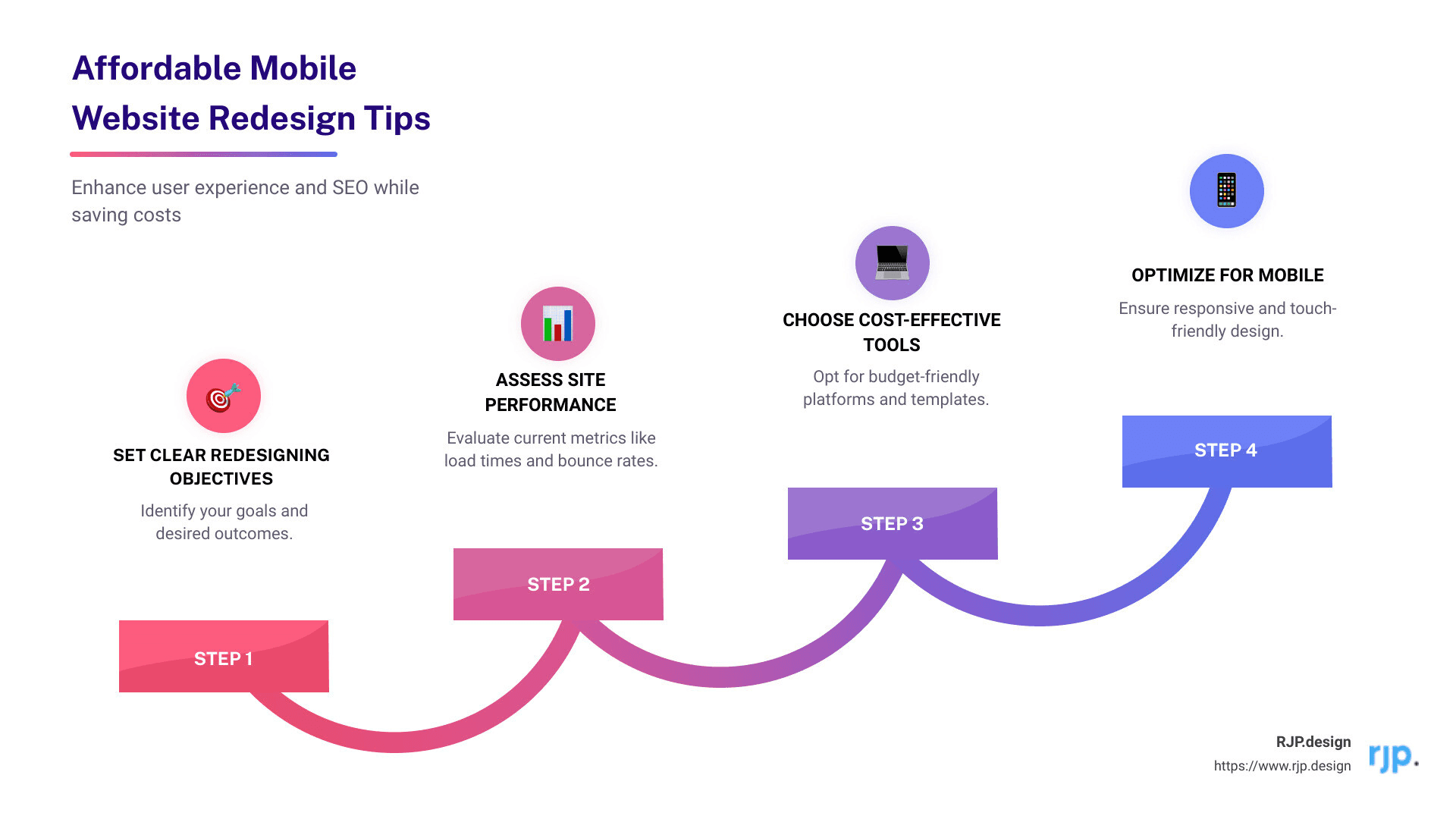
Quick Steps to Affordable Mobile Website Redesign:
1. Set Clear Redesigning Objectives: Know why you’re redesigning.
2. Assess Site Performance: Check page load times and bounce rates.
3. Choose Cost-Effective Tools: Use affordable platforms and templates.
4. Optimize for Mobile: Ensure responsive and touch-friendly design.
5. Implement SEO Best Practices: Use keyword-rich content and 301 redirects.
With mobile users accounting for a significant portion of web traffic, a smooth, user-friendly mobile site can make or break the visitor’s experience. A budget-friendly redesign doesn’t mean you have to compromise on quality. By focusing on strategic areas, you can improve both aesthetics and functionality, creating a positive user experience that fosters engagement and conversion.
My name is Ross Plumer, an expert in affordable mobile website redesign with experience in digital marketing and website design. Having worked with high-revenue businesses and leveraging insights from psychology and societal research, I thrive on crafting effective, budget-conscious redesign strategies.
Next, let’s explore why redesigning your mobile website could be the best move for your business growth.
Why Redesign Your Mobile Website?
Redesigning your mobile website is not just about aesthetics—it’s about ensuring your site meets the modern standards of user experience, SEO, and mobile-first design. Here’s why it’s crucial:
User Experience
User experience (UX) is paramount. If visitors find it hard to steer your site, they’ll leave. A well-designed mobile site ensures users can easily find what they need. This translates to higher engagement and better conversion rates. Think of it like a well-organized store: the easier it is to find products, the more likely customers are to make a purchase.
SEO Benefits
A mobile-friendly site is essential for search engine optimization (SEO). Google prioritizes mobile-friendly websites in its search results. If your site isn’t optimized for mobile, you’re missing out on potential traffic. A redesign can help you incorporate SEO best practices, like faster load times and mobile-friendly layouts, boosting your visibility.
Mobile-First Design
With mobile traffic surpassing desktop, a mobile-first design is no longer optional. It means designing your website primarily for mobile devices and then adapting it for desktop. This approach ensures a seamless experience for the majority of your users, who are likely browsing on their phones.
Outdated Design
An outdated design can make your business look unprofessional. If your site looks like it was built a decade ago, visitors might question your credibility. Modernizing your design can improve your brand’s image and make your site more appealing to visitors.
Competitive Edge
A well-designed mobile site can give you a competitive edge. If your competitors have better mobile sites, potential customers might choose them over you. By investing in a redesign, you can stay ahead of the competition and attract more visitors.
Next, let’s dive into some affordable strategies for redesigning your mobile website.
Affordable Mobile Website Redesign Strategies
Determine Your Redesigning Objectives
First, establish clear objectives for your redesign. Why do you need this change? Is it to improve user experience, boost conversion rates, or improve SEO? Setting specific goals helps streamline the redesign process and ensures measurable outcomes.
Example Objective: Increase mobile conversion rates by 20% in six months.
Share these goals with your team to ensure everyone is aligned. This way, you can collectively work towards achieving these targets.
Assess Current Site Performance
Before diving into the redesign, assess your current site’s performance. Key metrics to examine include:
Page Load Times: Slow load times can drive users away.
Bounce Rates: High bounce rates indicate visitors leave quickly.
Conversion Rates: Measure how many visitors turn into customers.
User Engagement: Check how long visitors stay and interact with your site.
Use tools like Google Analytics to gather this data. This helps identify areas needing improvement and sets performance benchmarks for your new site.
Choose the Right Platform and Tools
Selecting a cost-effective platform is crucial. Consider Content Management Systems (CMS) like WordPress, which offer flexibility and a range of affordable themes and plugins.
DIY Tools: Platforms like Wix or Squarespace can also be cost-effective for simpler projects. They come with built-in templates and drag-and-drop features, making them user-friendly.
Evaluate your needs and choose a platform that balances cost and functionality.
Optimize for Mobile Users
A responsive design is essential for a mobile-friendly website. This ensures your site looks good on all devices, from smartphones to tablets.
Key Elements:
Mobile-Friendly Layout: Design your site to be easily navigable on smaller screens.
Touch-Friendly Navigation: Ensure buttons and links are easy to tap.
Fast Load Times: Optimize images and use efficient coding to speed up your site.
Studies show that 8 out of 10 users will leave a site if it doesn’t display well on mobile. Don’t lose potential customers due to poor mobile optimization.
Implement SEO Best Practices
To maximize your site’s visibility, follow SEO best practices:
Keyword-Rich Content: Use relevant keywords naturally in your content.
Meta Tags: Include meta titles and descriptions for each page.
301 Redirects: If you change any URLs, set up 301 redirects to maintain your SEO rankings.
These steps ensure your site ranks well on search engines, driving more traffic and potential customers to your site.
Next, we’ll explore cost-effective design elements to make your mobile website standout without breaking the bank.
Cost-Effective Design Elements
Use Affordable Themes and Templates
When redesigning your mobile website on a budget, affordable themes and templates are your best friends. Platforms like WordPress offer a plethora of high-quality templates that you can customize to fit your brand. These templates are not only affordable but also come with built-in features that save you time and money.
Theme Marketplaces: Websites like ThemeForest and TemplateMonster provide a wide range of themes custom for various industries. These themes are often mobile-responsive and come with options for customization.
Customization Options: Most themes allow you to modify colors, fonts, and layouts without needing to know how to code. This flexibility lets you create a unique look that represents your brand without the high cost of a custom design.

Simplify Navigation and User Interface
A user-friendly design is essential for keeping visitors engaged. Simplifying your navigation and user interface can make a big difference without costing a fortune.
Intuitive Menus: Ensure your menus are easy to understand and steer. Use clear labels and logical groupings to help users find what they’re looking for quickly.
Clear CTAs: Your Call-to-Actions (CTAs) should be straightforward and easy to spot. Whether it’s a “Buy Now” button or a “Contact Us” link, make sure it stands out and guides users to take the desired action.
User-Friendly Design: A clean, uncluttered design improves user experience. Avoid overcrowding your pages with too many elements. Focus on simplicity and clarity to make your site more accessible.
Improve Visual Appeal with Minimal Costs
Improving your website’s visual appeal doesn’t have to break the bank. Small changes can make a big impact.
Stock Images: Use high-quality stock images to improve your website’s visual appeal. Websites like Unsplash and Pexels offer free, high-resolution images that can make your site look professional.
Color Schemes: Choose a color scheme that aligns with your brand. Tools like Adobe Color can help you create a cohesive palette that improves your website’s look.
Typography: Good typography can lift your website’s design. Stick to simple, legible fonts and maintain consistency throughout your site. Google Fonts offers a wide range of free fonts that you can use.

By focusing on these cost-effective design elements, you can create a mobile-friendly website that looks great and functions smoothly, all while staying within your budget.
Next, we’ll dive into frequently asked questions about affordable mobile website redesign to help you plan your project effectively.
Frequently Asked Questions about Affordable Mobile Website Redesign
How much should I budget for a website redesign?
The cost of a website redesign can vary widely based on several factors. For a basic redesign, you might spend around $500 to $3,000. More complex projects, particularly those involving extensive e-commerce capabilities, can range from $5,000 to $25,000.
Factors Affecting Cost:
– Size of the Website: A small business site with 10-20 pages will cost less than a large e-commerce site with hundreds of pages.
– Complexity: Custom forms, integrations with other software, and advanced features can significantly increase costs.
– Design Requirements: Custom designs are generally more expensive than using pre-made templates or themes.
Typical expenses include design and development fees, cost of themes or templates, and any additional plugins or tools you may need.
What is the cheapest platform to create a website?
Several platforms offer cost-effective solutions for building a website. Here are some popular options:
WordPress: A highly flexible and popular choice, WordPress offers numerous free and premium themes and plugins. You can start with a basic plan and scale up as needed.
Other Platforms: There are various other platforms that are user-friendly and offer a range of pricing plans. These platforms often include drag-and-drop builders, making it easy for non-technical users to create a professional-looking site.
Cost Comparison:
– WordPress: Basic plans start as low as $4 per month, but premium themes and plugins can add to the cost.
– Other Platforms: Plans can range from $6 to $39 per month depending on the features and services offered.
Each platform has its pros and cons, so choose one that best fits your needs and budget.
How often should I redesign my website?
Industry standards suggest that you should consider redesigning your website every 2-3 years. This helps ensure that your site stays up-to-date with current design trends and technology.
Signs for Redesign:
– Outdated Design: If your website looks old-fashioned compared to competitors, it’s time for a refresh.
– Poor User Experience: High bounce rates and low engagement metrics indicate that users are finding it hard to steer your site.
– SEO Issues: If your site isn’t performing well in search engine rankings, a redesign can help improve SEO.
– Mobile Compatibility: With the majority of users browsing on mobile devices, ensuring your site is mobile-friendly is crucial.
By keeping your site updated, you can improve user experience, stay competitive, and ensure better search engine performance.
Conclusion
We’ve covered a lot of ground in this article, from identifying the need for a mobile website redesign to implementing cost-effective strategies. Let’s recap the essential tips:
Determine Your Redesigning Objectives: Clearly define your goals and align them with measurable outcomes.
Assess Current Site Performance: Evaluate key metrics like page load times, bounce rates, and conversion rates.
Choose the Right Platform and Tools: Opt for cost-effective platforms and DIY tools that suit your needs.
Optimize for Mobile Users: Ensure your site is responsive and user-friendly on mobile devices.
Implement SEO Best Practices: Use keyword-rich content, meta tags, and 301 redirects to improve search engine rankings.
Redesigning your mobile website is not just about aesthetics; it’s about enhancing the user experience and staying competitive. An outdated or mobile-unfriendly site can turn potential customers away. By investing in an affordable redesign, you can make your website more engaging and effective, ultimately driving more conversions.
At RJP.design, we specialize in creating modern, user-friendly websites that not only look great but also perform well. Our website redesign services are custom to meet your specific needs and budget. We focus on delivering high-quality, responsive designs that improve your online presence.
Client satisfaction is our top priority. We work closely with you every step of the way to ensure your vision is realized. With our expertise, you can be confident that your redesigned website will attract and retain more visitors, helping your business thrive online.
Ready to revamp your mobile site on a budget? Contact us today to get started!