
SEO
The Ultimate Guide to Getting SEO Help for Your Squarespace Site
Jan 18, 2025

When it comes to squarespace seo help, understanding the basics can significantly boost your website’s visibility and attract more visitors. Here’s a quick rundown for those seeking immediate guidance:
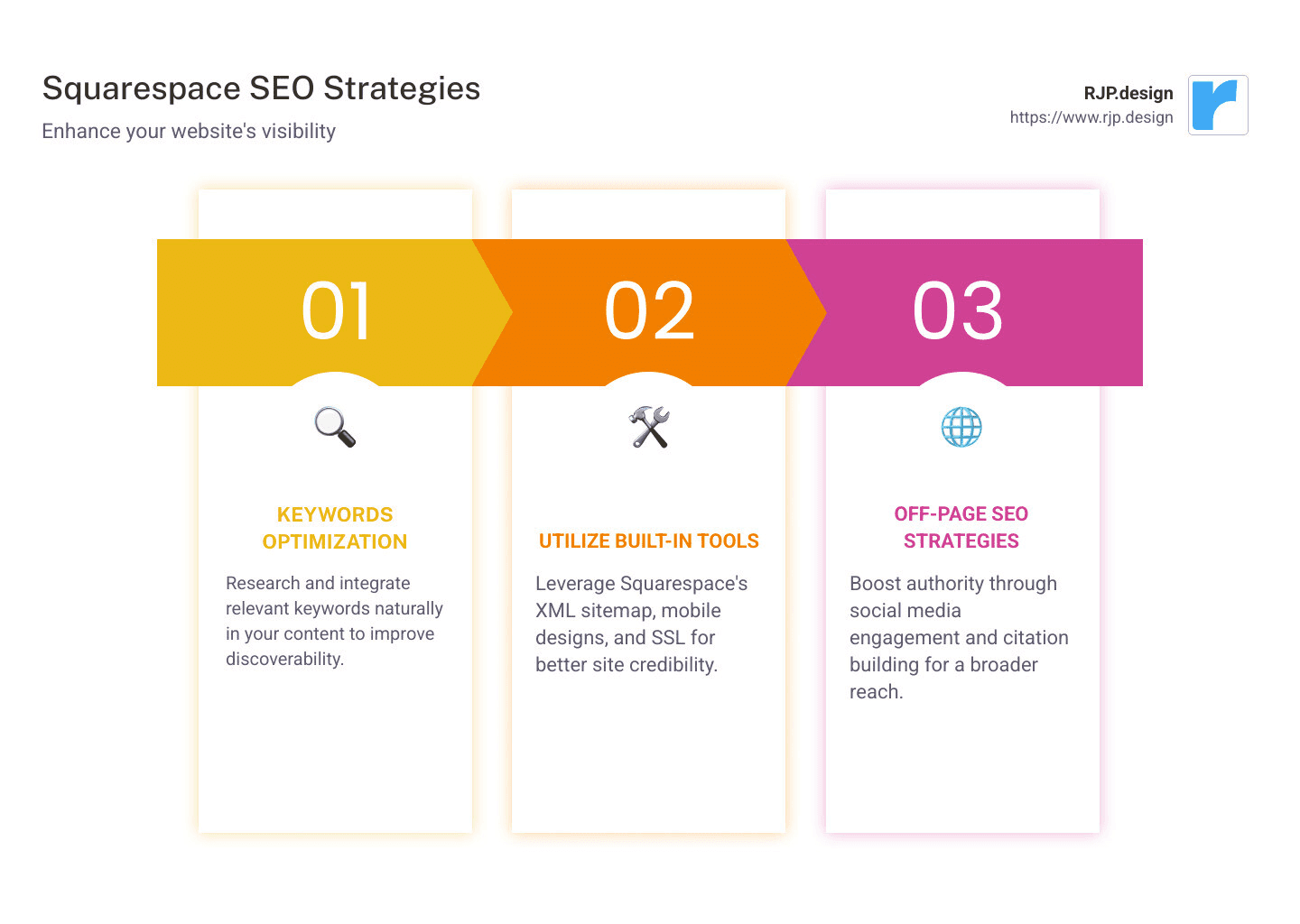
Optimize your content with relevant keywords: Start by researching keywords related to your business and incorporate them naturally into your content.
Use Squarespace’s built-in tools: Take advantage of the automatic XML sitemap, mobile-friendly designs, and built-in SSL certificates to improve site credibility and user experience.
Leverage off-page SEO strategies: Combine with social media and citation building to boost authority.
Use SEO plugins like SEOSpace for improved insights: Additional plugins can provide actionable feedback for optimization.
Search Engine Optimization (SEO) is not just a tool; it’s a crucial component in today’s digital marketing strategy. It helps your site rank higher on search engines, leading to increased traffic and potential sales. Squarespace, with its SEO-friendly platform, ensures users like you can efficiently manage this crucial aspect. From clean HTML and static URLs to responsive design, the platform offers multiple built-in features that are tuned for SEO success.
Allow me to introduce myself. I’m Ross Plumer, your guide for exploring squarespace seo help. With a strong background in digital marketing and hands-on experience with high-revenue businesses, I’ve honed my skills to provide practical and impactful Squarespace SEO solutions.
Understanding Squarespace SEO
When you’re diving into Squarespace SEO, understand how the platform is designed to help your website shine on search engines. Squarespace provides a robust foundation for SEO, thanks to several built-in features that make the process smoother and more effective.
Automatic Optimization
One of the standout features of Squarespace is its automatic optimization. This means that many SEO best practices are already integrated into the platform. For instance, Squarespace automatically generates an XML sitemap for your site. This sitemap helps search engines like Google index your pages efficiently, ensuring your content is findable.
Static URLs
Another crucial aspect of Squarespace SEO is the use of static URLs. Static URLs are clean and easy to read, which is beneficial for both users and search engines. For example, instead of a URL filled with random numbers and symbols, Squarespace automatically creates URLs based on your page titles. This not only improves user experience but also improves your site’s searchability.
Product Categories
For those running an online store, organizing your products effectively is vital. Squarespace allows you to create clear and concise product categories, which helps both users and search engines understand the structure of your site. By categorizing products logically, you make it easier for search engines to crawl your site and for users to find what they’re looking for.
Navigation
Good navigation is key to a successful website, and Squarespace excels in this area. Its intuitive navigation features allow you to create a seamless user experience, which is a critical factor in SEO. Easy-to-steer sites encourage visitors to stay longer and explore more pages, which can positively impact your search rankings. A well-structured navigation menu also helps search engines understand the hierarchy and importance of your site’s content.
In summary, Squarespace provides a solid SEO foundation with features like automatic optimization, static URLs, organized product categories, and intuitive navigation. These elements work together to improve your site’s visibility and user experience, making it easier for your audience to find you online.
Next, we’ll explore how to improve SEO on your Squarespace site by diving into specific setup steps and best practices.
How to Improve SEO on Your Squarespace Site
Improving SEO on your Squarespace site involves setting up key elements like SEO titles, descriptions, permalinks, and understanding how to publish changes effectively. Let’s break down each component to ensure your site is optimized for search engines.
Item SEO Setup
The first step in enhancing your site’s SEO is to focus on item SEO setup. This involves optimizing each page and product on your site, ensuring they’re easily findable by search engines. Begin by identifying the primary keywords for each page. These keywords should reflect what your audience is searching for and align with the content of the page.
SEO Title and Description
Next, it’s crucial to craft compelling SEO titles and descriptions. The SEO title is the headline that appears in search engine results. It’s your first chance to grab a searcher’s attention, so make it descriptive and relevant. For example, if you have a blog post about dog training, a good SEO title might be “Expert Tips on Dog Training for Beginners.”
The SEO description should provide a brief summary of the page’s content. While it doesn’t directly impact rankings, a well-written description can increase click-through rates by enticing users to visit your site. Remember to keep it natural and engaging.
Permalink
Permalinks are the permanent URLs for your web pages. Squarespace automatically generates these based on your page titles, but you can customize them for better SEO. A clean, simple permalink is easier for both users and search engines to understand. For instance, instead of “yourwebsite.com/blog/12345,” use “yourwebsite.com/blog/dog-training-tips.”
Publishing Changes
Once you’ve made these optimizations, properly publish changes. When you update content or add new pages, search engines need to be notified. Squarespace helps by automatically updating your sitemap, but you can expedite the process by submitting your updated sitemap to Google Search Console. This ensures search engines are aware of your changes and can index your pages faster.
By focusing on these elements—item SEO setup, SEO titles and descriptions, permalinks, and efficient publishing—you’ll be well on your way to improving your Squarespace site’s visibility in search results.
In the next section, we’ll explore essential SEO tools and plugins that can further boost your site’s performance.
Essential SEO Tools and Plugins for Squarespace
To lift your Squarespace site’s performance, leveraging SEO tools and plugins is key. One notable tool is the SEOSpace plugin, which provides actionable insights to help you improve your site’s SEO.
SEOSpace Plugin
The SEOSpace plugin is a third-party tool designed specifically for Squarespace users. It offers a suite of features to optimize your site effectively. With SEOSpace, you can:
Analyze SEO performance: Get detailed reports on how your site is doing in search engine rankings. This helps you identify areas that need improvement.
Track keyword positions: Understand which keywords are driving traffic to your site and how they rank in search results.
Receive optimization tips: Get practical advice on how to improve your site’s SEO, including suggestions for meta tags, alt text, and content structure.
These insights are invaluable for anyone looking to boost their site’s visibility and attract more organic traffic.
Actionable Insights
Actionable insights are crucial for making informed decisions about your site’s SEO strategy. By analyzing data from tools like SEOSpace, you can pinpoint which elements of your site need tweaking. For instance, if you notice certain pages have high bounce rates, it might be time to revisit their content and layout.
Boosting Organic Traffic
The ultimate goal of using SEO tools and plugins is to increase organic traffic to your site. Organic traffic refers to visitors who find your site through search engines without paid advertising. By optimizing your site with the right tools, you can improve your visibility and draw more visitors naturally.
Organic traffic is not just about getting visitors—it’s about attracting the right audience who are genuinely interested in your content or products. This can lead to higher engagement and better conversion rates.
By incorporating tools like the SEOSpace plugin and focusing on actionable insights, you’ll be well-equipped to improve your Squarespace site’s SEO and drive more organic traffic.
In the next section, we’ll provide a comprehensive Squarespace SEO checklist to ensure your site is fully optimized before launch.
Squarespace SEO Checklist
Before launching your Squarespace site, ensure it’s ready to climb the search engine rankings with this comprehensive SEO checklist. This guide will help you focus on the most crucial on-site SEO factors, ensuring your site is optimized for both search engines and visitors.
Pre-Launch Checklist
Before your site goes live, run through these essential steps:
Keyword Research: Identify the key terms and phrases your audience uses to find content like yours. Use these keywords naturally in your site’s content.
Mobile Optimization: Ensure your site is mobile-friendly. With Squarespace’s responsive design, your site should automatically adjust to different screen sizes, but always double-check.
SSL Activation: Secure your site with SSL. Squarespace offers free SSL certificates, which are crucial for site security and SEO.
Connect Google Search Console: Submit your sitemap to Google Search Console to help search engines index your pages faster.
On-Site SEO Factors
Focus on these on-site elements to improve your site’s SEO:
Title Tags and Headings: Use clear and descriptive title tags and headings that include your primary keywords. This helps search engines understand the content of your pages.
Image Optimization: Compress images to reduce load time and add descriptive alt text for accessibility and SEO.
Internal Linking: Create a logical internal linking structure to help users and search engines steer your site.
Meta Descriptions
Meta descriptions are not direct ranking factors, but they can significantly impact your click-through rate from search engine results.
Write Compelling Descriptions: Craft engaging meta descriptions that accurately summarize your page content. Use action words and include your focus keyword to entice users to click.
Unique Descriptions for Each Page: Ensure every page has a unique meta description to avoid duplicate content issues.
Customized URLs
URLs should be simple and descriptive. Here’s how to optimize them:
Keep URLs Short and Relevant: Use keywords in your URLs, but keep them concise. For example, instead of
example.com/blog/12345, useexample.com/blog/squarespace-seo-tips.Use Hyphens for Readability: Separate words with hyphens to make URLs easy to read, both for users and search engines.
Avoid Changing URLs: If you must change an existing URL, set up a 301 redirect to prevent broken links and preserve SEO value.
By following this Squarespace SEO checklist, you’ll set a strong foundation for your site’s visibility and performance. These steps ensure that your site is search-friendly and ready to attract the right audience.
In the next section, we’ll address some frequently asked questions about getting Squarespace SEO help and how to further improve your site’s search engine performance.
Frequently Asked Questions about Squarespace SEO Help
Can Squarespace help with SEO?
Absolutely, Squarespace is designed to assist with SEO right out of the box. Automatic SEO-friendly pages are one of its key features. Every page you create is structured to be easily indexed by search engines, which boosts your site’s visibility. Squarespace’s built-in tools, like the automatic XML sitemap and clean URL structures, ensure your brand is more easily found by potential customers. This means you don’t have to be an SEO expert to get started—Squarespace does a lot of the heavy lifting for you.
How do I improve SEO on my Squarespace website?
Improving SEO on your Squarespace site involves a few strategic steps. First, make sure to use the item library effectively. This allows you to manage your content and ensure everything is optimized for search engines. Focus on search engine optimization by setting SEO titles and descriptions for each page. These elements help search engines understand and rank your content better.
When you make any changes to your site, don’t forget to publish changes. This ensures that search engines can see the most updated version of your content. Regularly updating your content and ensuring all SEO settings are correct is crucial for maintaining and improving your search rankings.
Is Squarespace 7.1 better for SEO?
Squarespace 7.1 offers several advantages when it comes to SEO. This version includes improved on-site SEO factors, making it easier for users to optimize their sites. For instance, the platform allows more flexibility in customizing page layouts and adding SEO-friendly elements like meta descriptions and alt tags for images.
In terms of version comparison, Squarespace 7.1 provides a more streamlined and user-friendly interface for managing SEO settings. This can lead to better optimization practices, as users are more likely to engage with the features that improve their site’s search performance. Overall, if SEO is a priority, upgrading to Squarespace 7.1 can offer tangible benefits.
By understanding these aspects of Squarespace SEO, you can make informed decisions to improve your site’s search presence.
Conclusion
At RJP.design, we pride ourselves on delivering high-quality service custom to meet the unique needs of our clients. Our team is dedicated to ensuring your website not only looks stunning but is also easily findable online. This commitment to client satisfaction is what sets us apart.
We understand that navigating SEO can be daunting, especially if you’re using a platform like Squarespace. That’s why we’re here to provide expert guidance and support every step of the way. Our services are designed to help you harness the full potential of Squarespace’s SEO capabilities, ensuring your site ranks well and attracts the right audience.
Whether you’re just starting out or looking to improve your existing online presence, our down-to-earth team is ready to assist you. We focus on building long-term relationships with our clients, offering ongoing support and advice to keep your website performing at its best.
If you’re ready to take your Squarespace site to the next level, explore our digital marketing services. Let us help you create an online presence that truly stands out.