
Web
Crafting the Perfect Shopify Web Page in Minutes
May 27, 2026

Why Your Shopify Web Page Can Make or Break Your Online Store
Building a shopify web page is one of the fastest, most accessible ways for a small business owner to establish a professional online presence — without needing to write a single line of code.
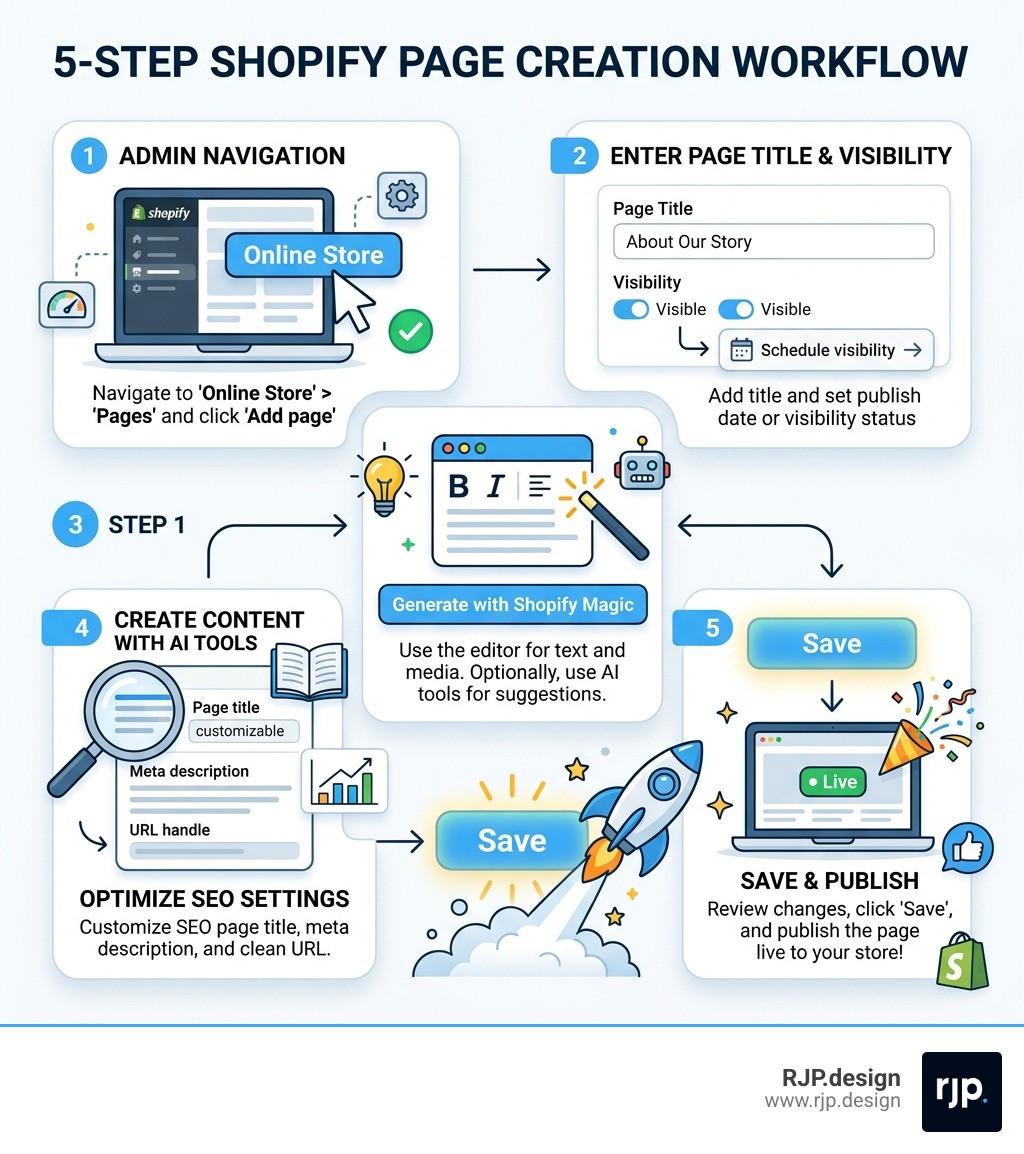
Here's how to create a Shopify page in minutes:
Log in to your Shopify admin panel
Navigate to Online Store > Pages
Click Add page and enter your page title
Add your content using the rich text editor (or let Shopify Magic write it for you)
Set visibility, customize your SEO settings, and click Save
That's genuinely it. You can have a live, professional page up in under five minutes.
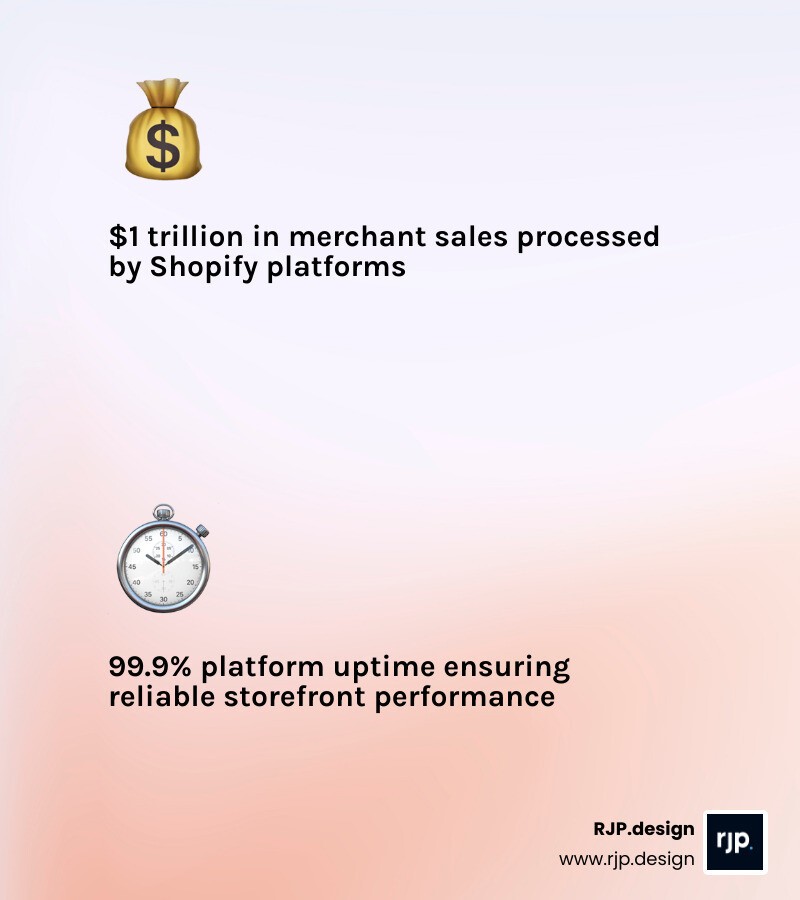
Shopify has become the backbone of modern eCommerce for good reason. Merchants across the world have collectively processed over $1 trillion in sales through the platform. Its checkout converts 15% higher on average than competing platforms. And with a 99.9% uptime rate, your store stays open even when you're not watching.
But here's what most guides miss: the pages you build inside Shopify matter just as much as your products. Your About Us page builds trust. Your FAQ reduces support tickets. Your Contact page turns browsers into buyers. Get these wrong, and even the best product lineup won't save you.
Whether you're launching your first store or cleaning up an outdated one, this guide walks you through every step — from creating your first page to optimizing it for search engines and conversions.
I'm Ross Plumer, a digital marketing and web design specialist with hands-on experience helping businesses generate over $20 million in revenue — including building and optimizing shopify web pages that actually convert. Let's get into it.
Building Your Shopify Web Page: A Step-by-Step Guide
Navigating the Shopify admin is designed to be intuitive, even for those of us who aren't "tech wizards." When we want to add a new shopify web page, we start at the heart of the store: the Admin panel.
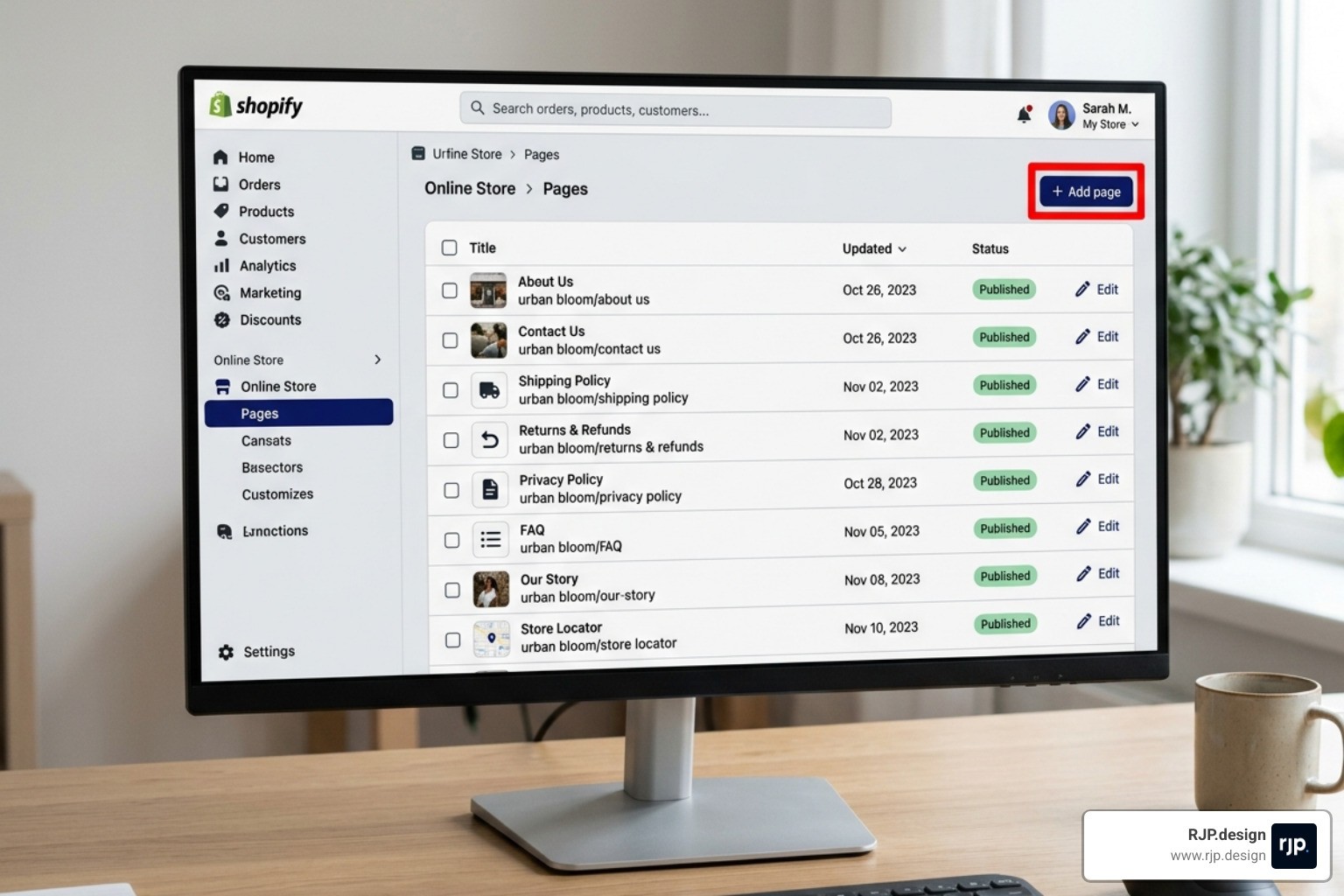
To get started, head to Online Store and then click on Pages. This is your command center for all non-product content. From here, you can perform bulk actions—like publishing or unpublishing multiple pages at once—which is a huge time-saver if you're running a seasonal promotion or a site-wide update.
One of our favorite features is Visibility scheduling. You don't have to be awake at midnight to launch a new "Meet the Maker" page. You can simply set the page to "Hidden," click the calendar icon, and choose a specific publish date and time. This ensures your content goes live exactly when your audience is ready for it. For a deeper dive into these technical steps, the Shopify Help Center | Creating and editing pages provides excellent documentation on the nitty-gritty details.
Mastering the Shopify Web Page Editor
The Shopify rich text editor works a lot like a standard word processor, but with commerce-specific superpowers. You can format text, change colors, and insert tables with ease. However, if you want more granular control, you can click the Show HTML button to edit the code directly. This is perfect for adding custom snippets or fine-tuning layouts.
When building a shopify web page, we recommend including these essential rich media elements:
High-Quality Images: Always add descriptive "Alt text" to your images. This helps visually impaired users and tells search engines what your photo is about.
Video Embeds: Use videos to tell your brand story or demonstrate a product.
Google Maps: If you have a physical location, embedding a map on your Contact page is a must. Simply copy the iframe code from Google Maps and paste it into the HTML viewer.
Descriptive Links: Instead of saying "click here," use descriptive link titles like "View our 2026 Lookbook" to improve accessibility and SEO.
Using AI and Shopify Magic for Content
Welcome to the future of content creation! In 2026, we don't have to stare at a blank cursor anymore. Shopify Magic is a built-in AI tool that helps us generate page titles and body content based on simple prompts. By describing your brand voice—whether it's "sophisticated" or "playful"—Shopify Magic can draft a professional "About Us" page in seconds.
Beyond just text, Shopify also offers Sidekick, an AI commerce assistant. Think of Sidekick as a virtual co-founder. It can spot growth opportunities in your data and automate tedious administrative tasks. With Shopify shipping over 150 new features every six months, these AI tools are constantly evolving to make our lives easier and our stores more efficient.
Optimizing Your Shopify Web Page for SEO
If a page exists but no one can find it on Google, does it even make a sound? To ensure your shopify web page gets the attention it deserves, you must master the "Search engine listing preview" section at the bottom of the page editor.
Feature | Best Practice | Limit/Recommendation |
|---|---|---|
Page Title | Use keywords naturally | Under 70 characters |
Meta Description | Write a compelling "hook" for searchers | Under 160 characters |
URL Handle | Keep it short and descriptive | Use hyphens between words |
If you ever decide to change a URL handle (the part of the web address after the slash), Shopify makes it easy to create a URL redirect. Always check the box to "Create a URL redirect" so that old links don't lead to "404 Not Found" errors. This keeps your SEO rankings intact and your customers happy.
Designing for Conversion and Growth
A shopify web page needs to do more than just look pretty; it needs to perform. Shopify’s infrastructure is "Cheetah fast," utilizing global edge deployment to ensure your site loads within milliseconds for shoppers anywhere in the world.
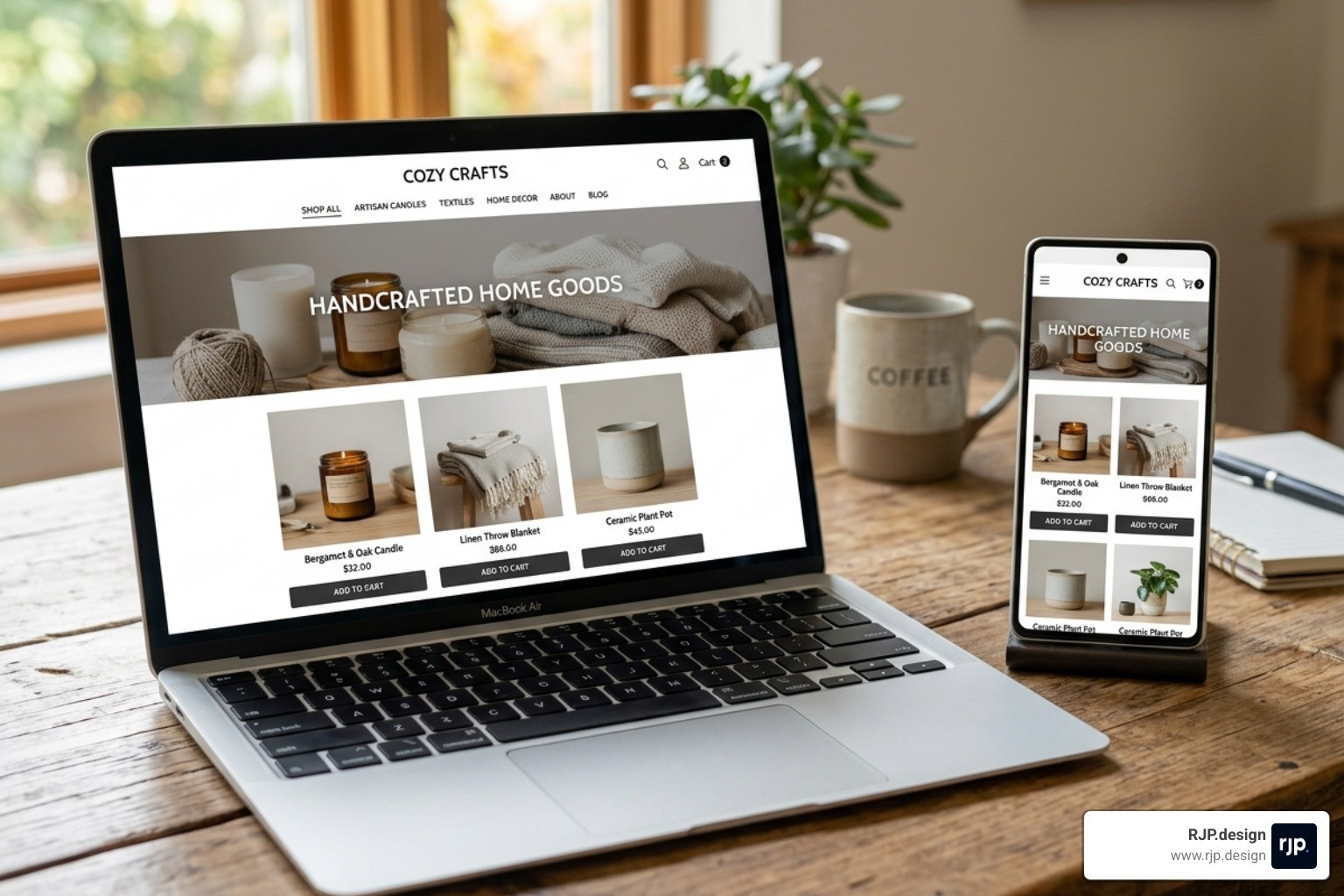
With over 800 proven themes available in the ecosystem, you have a massive library of high-conversion designs at your fingertips. Shopify’s drag-and-drop website builder allows for a no-code design experience where you can move sections, add banners, and adjust layouts without touching a line of CSS. It’s truly the All-in-One Commerce Platform for Businesses.
Essential Pages for Every Store
While every brand is unique, certain pages are non-negotiable for building trust. We recommend every store include:
About Us: Share your heritage and craftsmanship.
Contact Us: Make it easy for people to reach you.
FAQ: Answer common questions to reduce support emails.
Legal Policies: Privacy, shipping, and refund policies are required for most payment gateways.
Social Proof: Use customer reviews and testimonials to build credibility.
For inspiration, you can check out some of the Best Shopify Store Designs to see how top-tier brands use visual storytelling to captivate their audience.
Extending Capabilities with Apps and Custom Design
Sometimes, the out-of-the-box features aren't quite enough for a specialized business model. That’s where the Shopify App Store comes in. With over 13,000 apps (and counting!), you can add everything from loyalty programs to advanced subscriptions.
For brands that need truly unique functionality, Shopify offers Metaobjects and Metafields. These allow us to create entirely new types of structured content—like an influencer directory or a complex technical specification table—that isn't part of the standard page template. If you find yourself needing this level of customization, working with a Shopify Ecommerce Development Agency can help you unlock the full power of the platform.
Final Testing and Professional Launch
Before you hit "Publish" and announce your new shopify web page to the world, you need to test it.
Preview Everything: Click the "Preview" button to see how the page looks on the live site.
Check Mobile Responsiveness: Over 50% of web traffic is mobile. Ensure your buttons are "thumb-friendly" and images aren't cut off.
Global Selling: If you sell internationally, check how your page looks with different currencies and languages enabled.
Performance Testing: Use tools to ensure your images are optimized for speed.
At RJP.design, we specialize in taking these steps off your plate. We believe that while anyone can build a page, crafting a high-converting, "award-winning" digital flagship requires a strategic touch. Our down-to-earth team prioritizes your satisfaction, ensuring your store doesn't just look great but is also easily found by your ideal customers.
If you’re ready to move beyond the DIY stage and want a site that truly stands out in the competitive 2026 market, explore our Professional Web Design and Development Services. We’re here to help you dream big, build fast, and grow even further.
Building the perfect shopify web page is a journey, not a one-time task. By leveraging AI, staying on top of SEO best practices, and focusing on user experience, you can create a storefront that works as hard as you do. Happy selling!