
Web
Don't Get Hosted: A Guide to Choosing Your Ideal Web Hosting Service
Jan 27, 2026

Why Your Web Host is the Foundation of Your Online Success
How to choose a hosting provider is a critical decision that directly impacts your website's speed, security, and reliability. Think of it as the foundation for your digital storefront. A poor choice can lead to slow page loads that drive away visitors, costly downtime, and security breaches that erode customer trust.
To choose the right host, you need a clear plan. This guide provides a 4-step framework:
Understand hosting types: Learn the difference between Shared, VPS, Dedicated, and Cloud hosting.
Assess your needs: Evaluate your site's traffic, technical requirements, and budget.
Evaluate core factors: Prioritize uptime, performance, and security features.
Check the details: Look into support, pricing, backups, and scalability.
A hosting provider does more than just store your files; they manage the complex server infrastructure so you can focus on your business. With hundreds of providers promising the world, it's easy to get lost. Choosing based on price alone often leads to poor performance, as even the industry standard of 99.9% uptime allows for almost nine hours of downtime per year.
As Ross Plumer of RJP.design, I've seen how the right hosting enables a business website design to succeed, while the wrong one undermines even the best custom website solutions. Let's cut through the noise and find the perfect host for your business.
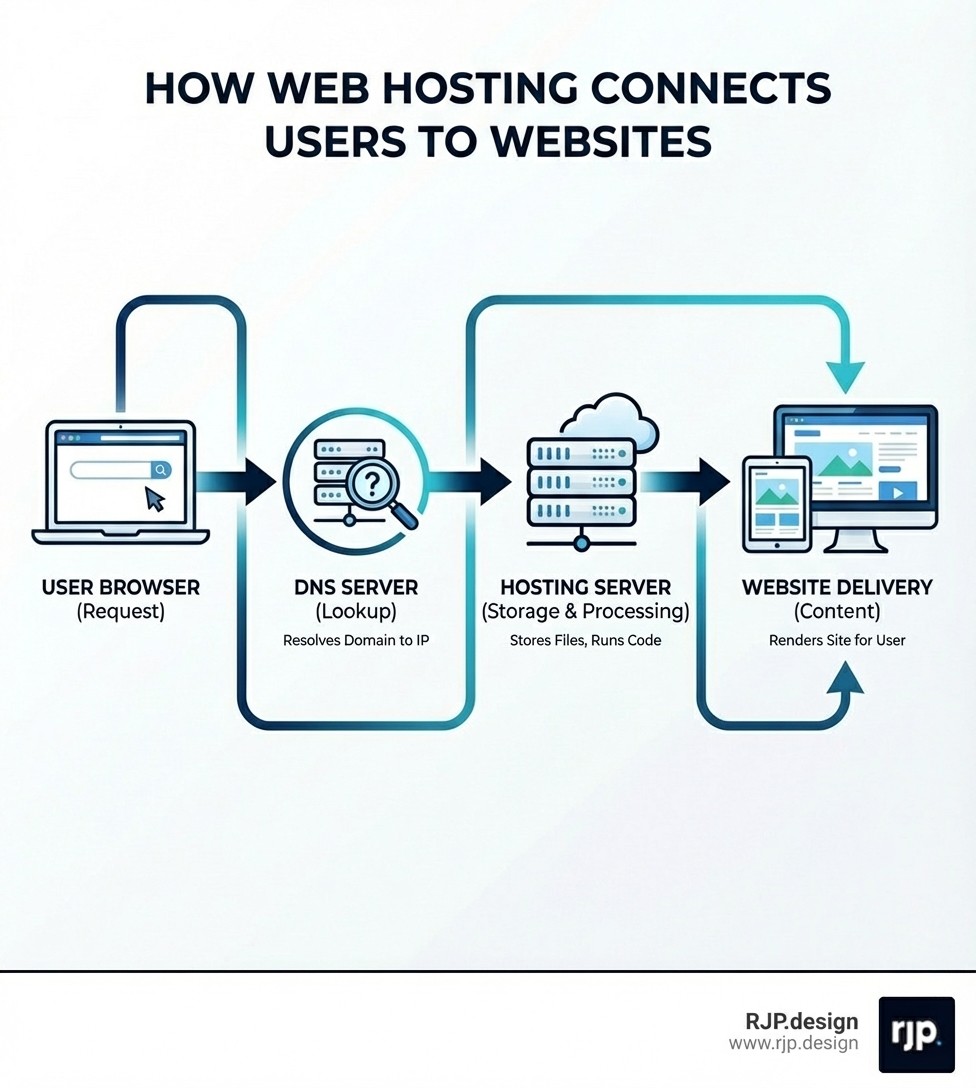
How to choose hosting provider terms you need:
website design strategy
How to Choose a Hosting Provider: A 4-Step Guide
Step 1: Understand the Essentials – Hosting Types & Key Terms
Before you can choose a hosting provider, you need to know the language. Let's break down the main types of hosting and the key terms you'll encounter.

Shared Hosting: The most budget-friendly option, where your site shares server resources with many others. It's like a digital apartment building—great for small websites, blogs, or portfolios with low traffic, but performance can be inconsistent if a "neighbor" has a traffic spike.
VPS (Virtual Private Server) Hosting: A step up from shared. A physical server is partitioned into several virtual servers, each with its own dedicated resources. It's like a condo, offering more power and control. Ideal for growing businesses and e-commerce sites that need reliable performance.
Dedicated Hosting: The premium option where you get an entire server to yourself. This offers maximum performance, security, and control, like owning a single-family home. It's best for high-traffic sites, large e-commerce stores, or businesses handling sensitive data, but it requires technical expertise to manage.
Cloud Hosting: Your site's data is spread across a network of servers. This provides high reliability and easy scalability, as you can adjust resources on demand. It's perfect for sites with fluctuating traffic or those expecting rapid growth.
Managed Hosting: A service layer, not a server type. The provider handles all technical tasks like updates, security, and backups. This is a popular option for WordPress and is perfect for those who want to focus on their business, not server maintenance.
Here's a quick comparison:
Feature | Shared Hosting | VPS Hosting | Dedicated Hosting |
|---|---|---|---|
Cost | Lowest | Medium | Highest |
Performance | Basic, can be inconsistent | Good, consistent | Excellent, highest speed |
Control | Limited | Moderate | Complete |
Best For | Small sites, blogs | Growing businesses, e-commerce | Large enterprises, high traffic |
Key Terms to Know:
Bandwidth: The amount of data that can be transferred between your site and its visitors. More bandwidth allows for more traffic and faster loading. A website bandwidth calculator can help estimate your needs.
Disk Space (Storage): The server space allocated for your website's files. Look for Solid State Drives (SSDs), which are significantly faster and more reliable than traditional Hard Disk Drives (HDDs).
Uptime: The percentage of time your website is online and accessible. The industry standard is 99.9%, but higher is always better.
SSL Certificate: Encrypts data between your site and visitors, protecting sensitive information. Google Chrome marks sites without SSL as "not secure," so it's essential for trust and SEO. Most hosts offer a free SSL.
CMS (Content Management System): Software like WordPress, Drupal, or Joomla that helps you manage your website's content without coding. Many hosts offer specialized plans optimized for a specific CMS.
Step 2: Assess Your Website's Unique Needs
The best hosting plan is one that's custom to your business. Before comparing providers, ask yourself these key questions to define your requirements.
What kind of site are you building?
A simple blog or portfolio may only need shared hosting.
An e-commerce store using a platform like WooCommerce or similar requires robust security and performance, as downtime equals lost sales.
If you're using a specific CMS or framework (for example, one that needs Node.js), ensure the host supports its technical requirements.
How many visitors do you expect?
Low to moderate traffic can be handled by shared or basic VPS plans.
High traffic or sudden spikes (from sales or viral content) require the scalability of VPS or cloud hosting.
What is your technical skill level?
If you're not tech-savvy, choose managed hosting. The provider handles server maintenance, and a user-friendly control panel like cPanel makes management easy.
If you have technical expertise, unmanaged or dedicated hosting offers complete control for custom configurations.
What is your budget?
Don't just choose the cheapest option. Budget hosts often overload servers and have high renewal rates. Balance cost with performance and reliability for long-term value.
Do you have a plan for growth?
A good host allows you to easily upgrade your plan (for example, from shared to VPS) as your site grows. Look for flexible upgrade paths so your custom website solutions can scale smoothly.
What kind of data will you handle?
If you handle sensitive customer data, security and data privacy laws are critical. The physical location of your server matters—hosting in Canada, for example, offers stricter privacy protections than in the US, where data may be subject to laws like the Patriot Act. This can have implications for compliance with regulations like GDPR or HIPAA.
Do you need professional email?
A custom email address (
you@yourdomain.com) looks professional. Check if hosting plans include email accounts with adequate storage and spam protection.
Step 3: Core Factors for How to Choose a Hosting Provider
Once you know your needs, evaluate potential hosts on these non-negotiable factors.

Reliability and Uptime
Uptime measures your website's accessibility. While many hosts promise 99.9% uptime, this still translates to nearly nine hours of downtime per year. For an e-commerce site, that's significant lost revenue. Research shows that more than two-thirds of outages cost businesses over $100,000. Look for an uptime guarantee of at least 99.9% and check the fine print.Performance and Speed
Site speed impacts user experience and SEO. A slow site drives visitors away—you can lose a large share of traffic if a page takes more than a few seconds to load. Key factors for speed include:SSD Storage: Solid State Drives (SSDs) are much faster than traditional HDDs.
Server Location: Choose a host with data centers close to your target audience to reduce latency.
Caching: This technology stores copies of your site to deliver them faster to repeat visitors.
Security Features
With billions of malware attacks annually, robust security is essential. Your host should provide a comprehensive security suite, including:Web Application Firewall (WAF)
DDoS protection
Malware and virus scanning
Brute-force protection
Automatic security updates
SSL Certificates
An SSL certificate encrypts data and enables the "HTTPS" and padlock icon in the browser, signaling to visitors that your site is secure. Google favors secure sites, and most browsers warn users about sites without SSL. A free, auto-renewing SSL certificate should be a standard offering.
Step 4: The Final Check in How to Choose a Hosting Provider: Price, Support, and Scalability
You've narrowed down your options. This final check ensures you're making a smart, sustainable business decision.
Customer Support
When your site has an issue, you need fast, expert help. Look for 24/7 support via multiple channels (phone, live chat, tickets). Before committing, test their support with a few questions to gauge their responsiveness and knowledge.Pricing and Value
The cheapest plan is rarely the best value. Be wary of low introductory prices that skyrocket upon renewal. Always read the fine print to understand the total long-term cost. For businesses in Canada, verify if prices are in CAD or USD to avoid unexpected currency conversion costs.Watch out for these potential hidden fees:
Website migration services
SSL certificate and domain name renewals
Automated daily backups
Advanced security features
High renewal rates
Backup and Restore Policy
Automated daily backups are your safety net. Ensure your host performs backups frequently, retains them for a reasonable period (for example, 30 days), and stores them on a separate system from your main server. A one-click restore feature is a huge plus.Scalability
Your business will grow, and your hosting should grow with it. Choose a provider that offers easy, seamless upgrade paths from one plan to another (for example, shared to VPS). This ensures your site can handle increased traffic without a complicated migration. Your Responsive Web Solutions need a backend that can scale just as seamlessly.Site Migration Services
If you're switching hosts, a managed migration service can be a lifesaver. Look for a provider that will handle the entire process of transferring your website, databases, and emails for you, minimizing downtime and hassle.
Conclusion: Partnering for Long-Term Growth
Choosing a web host isn't just a technical task; it's a foundational business decision. By following this guide, you can move beyond confusing jargon and marketing promises to find a provider that acts as a true partner for your growth.
The right host ensures your Professional Web Design is fast, secure, and always available to your customers. At RJP.design, we know that superior infrastructure is what allows great design to perform. By investing in the right hosting, you're ensuring the long-term success and reliability of your online presence.
Enhance your online strategy with our digital marketing services.