
Web
Unlock Your Business Potential: A Guide to Google Business Profile
Apr 2, 2026
Why Nearly Half of All Google Searches Lead Customers Straight to Your Door
How to use GMB? is one of the most important questions a local business owner can ask — and here's the short answer:
Create or claim your profile at business.google.com
Verify your business via video, postcard, phone, or email
Complete your profile with your business name, address, phone number, hours, and category
Add photos, services, and a business description to stand out
Engage consistently — respond to reviews, post updates, and monitor your insights
That's the core loop. But how well you do each of those steps is what separates businesses that dominate local search from those that stay invisible.
Nearly 46% of all Google searches have local intent — meaning nearly half the people searching on Google right now are looking for a business like yours, nearby. And when someone searches "plumber near me" or "best coffee shop in [your city]," Google serves up a handful of results front and center: the Local Pack. That's the map with three business listings that appears before almost everything else on the page.
Your Google Business Profile (GBP) — formerly known as Google My Business (GMB) — is your ticket into that space. It's completely free, and it's the single most powerful tool you have for local visibility.
Yet most businesses either haven't claimed their profile at all, or they've left it half-finished. An incomplete profile doesn't just underperform — it actively loses you customers to competitors who took the time to fill theirs out properly.
This guide walks you through everything: setup, verification, optimization, reviews, posts, analytics, and long-term maintenance. Whether you're starting from scratch or trying to squeeze more out of an existing profile, you're in the right place.
I'm Ross Plumer, a digital marketing strategist with hands-on experience helping businesses generate over $20 million in revenue — and knowing how to use GMB? effectively has been central to that work. In the sections ahead, I'll break down exactly what it takes to turn your Google Business Profile into a consistent source of local traffic and real customers.
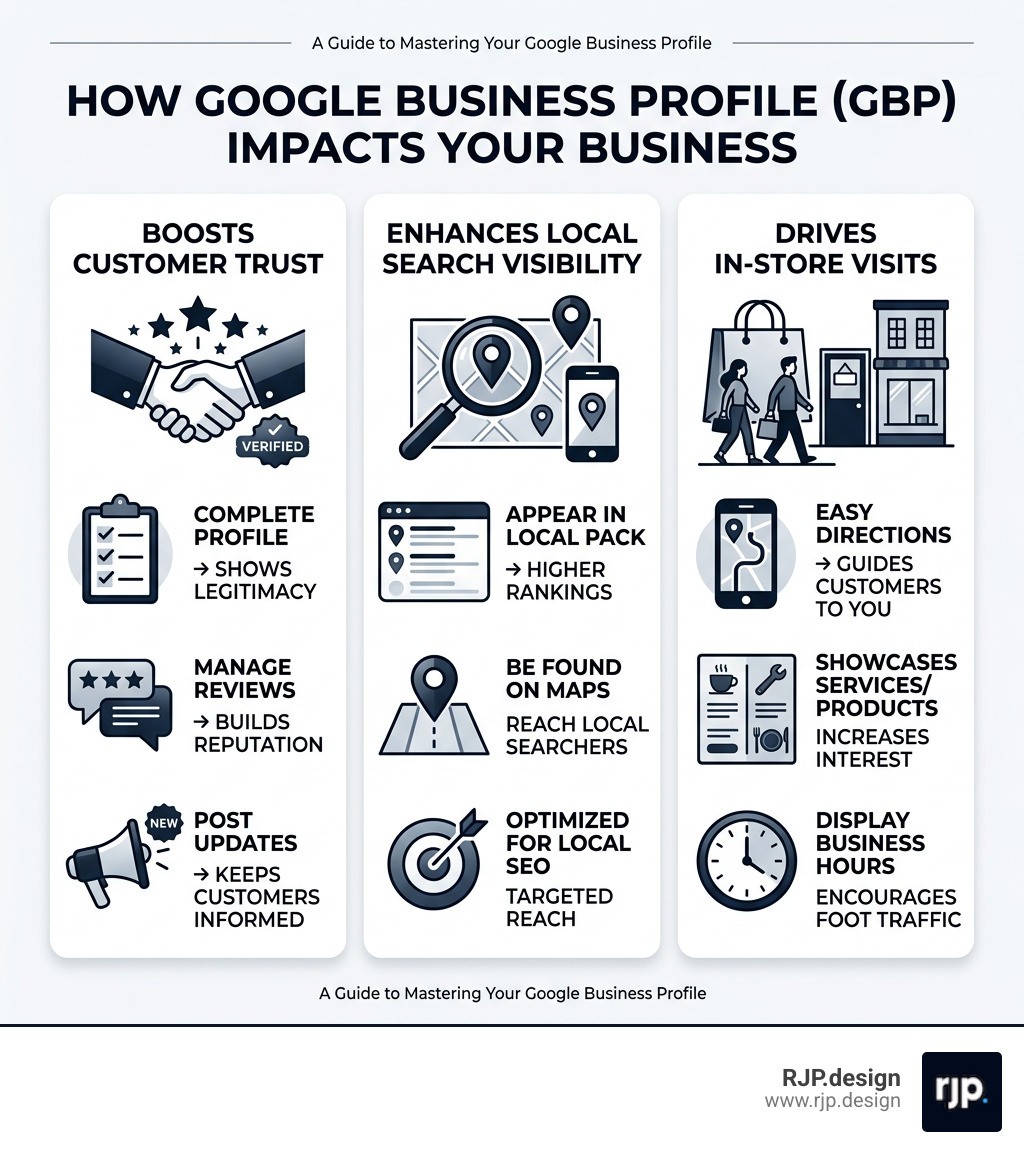
Simple guide to How to use GMB?:
How to Use GMB? to Dominate Local Search
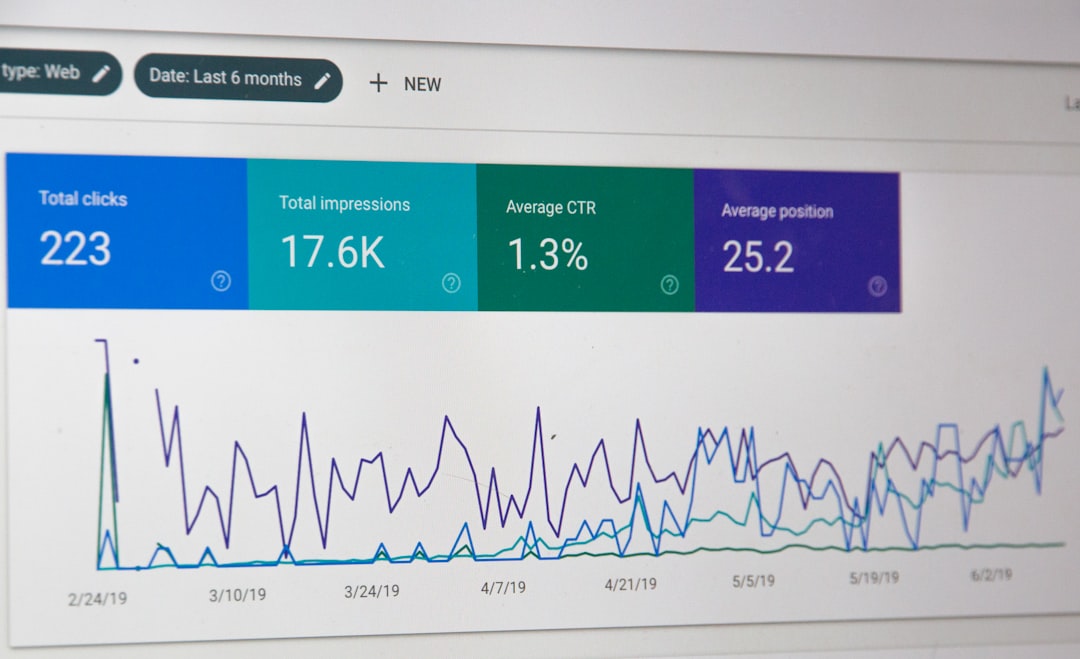
To truly dominate local search, we need to look beyond just "having" a profile. According to research by Moz, Google Business Profile signals are the most pivotal factor in determining who shows up in the Local Pack. If you want to outrank the shop down the street, your profile needs to be a beacon of accuracy and engagement.
The foundation of a winning profile rests on NAP consistency (Name, Address, Phone number). Google’s algorithms are looking for trust signals. If your phone number is different on your website than it is on your GMB profile, Google gets confused. When Google gets confused, your rankings drop. We always recommend keeping a simple spreadsheet to ensure your details match exactly across every corner of the web.
Selecting your Primary Category is another heavy hitter. This is the single most important ranking factor you can control. You shouldn't just pick "Restaurant" if you are a "Pizza Delivery Service." Being specific reduces your direct competition and tells Google exactly who your ideal customer is.
For those of us who don't have a physical shop window — like plumbers, cleaners, or consultants — Google allows for Service-Area Business (SAB) setups. In this case, you hide your home address and instead define the radius or specific cities you serve. This keeps you compliant with official guidelines while still letting you appear in "near me" searches. For a deeper dive into these nuances, check out our Google Business Profile ultimate guide.
Setting Up and Verifying Your Profile
Before you can start climbing the ranks, you have to prove to Google that you are who you say you are. This is the verification phase, and it’s where many business owners get stuck.
First, check if a profile already exists. Search for your business on Google Maps. If you see it, click "Own this business?" to start the claiming process. If nothing shows up, head to business.google.com to create a new one from scratch.
Google offers several verification methods, but they’ve recently shifted toward video verification for about 80% of new listings. This usually involves a 1-2 minute video where you show your street sign, your business tools, or your workspace to prove the business is active.
The traditional postcard method is still around, where Google mails a physical code to your address. This typically takes 5–14 days. Pro tip: Do not change your business name or address while waiting for that postcard, or you'll void the code and have to start over! Once you have the code, you have a limited window to enter it into your dashboard to finalize ownership.
Optimizing Your Profile for Maximum Reach
Once verified, it’s time to fill in the "digital storefront." Think of your profile as a landing page. You have a 750-character business description to tell your story. Don't waste this space with sales pitches or keyword stuffing. Instead, focus on your Unique Selling Point (USP) and use natural language that includes your city and core service.
Visuals are non-negotiable. Statistics show that businesses with photos receive 42% more requests for driving directions and 35% more clicks to their website. But don't stop at just one or two. Businesses with 100+ photos get a staggering 520% more calls than the average listing.
We suggest a "Quantity Goal" of at least 25–50 high-quality, non-stock photos to start. Show your team, your finished work, and the outside of your building so people can find you easily. You can also set Attributes — like "Women-led," "Veteran-owned," or "Wheelchair accessible" — which help you appear in filtered searches. If you're feeling overwhelmed by the technical side, you can explore our Google optimization services to help get your profile into top shape.
Mastering Customer Engagement and Reviews
Reviews are the lifeblood of local SEO. A study by Exploding Topics found that 93% of customers are influenced by online reviews. It’s not just about the number of stars, either; it’s about review velocity (how often you get new ones) and your response time.
Google rewards businesses that engage. When you get a review — positive or negative — respond within 24 hours. This shows both Google and potential customers that you are active and care about service.
To help you understand how to set up your specific business type, we've put together this quick comparison:
Feature | Storefront Business | Service-Area Business (SAB) |
|---|---|---|
Address Visibility | Publicly displayed on Maps | Hidden from the public |
Location Marker | Precise pin on the map | Broad service radius/circle |
Verification | Often requires video of storefront | May require proof of registration/tools |
Customer Contact | Customers come to you | You travel to the customers |
Don't forget Google Posts. These are like mini-social media updates that appear right on your profile. Use them to announce sales, share helpful tips, or highlight a "Project of the Week." This keeps your profile "fresh" in Google's eyes, which is a significant ranking signal.
Advanced Strategies for Long-Term Success
Now that your profile is live and optimized, how do you keep it at the top? It’s all about data and consistency. The Insights tab in your dashboard is a goldmine. It tells you exactly how people found you — whether they typed your name directly or found you by searching for a category like "web design."
If you have multiple locations, the game changes slightly. You’ll need to manage multi-location profiles using location groups to maintain brand consistency while allowing for local flair at each site. We also focus heavily on local citations — ensuring your business is listed correctly on other directories like Yelp or Bing. Even a tiny mismatch, like "Street" vs. "St," can sometimes cause a ranking drop in today's AI-driven search environment. For more expert tips on maintaining this edge, check out Habazar Google My Business optimization tips.
Leveraging Insights to Refine Your Strategy
Don't just look at the numbers; interpret them.
Search Queries: See which keywords are driving the most views. If you see people searching for a service you offer but don't highlight, update your description!
Direction Requests: If these are high but your phone calls are low, it means people are finding you but perhaps your phone number isn't easy to click.
Audience Demographics: Knowing where your customers are coming from helps you decide where to focus your other marketing efforts.
Website Clicks: Use this to see if your GMB profile is actually driving traffic to your main site.
By aligning this data with your Google Analytics, you get a full-funnel view of how a local searcher becomes a paying client.
Essential Maintenance: How to Use GMB? Effectively Every Week
A "set it and forget it" approach will eventually lead to a slow slide down the rankings. To stay in the Local Pack, we recommend a weekly maintenance routine:
Post one update: Share a photo or a quick tip via Google Posts.
Respond to all new reviews: Thank the fans and professionally address the critics.
Monitor Q&A: Customers can ask questions publicly on your profile. If you don't answer them, a random stranger might!
Check your hours: Ensure holiday hours are updated. Nothing kills trust faster than a customer driving to a "Live" business that is actually closed.
These "freshness signals" tell Google that your business is alive and well. If you're looking for a comprehensive strategy to manage all this, our Google SEO campaigns are designed to handle the heavy lifting for you.
Scaling Your Presence: How to Use GMB? for Multiple Locations
Managing one profile is a task; managing ten or twenty is a full-time job. For multi-location businesses, we use bulk management tools and location groups. This allows us to push out brand-wide updates (like a Christmas sale) while still keeping the local phone numbers and addresses unique.
At RJP.design, we specialize in helping businesses scale their online presence without losing that personal touch. Whether you are a solo entrepreneur or a growing franchise, we ensure your digital storefront is just as welcoming as your physical one. If you're ready to take the next step and dominate your local market, contact our local SEO services team.
Knowing how to use GMB? isn't just a technical skill — it's a competitive advantage. By following this guide, you're not just filling out a form; you're building a bridge between your business and the thousands of local customers searching for you every single day. Let's get to work!