
Web
How to Design a Web App Landing Page That Users Actually Love
Aug 4, 2026

What Is a Web App Landing Page (And Why It Makes or Breaks Your Product)
A web app landing page is one of the most important digital assets your product will ever have — yet most small business owners treat it as an afterthought.
Here's a quick breakdown of what it is and why it matters:
What it is: A dedicated, standalone web page designed to introduce your web application, communicate its core value, and guide visitors toward a single action — like signing up, starting a free trial, or booking a demo.
What it is not: Your homepage, your app store listing, or a general product page with navigation pulling people in every direction.
Why it matters: With over two million apps competing for attention across major app stores, a well-crafted landing page gives you full control over your brand story, your messaging, and your conversion path — none of which app stores allow.
Think of it this way: your app might be exceptional, but if your landing page doesn't communicate that immediately, visitors leave. First impressions are made in milliseconds, and a cluttered or vague page will cost you sign-ups every single day.
The stakes are real. Research into high-performing landing pages shows that small structural decisions — like featuring a simple three-step visual explanation above the fold — can push click-through rates as high as 85%. Meanwhile, pages that bury their value proposition under feature jargon or slow load times see conversions fall off a cliff.
Your landing page isn't just a marketing page. It's your product's handshake with the world.
I'm Ross Plumer, a digital marketing and web design strategist with hands-on experience helping businesses that have marketed over $20 million in revenue — including projects centered on building web app landing pages that convert visitors into loyal users. In this guide, I'll walk you through exactly what separates a forgettable landing page from one that genuinely works.
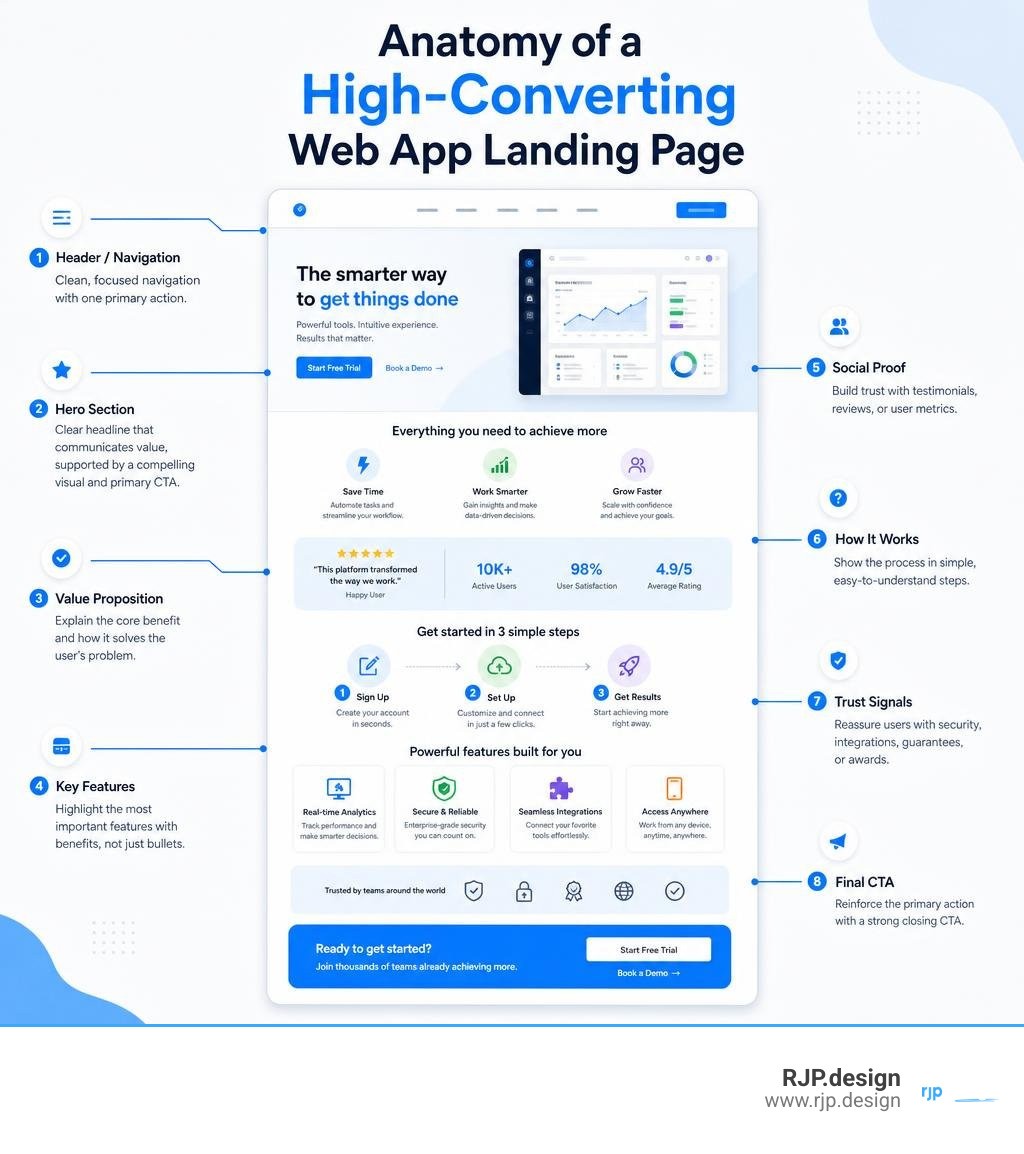
Essential Elements of a High-Converting Web App Landing Page
When we design pages for client web applications, we focus heavily on conversion rate optimization (CRO). The main goal is maintaining a strict 1:1 attention ratio: one primary goal for every page. When visitors have too many choices, decision fatigue sets in, and they bounce.
A landing page that converts follows a logical layout hierarchy designed around the user journey. It systematically removes friction and distraction, guiding potential subscribers smoothly from curiosity to action. For a deeper look at building pages that convert, explore our guide on High Converting Landing Pages.
Crafting Outcome-Driven Headlines and CTAs for a Web App Landing Page
One of the biggest mistakes we see software creators make is leading with technical specifications rather than user outcomes. Buyers do not sign up for a tool because of its underlying infrastructure; they sign up because it solves an immediate, frustrating problem.
To create persuasive headlines and calls-to-action (CTAs):
Focus on the outcome: Reframe technical capabilities into direct benefits. Instead of "Advanced Async Data Syncing," use "Stop Copying Data Between Five Different Apps."
Speak directly to customer pain points: Address the exact daily frustration your user wants to eliminate. For example, modern platforms like the Pivot collaboration workspace tackle contextual switching by unifying discussions, goals, and tasks in one place.
Optimize headline and subheadline pairs: Use a short, bold primary headline to state the primary benefit, followed by a clarifying subheadline that explains how the app delivers on that promise.
Use clear, low-friction microcopy: Avoid generic, uninspiring CTA button text like "Submit" or "Register." Instead, use actionable phrases like "Start Free Trial" or "Build Your Workflow in Seconds."
Showcasing Product UI with Visuals, Animations, and Video Demos
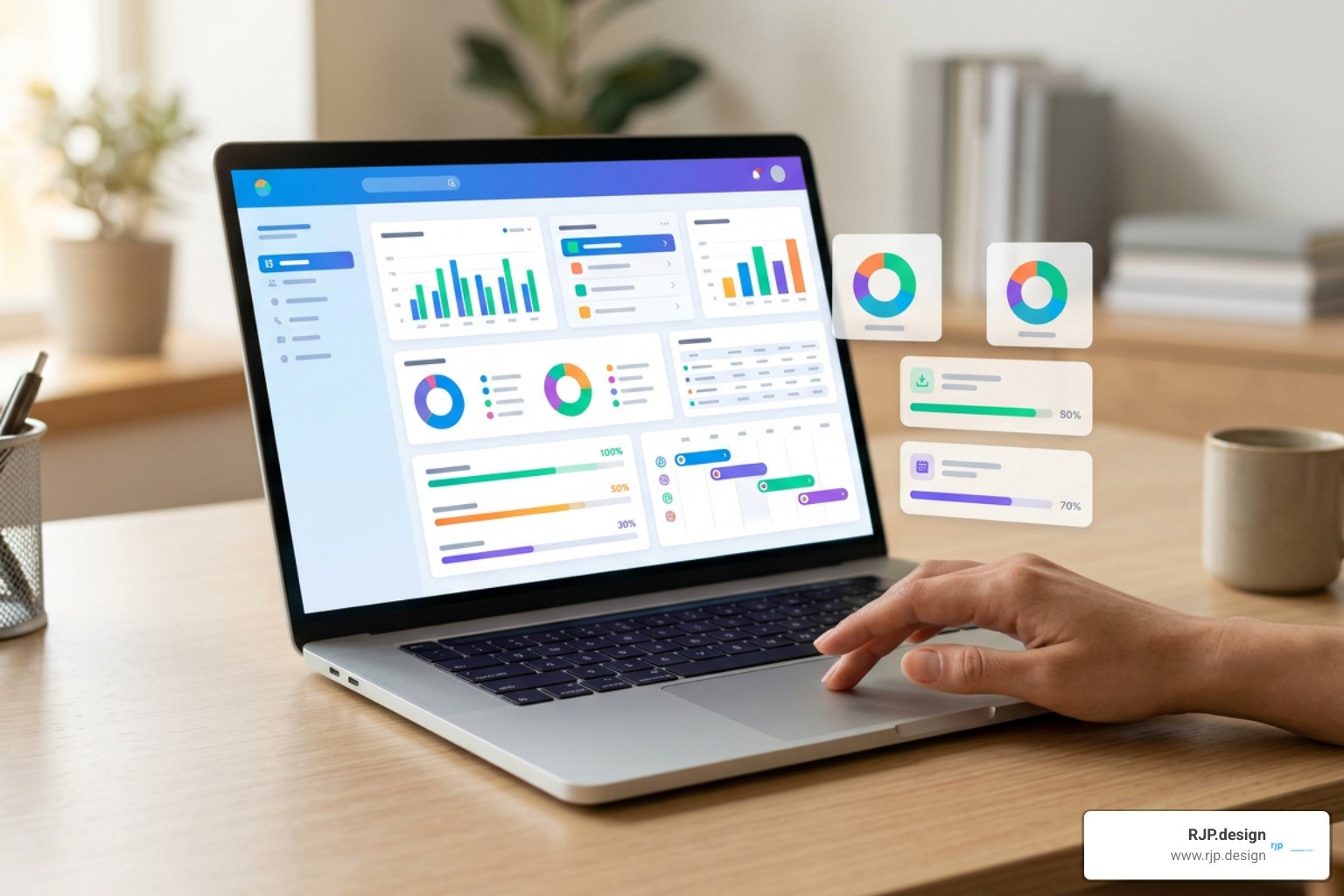
Humans process visual information infinitely faster than text. When evaluating web applications, visitors want to see exactly what operating the software feels like before they hand over an email address.
Product-led visuals build instant familiarity and trust. Modern, fast-moving tools like the Linear product development system showcase their clean UI design, keyboard shortcuts, and smooth workflow animations right in the hero section to immediately demonstrate product craft.
To showcase your interface effectively:
Incorporate realistic dashboard previews: Feature high-resolution UI snapshots above the fold. Show actual workflows rather than generic graphic illustrations or decorative stock imagery.
Use ambient video demos: Short, silent looping clips or interactive scroll animations give visitors an instant feel for the software's speed and responsiveness without forcing them to press play on an embedded player.
Map features directly to benefits: Pair every UI visual snippet directly alongside the exact real-world result it delivers for the user.
Leveraging Social Proof and Trust Signals to Overcome User Doubt
Prospective users always enter your page with a baseline of hesitation. Strategic placement of contextual social proof helps eliminate doubt at the exact moments when friction or hesitation occurs.
Rather than clumping all your testimonials into a single buried section at the bottom of the page, deploy proof strategically across the entire user journey:
Enterprise client logos: Place recognizably trusted brand logos directly underneath your main hero headline to establish immediate credibility.
Metric-backed proof points: Share verified statistics that highlight user impact, such as average time saved or percentage increases in workflow efficiency.
User review badges and star ratings: Display real feedback ratings from verified review platforms near primary conversion forms.
Targeted testimonial quotes: Place quotes addressing specific concerns—such as security, ease of setup, or customer support—right alongside relevant feature blocks.
For actionable frameworks on integrating trust signals into your design, check out our insights on Website Conversion Strategies.
Best Practices to Optimize Your Web Application Experience
Designing a great web app landing page requires balancing compelling marketing copy with top-tier technical performance. A sleek visual experience will fail to generate results if performance bottlenecks keep users from onboarding smoothly.
Web App Landing Page vs. Mobile App Download Hubs
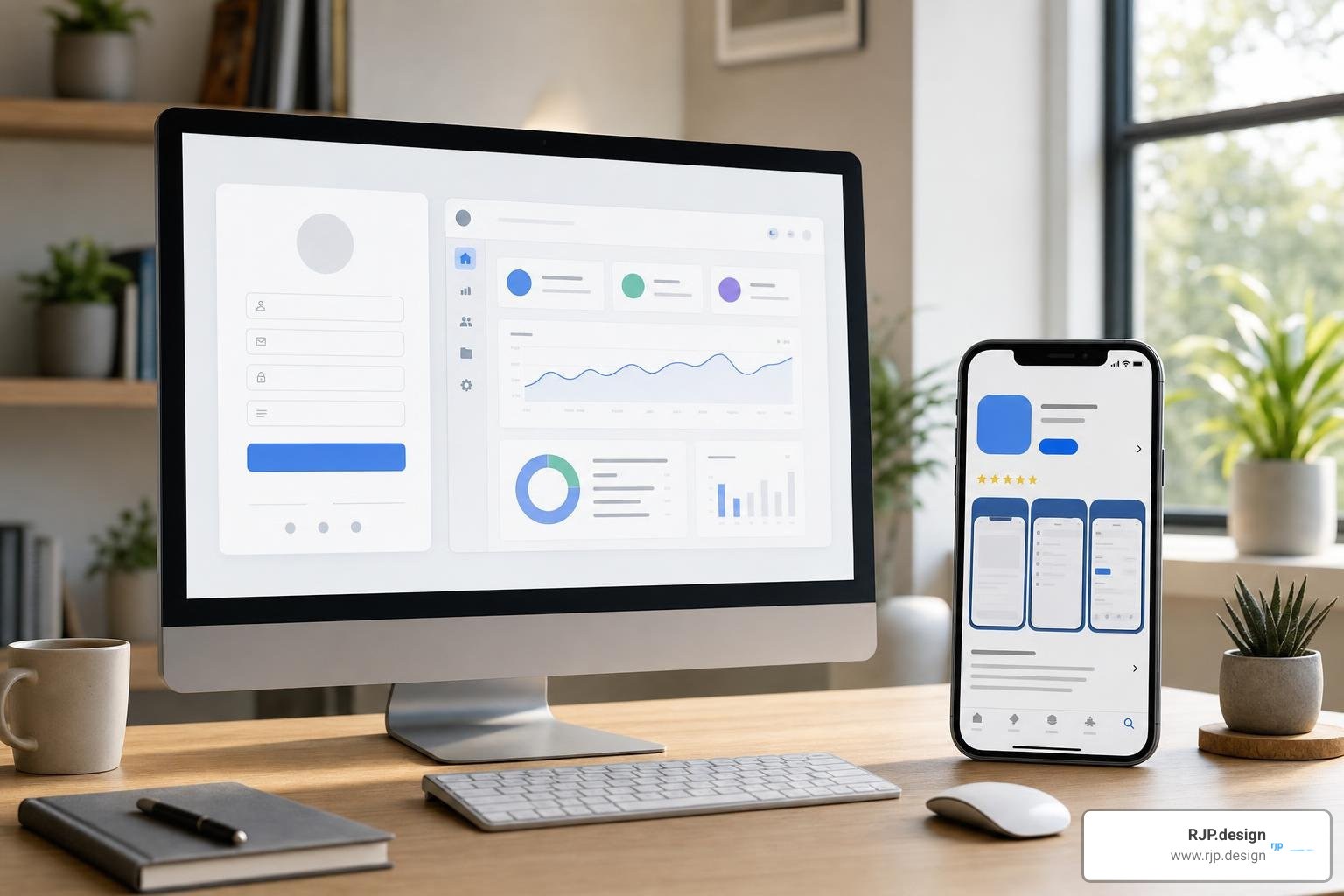
It is common to confuse web app landing pages with mobile app download pages, but they serve distinct conversion goals and environments.
A browser-based web application landing page is designed for instant onboarding directly inside the user's browser, whereas a mobile app landing page often serves as a stepping stone driving traffic to external stores like the Apple App Store or Google Play.
Feature / Goal | Web App Landing Page | Mobile App Landing Page |
|---|---|---|
Primary Conversion Goal | Direct web signup, interactive demo, or immediate account creation | App store download or SMS download link |
User Environment | Desktop or mobile web browsers | Mobile devices (iOS / Android) |
Brand Control | 100% control over design, messaging, and user experience | Limited by standard app store formatting guidelines |
Competitor Distractions | Zero external ads or competitor recommendations | High (app stores display competing app ads) |
Onboarding Path | Immediate browser interaction and account setup | Requires downloading, installing, and opening an app |
If your web application also features a mobile companion app, you can bridge the desktop-to-mobile gap easily. Adding a feature that sends an SMS download link directly to a desktop visitor's smartphone eliminates friction and dramatically boosts overall installation rates.
To learn more about tailored software architectures, read our overview on Custom Web Applications.
SEO and Performance Optimization to Maximize Conversions
A delay in page load time directly damages your conversion rates. Research shows that page load delays past four seconds lead to massive drop-offs in user engagement. Furthermore, modern search engines prioritize sites that meet strict technical benchmarks.
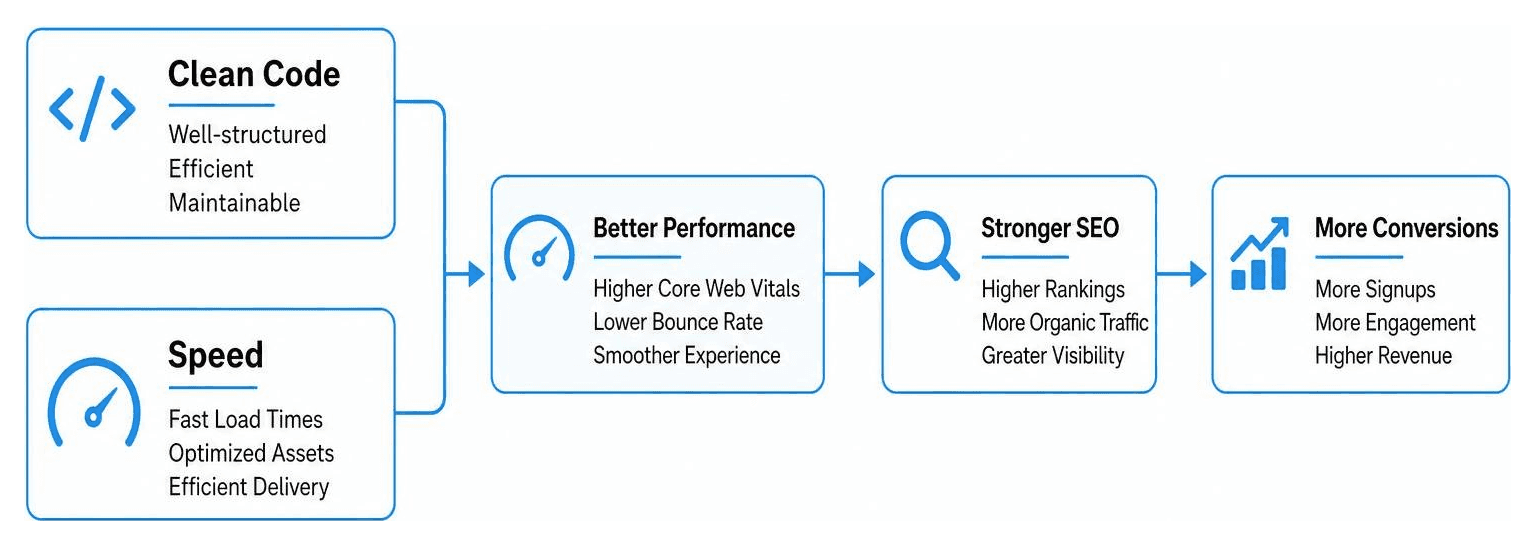
To optimize your page for both search engines and human visitors:
Target Core Web Vitals: Optimize image files, reduce heavy third-party scripts, and ensure fast server response times to achieve high performance scores.
Implement semantic HTML markup: Structure headings, section tags, and schema markup clearly so search engines can index your application's unique value proposition easily.
Adopt code-first web development: Leveraging modern code-first tools—such as generating production-ready React components using the AI Landing Page Generator - Prompt to Real React Code | Superdesign —allows you to maintain clean, fast-loading codebases directly inside your product repository.
Decouple UI rendering: Render static page elements immediately while fetching dynamic data in the background to improve perceived load speed.
For detailed strategies on technical search optimization and cross-device responsiveness, explore our guides on Landing Pages and SEO as well as Responsive Web Application Development.
Common Mistakes to Avoid When Building Your Web App Destination
Over our years in digital web design, we have seen software companies fall into predictable traps that harm conversion rates.
Here are the top mistakes to avoid when building your web app landing page:
Feature jargon overload: Explaining back-end engineering features instead of focusing on user outcomes.
Generic stock photography: Relying on uninspired stock photos instead of showing real, high-resolution product interface previews.
Competing site links: Including full header navigation menus with dozens of external links that distract users from the primary conversion goal.
Page speed delays: Unoptimized visual assets and heavy scripts that push page load times past three seconds.
Hidden CTA buttons: Failing to include persistent, visible calls-to-action as the user scrolls down the page.
Building a high-converting digital presence does not have to be overwhelming. At RJP.design, our down-to-earth team prioritizes client satisfaction, ensuring your digital products look great, load fast, and convert visitors into active users.
Ready to transform your software platform into a high-converting conversion engine? Partner with us today and explore our full range of web design and development services.