
Web
Stop Stressing and Start Building Your Business Website with WordPress
May 14, 2026

Why a WordPress Website for Business Is Still the Smartest Move in 2026
A wordpress website for business remains one of the most powerful and cost-effective ways to build a professional online presence — and the numbers back that up. Over 43% of all websites on the internet run on WordPress, making it the most widely used content management system in the world.
Here's a quick answer to what you need to know:
What You Want | What WordPress Delivers |
|---|---|
Professional design | Thousands of themes, no coding required |
Easy content updates | Intuitive block editor, drag-and-drop layouts |
E-commerce | WooCommerce integration built for growth |
SEO visibility | Clean code, sitemaps, metadata control |
Scalability | Grows with your business, from 1 page to 1,000 |
Cost-effectiveness | Free core software, affordable hosting options |
Data ownership | You own everything — no vendor lock-in |
If your current website is outdated, hard to update, or simply not bringing in customers, you're not alone. Many small business owners feel stuck — overwhelmed by technical jargon, unsure where to start, and worried about making the wrong choice.
The good news? Building a modern, professional WordPress site is far more approachable than most people think. Whether you're starting from scratch or overhauling an existing site, WordPress gives you the flexibility, tools, and community support to create something that actually works for your business — not against it.
I'm Ross Plumer, a digital marketing and web design expert with hands-on experience helping businesses that have collectively marketed over $20 million in revenue, and I've guided countless companies through building high-performing wordpress websites for business. In this guide, I'll walk you through everything you need to know — clearly and without the technical overwhelm.
Glossary for wordpress website for business:
Why Choose a WordPress Website for Business?
When we talk about a wordpress website for business, we are looking at a platform that has evolved far beyond its blogging roots. In 2026, it is a robust, enterprise-grade engine that powers everything from local barbershops to massive tech corporations. One of the primary reasons we recommend WordPress is its open-source nature. This means the core software is maintained by a global community, ensuring constant innovation without being tied to a single corporation's whims.
The most critical advantage, however, is data ownership. Unlike "closed" website builders where you essentially rent your site, WordPress allows you to pack up your files and move to any hosting provider you like. You own your content, your customer data, and your design.
To get started, you'll visit Blog Tool, Publishing Platform, and CMS – WordPress.org to see the software in its purest form. But before you dive in, you need to understand where your site will "live."
Self-Hosted vs. Managed Hosting for Business
Choosing the right hosting is like choosing the foundation for your office building. Here is how the two main options stack up for a wordpress website for business:
Feature | Self-Hosted (DIY) | Managed WordPress Hosting |
|---|---|---|
Setup | Manual installation | Pre-installed & optimized |
Security | You manage updates/firewalls | Automated malware scans & WAF |
Speed | Depends on your configuration | Built-in CDN & server-level caching |
Support | General server support | WordPress experts available 24/7 |
Cost | Lower monthly fees | Higher, but includes more services |
For most growing companies, we suggest looking into a Wordpress Website Redesign Ultimate Guide to see how professional hosting and design can transform a clunky site into a high-speed lead generator.
Key Advantages of a WordPress Website for Business
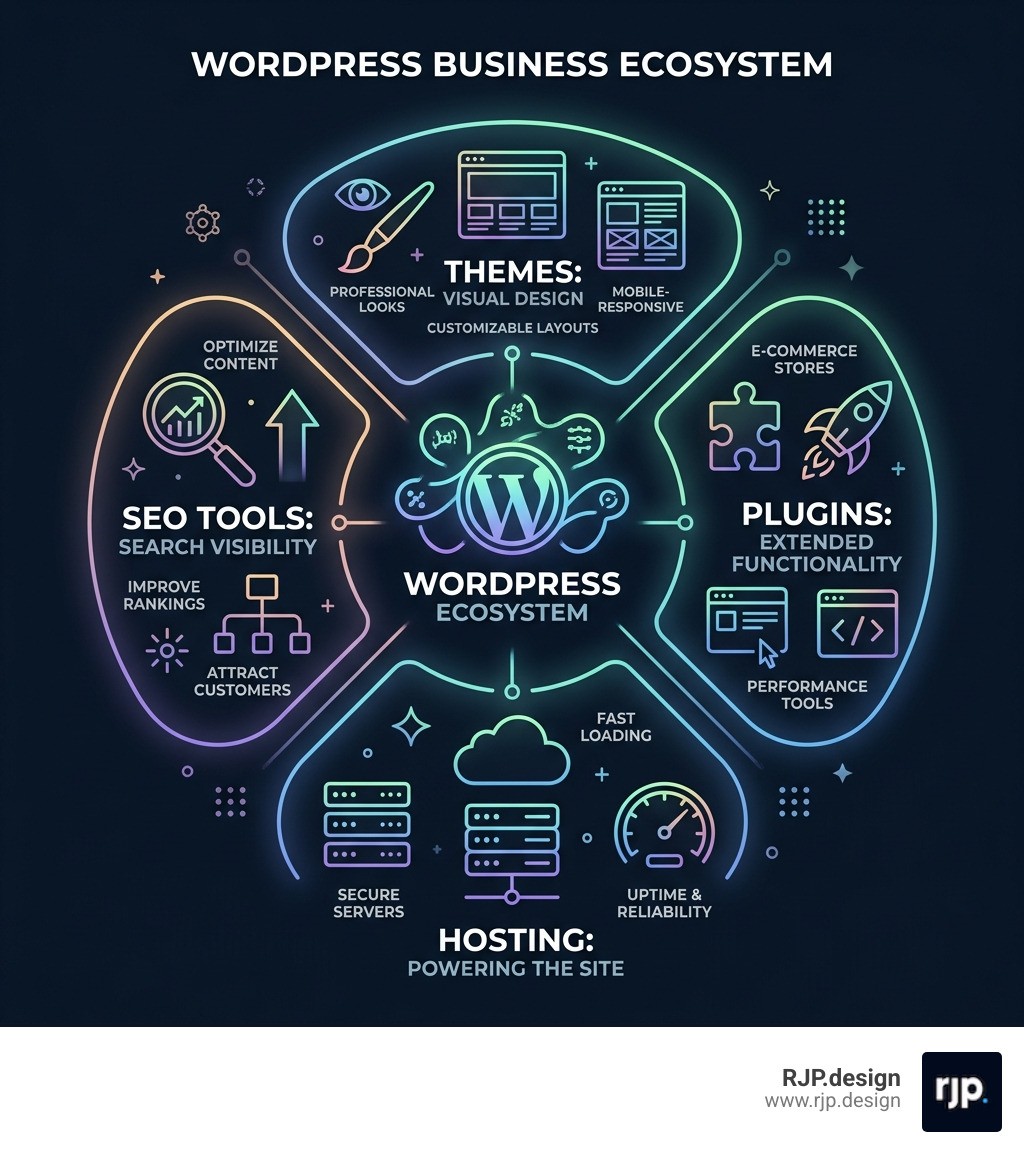
Why does WordPress continue to dominate the market? It comes down to the "Universe of Possibilities" provided by its ecosystem.
Massive Plugin Library: There are over 59,000 free plugins available. Whether you need a booking system, a mortgage calculator, or advanced SEO tools, there is likely a plugin for it.
Professional Themes: You don't need to be a coder to have a beautiful site. Lightweight themes like GeneratePress are currently used on over 600,000 websites globally because they offer a perfect balance of speed and customization. With over 7 million downloads, GeneratePress is a favorite for businesses that value performance.
Total Flexibility: Your site can grow from a simple landing page to a complex e-commerce store with thousands of products.
Future-Proofing: Because it powers 43% of the web, the talent pool is vast. You will never struggle to find a developer or designer who knows how to work on your site.
To ensure your site stays modern, we always follow Wordpress Website Design Best Practices 2025, focusing on clean layouts and fast loading times.
Security and Maintenance Best Practices
A common myth is that WordPress is insecure. In reality, WordPress is very secure, provided you don't leave the digital front door unlocked. Most security breaches happen due to outdated software or weak passwords.
For a professional wordpress website for business, we recommend these non-negotiables:
Web Application Firewall (WAF): This blocks malicious traffic before it even reaches your site.
DDoS Protection: Essential for preventing attacks that try to crash your site by flooding it with traffic.
Automated Backups: We always advocate for real-time backups with one-click restore options. If something goes wrong, you can be back online in minutes.
Core Updates: Keep WordPress, your themes, and your plugins updated. Many managed hosts do this for you automatically.
If this sounds like a lot to manage, our Wordpress Website Redesign Services Guide explains how professional management can take these technical headaches off your plate.
SEO and Scalability for Growth
WordPress is "SEO-friendly by design." Search engines love its clean semantic structure, which makes it easy for bots to crawl and index your content. But to truly win in 2026, you need more than just the basics.
Global CDN: A Content Delivery Network ensures your site loads fast for a customer in New York just as quickly as one in London.
Mobile-Responsiveness: With the majority of web traffic coming from mobile devices, your site must look perfect on every screen size.
Unmetered Bandwidth: As your business grows and traffic increases, you don't want to be penalized with extra fees. High-quality business hosting plans offer unmetered bandwidth to handle your success.
Optimizing Seo For Wordpress Websites involves customizing your permalinks, using proper header tags, and ensuring your images have alt text—all things WordPress makes incredibly simple.
Building and Managing Your Professional Presence

One of the biggest hurdles for business owners is the fear that they won't be able to update their own site. WordPress solved this with the Block Editor (Gutenberg). It’s a visual, drag-and-drop system that lets you build pages like you’re playing with digital Lego blocks. You can see your changes in real-time, meaning no more guessing what a page will look like after you hit "Publish."
Step-by-Step Setup Guide
Getting a wordpress website for business off the ground follows a logical path. Here is the blueprint we use:
Register Your Domain: Choose a name that is easy to remember and reflects your brand. Many hosting plans include a free domain for the first year.
Select Your Hosting: Don't just go for the cheapest option. Look for "Managed WordPress Hosting" to ensure your site is fast and secure.
Install WordPress: Most hosts offer a "one-click install" that takes about 30 seconds.
Choose a Theme: We recommend starting with a lightweight foundation like GeneratePress and then using a "Starter Site" to get a professional layout instantly.
Configure Essential Plugins: Install tools for SEO (like Yoast), security (like Wordfence), and analytics.
Build Your Content Strategy: Start with your core pages: Home, About, Services, and Contact.
For those on a budget, our Affordable Wordpress Web Design Guide provides tips on how to maximize your ROI during this setup phase.
Essential Tools and Themes for Business
To turn a basic site into a business engine, you need the right tools. We often use GenerateBlocks alongside the GeneratePress theme. This combination allows for "super heavyweight possibilities while staying super light on its feet."
WooCommerce: The gold standard for e-commerce. It’s one of the most popular platforms on the planet and integrates seamlessly with WordPress to sell physical or digital goods.
Contact Forms: Tools like WPForms or Gravity Forms are essential for lead generation.
Analytics Integration: Connecting Google Analytics allows you to see exactly where your customers are coming from.
Booking Systems: For service businesses (like plumbers or barbers), automated booking plugins can sync with your calendar and handle cancellations automatically.
Costs and Professional Support for a WordPress Website for Business
How much does a wordpress website for business actually cost? It’s the "how long is a piece of string" question. While the WordPress software is free, a professional business site involves several investment areas:
Hosting: Expect to pay anywhere from $15 to $50+ per month for quality managed hosting.
Premium Themes/Plugins: While many are free, "Pro" versions of tools like GeneratePress or advanced SEO plugins usually cost $50–$200 annually.
Domain Name: Roughly $15–$20 per year.
Professional Design & Development: This is where the biggest variance lies. A custom-built, high-performing site is an investment in your company's growth.
If you are wondering about the specific numbers for your project, check out our Wordpress Website Redesign Cost Guide 2025.
At RJP.design, we believe your website should be your greatest asset, not a technical burden. Whether you need a Wordpress Website Designer In Manhattan or you're looking for a partner to handle your global online presence, our team is here to help. We specialize in creating high-quality WordPress sites that prioritize client satisfaction and real-world results.
Ready to stop stressing and start building? Explore our small business web design services and let’s create a website that actually works for you.
Conclusion: Is WordPress Right for You?
In 2026, the "no-code" trend is stronger than ever, but WordPress remains the king of the mountain for a reason: balance. It offers the ease of use that non-technical owners need, with the deep customization and ownership that a growing business requires.
While some proprietary website builders offer simplicity, they often come with "creative constraints" and lack the long-term scalability of WordPress. If you want a site that you truly own—one that can grow from a single page into a global enterprise—a wordpress website for business is the undisputed choice.
Don't let the technical details hold you back. With the right theme (like GeneratePress), the right hosting, and a down-to-earth team like ours at RJP.design, your professional website is closer than you think. Let's get to work!